Amazon FBA Fulfillment Fees in 2026: Every Charge Explained (With Calculator)
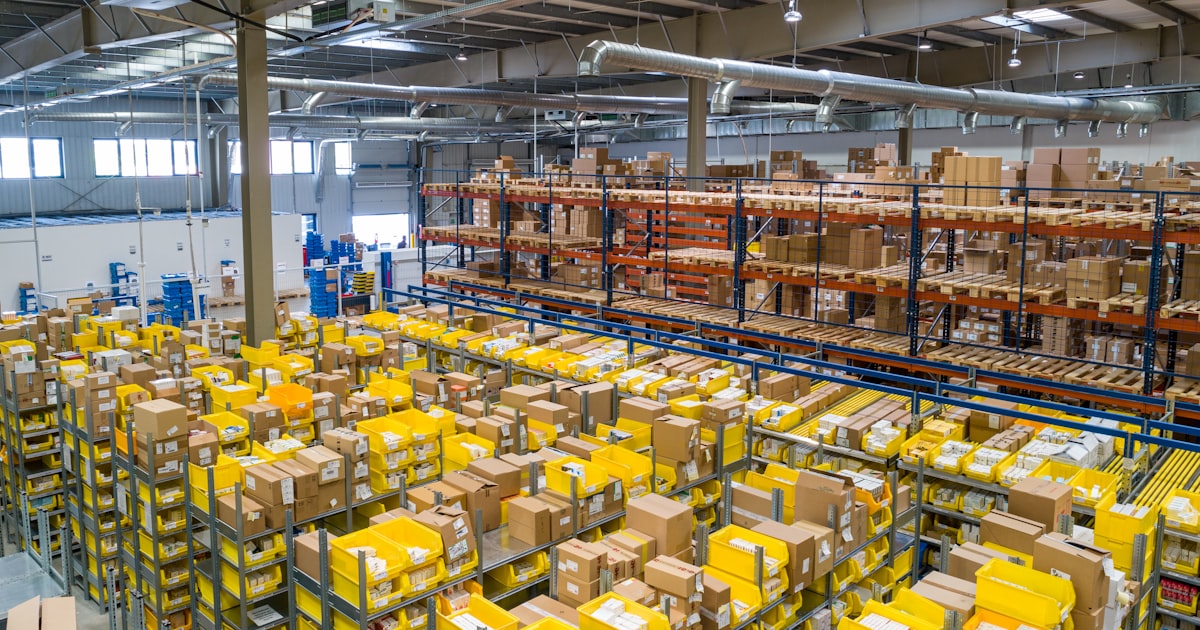
Amazon sellers who only look at the FBA fulfillment fee line item in their settlement report are underestimating their true fulfillment cost by 20-40%. The actual cost of using FBA includes at least 7 separate fee types, some of which Amazon has introduced or restructured in the past two years.
Many sellers price their products based on the referral fee and fulfillment fee alone, then wonder why their margins erode over time. The culprits are the fees that don't show up on every transaction: aged inventory surcharges that hit once a month, low-inventory-level fees that appear only when replenishment timing slips, and inbound placement fees that vary based on how you ship to Amazon's warehouses.
This guide breaks down every Amazon FBA fulfillment charge active in 2026, with rate tables, worked examples, and practical strategies for reducing each one. Bookmark this page, you will reference it every time Amazon updates their fee schedule.
What Are Amazon Fulfillment Charges?
Amazon fulfillment charges are the fees Amazon charges sellers who use Fulfillment by Amazon (FBA) to store, pick, pack, and ship products. These fees include the core FBA fulfillment fee, monthly storage fees, aged inventory surcharges, low-inventory-level fees, inbound placement fees, returns processing fees, and removal/disposal fees.
Each fee type serves a different purpose in Amazon's cost model. The fulfillment fee covers the labor and shipping cost of getting your product to the customer. Storage fees cover the cost of warehouse space. Surcharges like the aged inventory fee and low-inventory-level fee incentivize sellers to manage their inventory efficiently. Amazon doesn't want products sitting unsold for months, and they don't want products running out of stock either.
Separate from FBA fees, Amazon also charges a referral fee (commission) on every sale regardless of fulfillment method. Referral fees range from 8% to 45% depending on the product category, with most categories falling in the 8-15% range. This guide focuses specifically on fulfillment-related charges, the fees you pay because you chose FBA over self-fulfillment.
FBA Fulfillment Fee (Pick, Pack, and Ship)
The FBA fulfillment fee is the per-unit fee Amazon charges for picking your product from the warehouse shelf, packing it into a shipping box, and shipping it to the customer. This is the single largest Amazon fulfillment charge for most products and the one most sellers are already familiar with.
The fee is determined by your product's size tier and shipping weight. Amazon categorizes every product into a size tier based on its dimensions and weight, then applies the corresponding rate. Smaller, lighter products pay less. Larger, heavier products pay substantially more.
Standard-Size Item Rates
| Product Size Tier | Weight Range | Approx. Fee Per Unit |
|---|---|---|
| Small standard | Up to 6 oz | $3.06 |
| Small standard | 6-12 oz | $3.15 |
| Large standard | Up to 12 oz | $3.64 |
| Large standard | 12 oz - 1 lb | $4.04 |
| Large standard | 1-2 lb | $4.64 |
| Large standard | 2-3 lb | $5.08 |
| Large standard | 3+ lb (per lb above 3) | $5.08 + $0.38/lb |
These rates are approximate and represent the general rate structure Amazon has used. Exact rates change each January or February and may include mid-year adjustments. Always verify current rates at sellercentral.amazon.com.
Oversize Item Rates
Oversize items carry significantly higher fulfillment fees because they require more warehouse space and cost more to ship. If your product is even slightly over the standard-size dimensional threshold, it gets bumped into oversize territory and your fulfillment cost can double or triple.
| Product Size Tier | Weight Range | Approx. Fee Per Unit |
|---|---|---|
| Small oversize | Up to 2 lb | $9.73 |
| Small oversize | 2-70 lb | $9.73 + $0.42/lb above 2 |
| Medium oversize | Up to 2 lb | $19.05 |
| Large oversize | Up to 90 lb | $89.98 + $0.83/lb above 90 |
| Special oversize | Over 150 lb | $158.49 + $0.83/lb above 90 |
Additional Fulfillment Surcharges
Beyond the base fulfillment fee, Amazon applies additional surcharges to specific product types:
- Apparel handling fee surcharge: An additional $0.20-$0.60 per unit depending on size tier. This applies to all products in the apparel category and accounts for the additional handling required for clothing items (folding, poly-bagging, etc.).
- Dangerous goods (hazmat) surcharge: Products classified as hazardous materials, including common items like nail polish, aerosol sprays, and certain cleaning products, incur an additional surcharge. Hazmat products also face storage restrictions and require separate enrollment in Amazon's FBA Dangerous Goods program.
- Lithium battery surcharge: Any product containing or sold with a lithium battery (smartphones, portable chargers, wireless headphones, many electronics) carries an additional per-unit surcharge. This reflects the special handling, packaging, and shipping requirements for lithium batteries.
Monthly Inventory Storage Fees
Amazon charges monthly storage fees based on the daily average volume (in cubic feet) of inventory you have stored in FBA fulfillment centers. The rate depends on the time of year and whether your products are standard-size or oversize.
| Period | Standard-Size | Oversize |
|---|---|---|
| January - September | $0.78 per cubic ft | $0.56 per cubic ft |
| October - December (peak) | $2.40 per cubic ft | $1.40 per cubic ft |
October through December storage fees are 3x the standard rate. This is Amazon's peak season pricing, warehouse space is at a premium during Q4 because every seller is stocking up for holiday sales. Sellers who send in too much inventory before Q4 get hit with significantly higher storage costs on units that don't sell quickly.
The practical rule: send in what you can sell in 8-10 weeks during peak season, not more. If you send 90 days of supply to Amazon in September, you're paying 3x storage rates on inventory that sits through November and December. Tighter replenishment cycles during Q4 reduce your storage bill even though they require more frequent inbound shipments.
Storage fees are calculated by measuring the cubic feet your products occupy, not the cubic feet of your shipping boxes. Amazon measures the product's dimensions and multiplies by the number of units. A product measuring 10" x 8" x 4" occupies 0.19 cubic feet. Store 500 units during January-September and you pay $0.78 x 0.19 x 500 = $74.10 per month. During Q4, that same inventory costs $228 per month.
Aged Inventory Surcharge (Formerly Long-Term Storage Fee)
Amazon replaced the old long-term storage fee (which hit at 365 days) with a tiered aged inventory surcharge that kicks in much earlier, at 181 days. This is one of the most punishing Amazon fulfillment charges for sellers with slow-moving inventory.
| Inventory Age | Surcharge Per Cubic Foot |
|---|---|
| 181 - 210 days | $0.50 |
| 211 - 240 days | $1.00 |
| 241 - 270 days | $1.50 |
| 271 - 300 days | $3.80 |
| 301 - 330 days | $4.00 |
| 331 - 365 days | $4.20 |
| 365+ days | $6.90 or $0.15 per unit, whichever is greater |
These surcharges are in addition to monthly storage fees, not instead of them. A product sitting in FBA for 370 days pays both the monthly storage fee and the 365+ day aged surcharge every month.
Here is what the math looks like in practice: a small product occupying 0.5 cubic feet that has been sitting in FBA for 365+ days costs $6.90 x 0.5 = $3.45 per month in aged inventory surcharges alone, plus the regular $0.78 x 0.5 = $0.39 monthly storage fee. That's $3.84 per month to store one unit. If the product only sells for $12, you are losing money within 3 months of the surcharge kicking in, and the surcharge actually starts at 181 days, so by the time you hit 365 days, you've already paid months of escalating fees.
The aged inventory surcharge is Amazon's way of telling you: sell it, remove it, or liquidate it. Keeping dead stock in FBA is the most expensive storage option available.
Low-Inventory-Level Fee
Introduced in 2024 and expanded since, the low-inventory-level fee is Amazon's mechanism for penalizing sellers who keep too little inventory in FBA warehouses. While the aged inventory surcharge punishes you for too much inventory, this fee punishes you for too little. Amazon wants a Goldilocks zone.
How It Works
Amazon calculates your "historical days of supply" for each product over the last 28 days. This metric divides your current inventory level by your average daily sales rate. If your inventory covers fewer than 28 days of historical sales and your shipped units are above a minimum threshold (typically 20+ units in the last 7 days for standard-size items), you may be charged the low-inventory-level fee.
The fee ranges from $0.32 to $0.97 per unit shipped, depending on how far below the 28-day threshold your inventory falls. A product with 21 days of supply pays a smaller fee than one with 7 days of supply.
Why Amazon Charges This Fee
The intent is operational: Amazon wants sellers to keep enough stock in FBA warehouses so that products are available for fast delivery from nearby fulfillment centers. When sellers keep thin inventory, Amazon may need to split shipments from distant warehouses, show longer delivery times to customers, or lose the sale entirely when stock runs out. All of these outcomes hurt Amazon's customer experience and their logistics efficiency.
How to Avoid It
Maintain at least 28 days of supply for every active FBA product. Monitor your "Days of Supply" metric in the FBA Inventory Planning dashboard within Seller Central. Set up replenishment alerts at 35 days of supply: this gives you a buffer to get new inventory into FBA before you drop below the threshold and trigger the fee. For products with volatile demand, err on the side of sending more inventory, not less. The low-inventory-level fee on a fast-selling product can cost more per month than slightly higher storage fees on extra units.
Inbound Placement Service Fee
When you send inventory to Amazon, they may distribute it across multiple fulfillment centers to position your products closer to customers. The inbound placement service fee covers the cost of that distribution.
You have three options when creating an inbound shipment, each with different cost and complexity tradeoffs:
- Amazon Optimized Splits (cheapest): Amazon tells you which fulfillment centers to ship to, typically 3-5 locations. You pay a lower inbound placement fee but deal with more complex outbound logistics. You need to split your inventory across multiple shipments, each going to a different warehouse. This is the most cost-effective option if you have the logistics infrastructure to handle multi-destination shipments.
- Minimal Shipment Splits: Ship to fewer locations (1-2). You pay a higher inbound placement fee but simplify your logistics. This is a middle ground for sellers who want to reduce complexity without paying the maximum fee.
- Partial Inventory Placement: Ship everything to one Amazon location. Amazon distributes your inventory from there to other fulfillment centers. This is the simplest option but carries the highest fee, you're paying Amazon to do the distribution work for you.
The inbound placement fee ranges from $0.21 to $1.58+ per unit depending on the size tier of your product and the placement option you choose. Sellers who send everything to one warehouse pay the most. For a product shipping 1,000 units per month, the difference between the cheapest and most expensive placement option can be $500-$1,000+ per shipment.
Returns Processing Fee
Amazon charges a returns processing fee on product categories where return rates are high. This fee covers the cost of receiving the returned item, inspecting it, and either restocking it or disposing of it.
Categories where the returns processing fee applies:
- Apparel and shoes: Charged on all returns. This is the biggest category affected, and apparel return rates often run 20-30%, making this a significant cost for clothing sellers.
- Watches, jewelry, and luggage: Charged on returns in these categories.
- Other categories: Typically free returns processing, but Amazon may charge a returns processing fee if your product's return rate significantly exceeds the category average. If your return rate is double the category norm, expect Amazon to start charging.
The returns processing fee is approximately equal to the FBA fulfillment fee for that size tier. A large standard item with a $4.64 fulfillment fee would also have a ~$4.64 returns processing fee on each return. For an apparel seller with a 25% return rate, this effectively adds $1.16 per unit to the average fulfillment cost across all units sold ($4.64 x 0.25 = $1.16).
This fee makes high-return categories significantly more expensive on FBA. If you sell apparel or shoes, you must factor your category's return rate into your per-unit profitability calculation or you will consistently underestimate your fulfillment costs.
Removal and Disposal Fees
When you want to get inventory out of FBA, whether because it's not selling, is approaching aged inventory surcharge thresholds, or is damaged, Amazon charges a per-unit fee for removal, disposal, or liquidation.
| Action | Standard-Size Per Unit | Oversize Per Unit |
|---|---|---|
| Removal (ship to you) | $0.97 - $1.88 | $3.12 - $8.89 |
| Disposal | $0.25 - $0.46 | $0.55 - $1.38 |
| Liquidation | $0.25+ | $0.55+ |
Removal orders ship your inventory back to an address you specify. This is the best option when your products still have resale value: you can sell them through another channel, bundle them, or relist them later. The downside is you pay for return shipping and it can take 2-4 weeks for Amazon to process a removal order during busy periods.
Disposal is the cheapest option per unit but you recover nothing. Amazon destroys or recycles the inventory. Use this for products that have zero resale value and are not worth the return shipping cost.
Liquidation through Amazon's liquidation program typically returns 5-10% of the product's retail value. It's a loss, but less of a loss than disposal or ongoing storage fees on dead stock. Amazon partners with liquidation companies who purchase your inventory in bulk at deeply discounted rates. You get a fraction of the value, but you stop the bleeding on storage and surcharge fees immediately.
Worked Example: What Amazon Actually Charges on a $30 Product
Rate tables are useful, but they don't show you the full picture. Here's what the complete fee stack looks like for a real product scenario.
The Product
- Product: a small kitchen gadget, 14 oz, large standard-size tier
- Supplier cost: $8.00
- Amazon retail price: $29.99
- Dimensions: approximately 0.17 cubic feet
Fee Stack Breakdown
| Fee Type | Amount | Notes |
|---|---|---|
| Referral fee (15%) | $4.50 | Category-dependent, 15% used as common rate |
| FBA fulfillment fee | $3.64 | Large standard, up to 12 oz tier |
| Monthly storage (avg) | $0.13 | Estimated $0.78/cu ft x 0.17 cu ft |
| Inbound placement (optimized) | $0.27 | Approximate, varies by product |
| Total Amazon fees | $8.54 | |
| Supplier cost | $8.00 | |
| Total cost | $16.54 | |
| Net profit | $13.45 | Before returns, advertising, aged inventory |
At first glance, $13.45 net profit on a $29.99 product looks excellent, a 45% margin. But this is the naive calculation that ignores several real-world costs.
The Reality-Adjusted Calculation
Now factor in what actually happens when you sell on Amazon at scale:
- Average return rate (8% for this category): Not every unit you ship stays sold. An 8% return rate means for every 100 units you ship, 8 come back. On each return, you potentially pay a returns processing fee and lose the original fulfillment fee. This reduces your effective revenue per unit sold.
- PPC advertising (15% ACoS typical): Most Amazon products require sponsored advertising to maintain visibility and rank. A 15% Advertising Cost of Sale means you spend roughly $4.50 in advertising per unit sold on average.
- Aged inventory risk: If 5% of your stock ages past 270 days before selling, that adds approximately $0.30 per unit to your average cost across all units.
Adjusted net profit: approximately $7.50 per unit, or about a 25% net margin. That's still a healthy product on Amazon. Many successful FBA businesses operate in the 20-30% net margin range after all costs.
When the Economics Fall Apart: The $15 Product
Now run the same math on a product priced at $14.99:
- Referral fee (15%): $2.25
- FBA fulfillment fee: $3.64 (same product, same size tier)
- Monthly storage: $0.13
- Inbound placement: $0.27
- Total Amazon fees: $6.29
- Supplier cost: $4.00 (cheaper product, lower cost)
- Total cost: $10.29
- Naive net profit: $4.70 (31% margin)
After adjusting for reality, an 8% return rate, 20% ACoS (lower-priced items often need more aggressive advertising), and aged inventory risk, the adjusted net profit drops to approximately $1.20 per unit, or about 8% net margin. One bad month of returns or a slight increase in advertising cost wipes out the profit entirely. This is why experienced Amazon sellers avoid FBA for products priced below $15 unless they have extremely low COGS and near-zero return rates.
How to Reduce Amazon Fulfillment Costs
Every fee type described above has at least one lever you can pull to reduce it. Here are the most impactful strategies, ranked by potential savings.
- Right-size your packaging. Amazon size tiers determine your fulfillment fee, and the thresholds between tiers are rigid. A product that measures 15.1 inches on one side gets classified as oversize instead of standard, jumping your fulfillment fee from roughly $5 to $10+. Measure your product and packaging carefully. Reducing dimensions by even 1 inch can drop you to a lower tier and save $0.50-$1.00+ per unit. Work with your supplier to design packaging that fits within the maximum dimensions of the lowest possible size tier.
- Maintain 28+ days of supply. This is the simplest way to avoid the low-inventory-level fee. Set up automated replenishment alerts in Seller Central at 35 days of supply. Factor lead times into your reorder calculations: if it takes 14 days to get new inventory into FBA, you need to trigger reorders at 42 days of supply, not 28.
- Remove aged inventory proactively. Set calendar reminders at 150 days. Review your FBA Inventory Age report and create removal orders for any inventory approaching 181 days. Removing and relisting is cheaper than paying aged inventory surcharges for months. Better yet, run promotions at 120 days, lightning deals, coupons, or price reductions, to sell through inventory before surcharges start.
- Use Amazon's optimized shipment splits. Shipping to 3-5 fulfillment centers costs more in outbound logistics from your warehouse or 3PL, but the inbound placement fee savings can be substantial. Calculate the total cost of both approaches for your specific products before choosing.
- Monitor your IPI score. The Inventory Performance Index measures how efficiently you manage FBA inventory. An IPI score above 400 gives you virtually unlimited FBA storage capacity. Below 400 triggers storage limits and potential overage fees. The IPI score is driven by sell-through rate, excess inventory percentage, stranded inventory percentage, and in-stock rate. Fixing stranded listings and removing excess inventory are the fastest ways to improve it.
- Sell through promotions before fees hit. Lightning deals, coupons, or price reductions at 120 days are cheaper than aged inventory surcharges at 181 days. A 30% discount that moves 200 stale units costs less than 6 months of escalating surcharges on those same 200 units. Do the math for your specific products, but the answer is almost always: sell it cheap rather than store it at a loss.
Tracking Fulfillment Costs Across Channels
Amazon's fee reports, found under Reports > Payments > Transaction View in Seller Central, show individual transaction-level fees but require significant spreadsheet analysis to calculate per-unit profitability. You can download settlement reports and manually map each fee type to each ASIN, but this becomes unmanageable once you have more than 20-30 products.
For multichannel sellers, the challenge compounds. Comparing Amazon FBA costs against eBay + self-fulfillment or Shopify + 3PL costs requires standardized unit economics across platforms. Each marketplace reports fees differently, uses different terminology, and applies fees at different points in the transaction lifecycle. Without a normalized view, you cannot make informed decisions about where to allocate inventory or which channels to prioritize.
Tools like Nventory centralize your order data across all channels, giving you a single view of per-unit profitability that accounts for each marketplace's fee structure. Instead of maintaining separate spreadsheets for Amazon, eBay, and Shopify, you see true landed cost and margin for every product on every channel in one dashboard.
For a side-by-side comparison of marketplace fees across Amazon, eBay, Walmart, and Shopify, see our Marketplace Fee Comparison Guide.
Frequently Asked Questions
The FBA fulfillment fee (pick, pack, ship) ranges from $3.06 for small standard-size items to $150+ for special oversize items. The exact fee depends on your product's weight and dimensions. This is just one of 7 fee types: total fulfillment cost includes storage, surcharges, and potentially returns processing.
Amazon charges $0.78 per cubic foot per month for standard-size items from January through September, and $2.40 per cubic foot from October through December (peak season). Oversize items are $0.56 and $1.40 respectively. These are charged based on daily average inventory volume.
A per-unit fee charged when your FBA inventory covers fewer than 28 days of historical sales. The fee ranges from $0.32 to $0.97 per unit shipped and applies to products with consistent sales velocity. Maintain at least 4 weeks of supply to avoid it.
Amazon charges an escalating surcharge on inventory stored in FBA for more than 180 days. The surcharge starts at $0.50 per cubic foot at 181 days and increases to $6.90 per cubic foot (or $0.15 per unit, whichever is greater) at 365+ days. This is in addition to regular monthly storage fees.
For most sellers with products priced above $15 with pre-fee margins above 40%, yes. FBA provides Prime eligibility, faster shipping, and higher conversion rates that typically offset the fees. For low-price items under $10-12, FBA fees can consume the entire margin. Run the full fee stack calculation before committing inventory.
Add the referral fee (8-15% of sale price) plus the FBA fulfillment fee (based on size/weight) plus estimated monthly storage (based on volume and season) plus any applicable surcharges (inbound placement, aged inventory, returns processing). Subtract this total plus your product cost from your sale price. The result is your pre-advertising net profit.
Related Articles
View all
Prime Day Is Coming Early: The June Sales Shock Sellers Can't Ignore
Amazon confirmed Prime Day 2026 will happen in June. That changes inventory, cash flow, retail media, offers, and back-to-school timing for ecommerce sellers.

Amazon Rufus Can Track Prices and Auto-Buy. Your Listings Are Not Ready
Amazon Rufus can research products, track prices, and auto-buy when prices drop. Sellers need listings that answer real buyer questions, not keyword-stuffed pages.

Amazon Inventory Management: FBA Restock Limits, IPI Score & Automation
Master Amazon FBA inventory management in 2026. Understand IPI scores, restock limits, stranded inventory fixes, long-term storage fees, and how to automate replenishment across multiple sales channels.