Barcode System Setup for Ecommerce Warehouse: Complete Guide
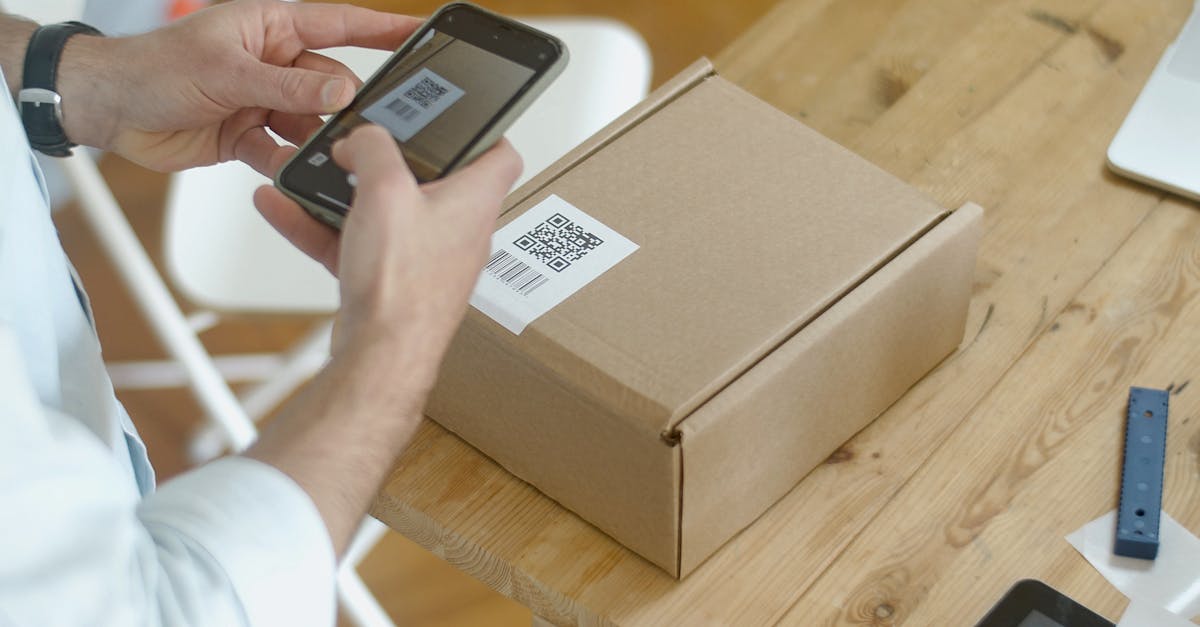
Manual inventory counting does not scale. A warehouse team eyeballing quantities and writing numbers on clipboards will miscount roughly 1 in every 10 items. At 100 orders per day, that error rate produces 10 wrong shipments, 10 angry customers, and 10 returns eating into your margin every single day.
Barcode scanning changes that math. Over 10 billion barcodes are scanned globally every day, and warehouses that adopt scanning consistently reach 99%+ inventory accuracy. The technology is decades old, the hardware is affordable, and the implementation is straightforward if you follow a structured approach.
This guide walks through every step: choosing barcode types, selecting hardware, integrating with your warehouse software, rolling out the system, and measuring results. It is written for ecommerce sellers running their own warehouse or managing a small team, not for enterprise operations with seven-figure automation budgets.
Why Barcode Scanning Is the Highest-ROI Warehouse Investment
Before getting into hardware specs and implementation steps, it helps to understand the numbers behind the investment. Barcode scanning is not new or trendy. It is a proven technology with decades of performance data across millions of warehouses.
"We added handheld scanners for inbound receiving at $420 each. Receiving accuracy went from 91% to 99.2% overnight. Humans are bad at counting. Scanners are not."
That quote captures the core value proposition. Here is what the data shows across the industry:
- Warehouses using barcode scanning achieve 99.9% scan accuracy compared to 96 to 97% accuracy with manual data entry
- Inventory accuracy improves by up to 27% after implementing barcode tracking
- Picking errors drop by 67% when pickers scan items against order manifests
- Receiving errors drop by 90% when inbound shipments require scan verification
- 90% of major retailers already use barcode systems for inventory and sales tracking
The cost of not scanning is measurable. Every mis-pick costs $15 to $25 in return processing, customer service time, and replacement shipping. Every phantom stockout (your system says zero but you actually have units on the shelf) represents lost revenue. At $240,000 per month in sales, our team found that improving accuracy from 87% to 99.4% generated $217,000 in annualized savings. The full breakdown of that journey is documented in our one-year inventory accuracy tracking report.
Barcode Types: 1D, 2D, and When to Use Each
There are two families of barcodes, and choosing the right one depends on what data you need to encode and how you plan to scan it.
| Feature | 1D Barcodes | 2D Barcodes | RFID Tags |
|---|---|---|---|
| Common formats | UPC, EAN-13, Code 128, Code 39 | QR Code, Data Matrix, PDF417 | UHF, HF, NFC |
| Data capacity | 20 to 25 characters | Up to 7,000 characters | 96 to 512 bits typical |
| Scan method | Laser or camera, line-of-sight | Camera only, line-of-sight | Radio waves, no line-of-sight needed |
| Cost per label | $0.01 to $0.05 | $0.02 to $0.10 | $0.10 to $0.50 |
| Scanner cost | $50 to $300 | $150 to $500 | $1,000 to $3,000 |
| Best for | Product ID, bin locations, shipping labels | Lot tracking, expiration dates, serialization | Pallet-level tracking, high-volume asset management |
| Error correction | None (damaged label means no scan) | Built-in (readable with up to 30% damage) | N/A (radio signal) |
For most ecommerce warehouses, 1D Code 128 barcodes cover 90%+ of needs. Code 128 is the standard for internal warehouse labels because it encodes alphanumeric data (your SKU numbers and bin location codes) in a compact format that every scanner can read. If your products already carry UPC or EAN barcodes from the manufacturer, you can scan those directly without printing new labels.
Use 2D barcodes when you need to store more data on the label itself. Sellers of supplements, cosmetics, food items, or any product with lot numbers and expiration dates benefit from Data Matrix codes that encode batch information scannable at the pick point. The CDC found that scanning 2D barcodes improved expiration date accuracy by 11 percentage points compared to manual entry.
RFID is overkill for most ecommerce warehouses under 10,000 SKUs. The per-tag cost is 5 to 50 times higher than barcode labels, the readers are expensive, and the primary advantage (reading multiple tags simultaneously without line-of-sight) matters more at pallet and case level than at individual item level. Stick with barcodes unless you are managing a warehouse with 50,000+ units and need bulk inventory counts.
Hardware You Need and What It Costs
A functional barcode system has three hardware components: scanners to read barcodes, printers to create barcode labels, and a network to connect everything to your software. Here is what to buy and what to skip.
Barcode Scanners
There are three tiers of scanners, and the right choice depends on your daily order volume.
- Smartphone apps ($0 to $10/month): Adequate for under 50 orders per day. Use your existing phone camera with a scanning app. Good for testing your barcode workflow before investing in dedicated hardware.
- Handheld wireless scanners ($150 to $500): The workhorse for warehouses processing 50 to 500 orders per day. These connect via Bluetooth or Wi-Fi to a computer or mobile device running your WMS. They read 1D and 2D barcodes from up to 15 feet away. Look for models with drop resistance rated to at least 5 feet and battery life of 8+ hours.
- Wearable ring scanners ($800 to $1,500): Hands-free scanning for high-volume picking. The scanner sits on the picker's finger, leaving both hands free to grab items. Worth the premium at 500+ orders per day where shaving 2 seconds per pick adds up to hours of labor savings.
"The best advice I got was to start with a $200 handheld scanner and validate the entire workflow before spending $5,000 on ring scanners and industrial printers. We ran for 3 months on basic gear, found all the process gaps, and then invested in better hardware knowing exactly what we needed."
Label Printers
- Desktop thermal printers ($200 to $600): Print 2 to 4 inch wide labels at speeds of 3 to 5 inches per second. Suitable for warehouses printing fewer than 500 labels per day. Thermal printing (no ink cartridges) keeps operating costs low at $0.01 to $0.03 per label.
- Industrial thermal printers ($800 to $2,500): Higher throughput (6 to 12 inches per second) and wider label support (up to 8 inches). Built for continuous printing in dusty, high-traffic warehouse environments. Required only at 500+ labels per day.
Network Infrastructure
Wireless scanners need consistent Wi-Fi coverage across the warehouse floor. Dead zones cause scan failures and force workers to re-scan, killing productivity. Walk the warehouse with a phone and check signal strength at every aisle. If you find dead spots, add a wireless access point ($100 to $300) before deploying scanners. A single dead zone in a picking aisle will frustrate your team into abandoning the scanning process.
Step-by-Step Implementation Plan
Rolling out a barcode system works best in phases. Trying to barcode everything on day one leads to label chaos, staff resistance, and abandoned scanners gathering dust on shelves. Here is a 4-week rollout that minimizes disruption.
Week 1: Audit and Procurement
- Count your active SKUs and bin locations. Every SKU and every shelf position needs a barcode.
- Decide on barcode format: Code 128 for internal labels (SKUs and bins), UPC/EAN if your products already carry them.
- Order hardware: start with 2 handheld scanners and 1 desktop thermal printer. Total cost: $600 to $1,200.
- Choose your label stock. Direct thermal labels work for warehouse use (no ribbon needed, but they fade in sunlight). Thermal transfer labels last longer for products that sit on shelves for months.
- Clean your product data. Every SKU needs a unique identifier in your system. Duplicates and missing entries will break the scanning workflow.
Week 2: Label Everything
- Print and apply bin location labels. Start at the receiving dock and work through every shelf, rack, and floor position. Use large, high-contrast labels (white background, black bars) positioned at eye level.
- Print SKU labels for products that lack manufacturer barcodes. Apply them to a consistent position on each product (front-facing, same height) so pickers can scan without rotating items.
- Test every label with your scanner. A label that does not scan on the first attempt is worse than no label at all because it teaches workers to skip the scan step.
Week 3: Software Configuration and Testing
- Connect scanners to your WMS or inventory management system. Configure scan points for receiving (scan PO + product barcode), picking (scan bin + product barcode), and packing (scan order + product barcode).
- Set up validation rules: the system should reject a scan if the product does not match the order or the bin location does not match the pick list.
- Run test orders through the full workflow. Have two people process 20 to 30 test orders end-to-end while you watch for friction points.
- Document the workflow with photos showing exactly where to scan, what the screen should display, and what to do when a scan fails.
Week 4: Training and Go-Live
- Train every warehouse team member. Hands-on practice matters more than documentation. Each person should process at least 10 orders under supervision before going solo.
- Run parallel operations for the first 3 days: scan everything AND keep the old manual process as a backup. Compare results to validate accuracy.
- Go live on day 4. Remove the manual backup. The old process needs to stop or people will default to it when scanning feels slower (it always feels slower at first).
- Monitor error rates daily for the first 2 weeks. Expect a small uptick in processing time (10 to 15%) as staff adjusts, followed by a return to baseline speed within 2 weeks and measurable improvement by week 4.
For a deeper dive into building quality checkpoints at every warehouse stage, read our warehouse error-proofing SOP guide.
Software Integration: Connecting Scanners to Your Systems
A barcode scanner without software integration is just a fancy flashlight. The value comes from connecting scan events to your inventory records, order management, and channel listings in real time.
"The scanner hardware was the easy part. Getting it to talk to our WMS, update inventory across 4 sales channels, and flag mismatches in real time took more planning than we expected. But once that connection was solid, every scan became a data point that kept our entire operation honest."
There are three levels of software integration, and which one you need depends on how many sales channels you operate and how fast your inventory moves.
Level 1: Standalone Inventory App
A scanning app on a phone or tablet that maintains its own inventory database. Suitable for single-channel sellers with fewer than 500 SKUs. Examples include free barcode scanner apps that export to spreadsheets. The limitation is that inventory updates do not automatically flow to your sales channels, so you still need manual sync or a separate integration tool.
Level 2: WMS with Barcode Support
A warehouse management system that accepts scan input at receiving, picking, and packing stations. The WMS updates inventory counts in real time and can push those counts to connected sales channels. This is the right level for multichannel sellers doing 50 to 500 orders per day. Look for a WMS that supports scan-to-verify workflows where the system validates each scan against the expected action before allowing the next step.
Level 3: Integrated OMS + WMS
An order management system that handles both channel integration and warehouse operations in a single platform. Orders flow in from all channels, get routed to the warehouse as pick lists with barcode references, and scan events at each stage update inventory across every connected channel simultaneously. This eliminates the sync gap between warehouse activity and channel-facing stock levels. For operations selling on 3+ channels, this integration level prevents the overselling that plagues multichannel sellers running disconnected systems. Our pick-pack-ship optimization checklist covers how to structure these scan checkpoints within your fulfillment workflow.
Common Mistakes and How to Avoid Them
Barcode system implementations fail for process reasons, not technology reasons. The hardware works. The software works. People and process gaps are where things break down.
Here are the failures that come up repeatedly in warehouse operations forums and ecommerce communities:
- Labeling inconsistency: Different label positions on different products force pickers to hunt for the barcode. Standardize label placement across all SKUs and all bin locations. Same spot, every time.
- Skipping the scan: Workers under time pressure will bypass scanning if the system allows it. Configure your WMS to block forward progress without a successful scan. No scan at the pick point means no packing slip prints. No scan at the pack station means no shipping label generates.
- Poor label quality: Labels printed on low-grade stock curl, smudge, or peel within weeks. Thermal transfer labels on synthetic stock last 6 to 12 months in warehouse conditions. Direct thermal labels (the cheaper option) work for items that ship within 30 days.
- No backup process: Scanners break. Printers jam. Wi-Fi goes down. Have a documented manual fallback that specifies exactly what to do when the scanning system is unavailable, and audit every order processed manually before re-entering them into the system.
- Ignoring GS1 standards: If you sell on Amazon, Walmart, or other marketplaces, your product barcodes need to be GS1-registered UPCs or EANs. Cheap resold barcodes from third-party sellers work until they do not. Amazon has increasingly cracked down on non-GS1 barcodes, and a suspended listing can cost you more than the $250 GS1 registration fee. Register at gs1.org and avoid the risk.
Measuring Results: KPIs to Track After Go-Live
Track these five metrics weekly for the first 90 days after implementation, then monthly once performance stabilizes.
| KPI | Before Barcode (typical) | After Barcode (target) | How to Measure |
|---|---|---|---|
| Inventory accuracy | 85 to 92% | 98 to 99.5% | Weekly cycle count: physical count vs. system count |
| Pick accuracy | 97 to 98% | 99.5 to 99.9% | Orders packed correctly / total orders packed |
| Receiving accuracy | 91 to 95% | 99 to 99.5% | Units received correctly / total units received |
| Orders per labor hour | 12 to 18 | 18 to 30 | Total orders shipped / total warehouse labor hours |
| Return rate (fulfillment errors) | 3 to 5% | Under 1% | Returns due to wrong item or quantity / total orders |
The first metric to watch is receiving accuracy. If scan-verified receiving does not reach 99%+ within the first week, there is a process gap at the dock: labels not scanning, staff skipping the scan step, or purchase orders not matching incoming shipments. Fix receiving first because every error that enters the warehouse at receiving compounds through picking, packing, and shipping.
The second metric to watch is pick accuracy. With scan verification at the pick point, you should see 99.5%+ within the first month. If picks are still going wrong, check whether your bin location labels are correct. A mislabeled bin will cause repeated errors that scanning cannot catch because the scanner confirms the wrong location as correct.
If you want to see how these KPIs play out over a full year of continuous improvement, our inventory accuracy tracking report shows the month-by-month progression from 87% to 99.4% accuracy with specific costs and returns at each stage.
Start With Receiving, Then Expand
You do not need to barcode your entire operation in one weekend. The highest-impact starting point is receiving. Every inventory error that enters at the dock ripples through every downstream process. A single miscounted inbound shipment creates phantom stock that leads to overselling, stockouts, and customer complaints across every sales channel.
Start with 2 scanners and 1 printer. Label your bins. Scan every inbound shipment. Measure accuracy weekly. Once receiving accuracy holds above 99% for 4 consecutive weeks, add scan verification at the pick point. Then add it at the pack station. Each layer catches errors that the previous layer missed, and the cumulative effect is an operation where almost nothing ships wrong.
The technology is simple. The hardware is affordable. The hard part is building the discipline to scan every item, every time, with no exceptions. That discipline is what separates a 92% accuracy warehouse from a 99.5% accuracy warehouse, and the dollar difference between those two numbers is larger than most sellers expect.
Frequently Asked Questions
A basic setup for a warehouse handling 50 to 200 orders per day typically costs $1,500 to $5,000 upfront. That covers 2 to 4 handheld scanners ($200 to $500 each), a thermal label printer ($250 to $600), and barcode labels ($0.02 to $0.10 per label). Software adds $50 to $300 per month if you use a cloud WMS with barcode support. The total first-year cost lands between $2,500 and $8,000 for most small operations. ROI usually arrives within 2 to 4 months through reduced picking errors, fewer returns, and faster receiving.
Use 1D barcodes (Code 128 or UPC) for standard product identification and bin locations. They are cheaper to print, faster to scan at a distance, and compatible with every scanner on the market. Use 2D barcodes (QR or Data Matrix) only when you need to encode additional data like lot numbers, expiration dates, or serial numbers on the label itself. Most ecommerce warehouses with fewer than 5,000 SKUs do fine with 1D barcodes for products and bin locations. If you sell perishable goods or regulated products that require batch tracking, 2D barcodes are worth the extra setup.
Yes, for warehouses processing fewer than 50 orders per day. Smartphone camera scanning works through apps that connect to your inventory system. The drawback is speed and reliability: a dedicated handheld scanner reads a barcode in under 200 milliseconds from up to 15 feet away, while a phone camera takes 1 to 3 seconds and needs to be within 12 inches. At 100+ orders per day, that scanning delay adds 30 to 60 minutes of cumulative labor time. Phone cameras also struggle with damaged or poorly printed labels. Start with phones to validate your process, then upgrade to dedicated scanners when volume justifies the cost.
Plan for 3 to 6 weeks from decision to full operation. Week 1 covers hardware procurement and barcode format decisions. Week 2 is for printing and applying labels to all products and bin locations. Week 3 handles software configuration and system integration testing. Weeks 4 to 6 are for staff training and supervised go-live. The biggest time sink is labeling existing inventory: a 2,000-SKU warehouse with 10,000 total units takes roughly 40 to 60 labor hours to label from scratch. New inventory arriving after go-live gets labeled during receiving, which adds about 5 seconds per item.
Warehouses that switch from manual counting to barcode scanning at receiving and picking typically see inventory accuracy jump from the 85 to 92% range to 98 to 99.5%. The CDC found that 2D barcode scanning improved data accuracy by up to 11 percentage points for expiration date tracking. In general warehouse operations, barcode scanning reduces picking errors by 67% and receiving errors by 90%. The accuracy gain is largest in the first month and continues to improve over the next 3 to 6 months as staff builds scanning habits and edge cases get resolved.
Related Articles
View all
The Merchant Watchlist: 21 Signals to Track Before They Hit Your Margins
Most ecommerce sellers react after costs move. This watchlist shows what merchants should track weekly across freight, tariffs, fuel, suppliers, platforms, demand, and cash.

Amazon Delivery Is Now Measured in Minutes. Can Small Stores Compete?
Amazon is pushing delivery from days to hours to minutes. Small ecommerce brands cannot copy that network, but they can compete with clarity, trust, and smarter promises.

Unified Commerce Is the New Omnichannel, and Most Brands Are Still Behind
Omnichannel is no longer enough if every system still runs in silos. Unified commerce is becoming the operating standard for modern ecommerce.