Amazon Low Inventory Level Fee: How to Avoid It Without Overstocking
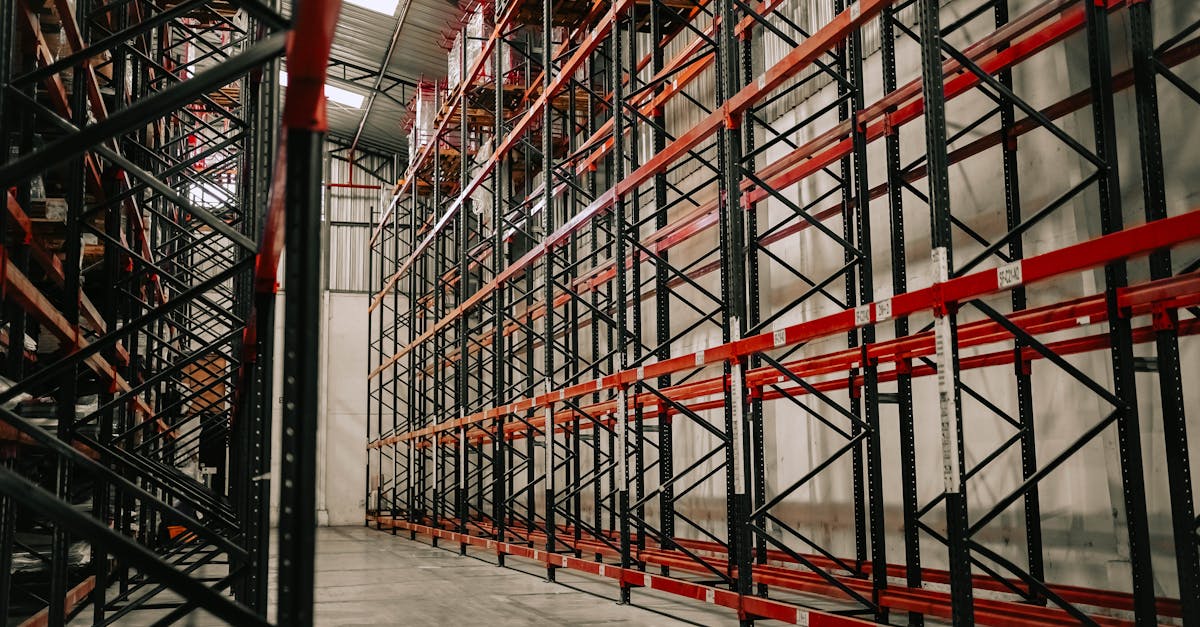
Amazon charges FBA sellers a per-unit fee when their inventory falls below 28 historical days of supply. The fee is called the low-inventory-level fee, and it ranges from $0.32 to $0.97 per unit shipped depending on how far your stock dips below the threshold. For sellers with hundreds of SKUs and tight cash flow, this fee creates a difficult balancing act: keep too little stock and pay the penalty, keep too much and tie up capital you need elsewhere.
This guide covers how the fee works in 2026, who it applies to, and six practical strategies for staying above the 28-day line without building up excess inventory that triggers aged inventory surcharges on the other end.
How the Low-Inventory-Level Fee Works
Amazon introduced the low-inventory-level fee in April 2024 as part of a broader effort to reduce stockouts across its fulfillment network. The logic is simple from Amazon's perspective: when sellers run low on popular items, Amazon loses sales and customers see "out of stock" messages that push them toward other retailers. The fee incentivizes sellers to keep enough inventory on hand to meet demand consistently.
The fee is triggered when your product's historical days of supply drops below 28 days. Amazon calculates this metric using two lookback windows:
- A 30-day window that divides your average daily inventory by your average daily shipped units over the last 30 days
- A 90-day window that does the same calculation over the last 90 days
If both windows show fewer than 28 days of supply, the fee applies. If either window shows 28 days or more, you are safe. This dual-window approach means a product that had strong stock levels in the recent past but dipped in the last few weeks may still avoid the fee thanks to the longer lookback period.
"The 90-day window saved us during a restock delay in February. Our 30-day number dropped to 18 days, but our 90-day was still at 31 because we had heavy inventory in December and January. No fee triggered."
- r/FulfillmentByAmazon, seller discussing restock timing
Amazon recalculates historical days of supply twice weekly, typically on Sunday night or Monday. Once flagged for low inventory in a given week, the fee applies to all units shipped during the following week, even if you send in a replenishment shipment immediately after the calculation runs.
Fee Tiers and What They Cost
The fee is not a flat rate. Amazon uses a tiered structure based on how far below the 28-day threshold your inventory falls. Products with fewer days of supply pay more per unit.
| Historical Days of Supply | Fee Per Unit Shipped | Severity |
|---|---|---|
| 0 to 14 days | $0.97 | Highest tier |
| 14 to 21 days | $0.63 | Mid tier |
| 21 to 28 days | $0.32 | Low tier |
| 28+ days | $0.00 | No fee |
For a product shipping 50 units per day that drops to 10 days of supply, the math is straightforward: 50 units x 7 days x $0.97 = $339.50 in fees for that single week. Across a catalog of 20 SKUs in similar situations, that adds up to thousands of dollars per month in avoidable charges.
These fees are in addition to the standard FBA fulfillment fees you already pay per unit. They stack on top, not replace.
The 2026 FNSKU Change and Why It Matters
Before January 15, 2026, Amazon calculated the low-inventory-level fee at the parent ASIN level. This meant that all child variations (sizes, colors, styles) under a single parent listing were pooled together. If you had 500 units of your blue variant and 5 units of your red variant, the combined inventory might still clear the 28-day threshold because the blue stock offset the red shortage.
That changed in 2026. Amazon now assesses the fee per individual FNSKU, which is the unique identifier for each seller-specific SKU. Each variation is evaluated independently. If your red variant drops below 28 days of supply, you pay the fee on red units shipped, regardless of how much blue stock you have sitting in the warehouse.
"We have 14 color variations on our main listing. Under the old system, we only had to worry about total inventory across all colors. Now each one needs its own replenishment plan. That turned one restock calculation into 14."
- Amazon Seller Central Forums, apparel seller with multi-variation listings
This change disproportionately affects sellers with large variation counts. Apparel, accessories, and home goods sellers who carry multiple sizes and colors per product are the most exposed. The operational burden of tracking days of supply per FNSKU rather than per parent ASIN is significantly higher.
Who Is Exempt from the Fee
Amazon provides several exemptions that remove certain sellers and products from the fee entirely:
- New FBA sellers are exempt for their first 365 days from their first FBA shipment received date
- New parent-level products enrolled in the FBA New Selection program are exempt for 180 days from the date the first unit is received at a fulfillment center
- Products with fewer than 20 units sold in the previous seven days (low-velocity products)
- Products classified as oversize or special oversize
- Products enrolled in Amazon's auto-replenishment program
The 20-unit weekly sales threshold is the exemption that catches most small and mid-size sellers. If your product sells fewer than about 3 units per day on average, you will not be charged the low-inventory-level fee regardless of your days of supply. This makes the fee primarily a concern for products with consistent, moderate-to-high sales velocity.
Six Strategies to Stay Above 28 Days Without Overstocking
The challenge is not simply sending more inventory to Amazon. Overstocking creates its own penalties: monthly storage fees increase your holding costs, and inventory that sits longer than 180 days triggers aged inventory surcharges that can reach $6.90 per cubic foot at the 365-day mark. The goal is to maintain a narrow band between 28 and 60 days of supply for most products.
1. Track Days of Supply Per FNSKU Weekly
Open the Inventory Health report in Seller Central at least once per week. Filter by products with fewer than 35 days of supply to catch anything drifting toward the 28-day line before it crosses. Set a calendar reminder for Tuesday mornings, since Amazon runs the calculation Sunday night or Monday, and your data will be fresh.
If you have more than 50 active FNSKUs, manual tracking in Seller Central becomes impractical. An inventory management system with FBA integration can pull these numbers automatically and flag at-risk products before the fee window opens.
2. Calculate Reorder Points Per Variation
With the 2026 FNSKU-level assessment, you need a reorder point for each variation, not just each parent product. The basic formula is:
Reorder Point = (Average Daily Sales x Lead Time in Days) + Safety Stock Buffer
For the low-inventory-level fee specifically, your safety stock buffer should be calibrated to keep you above 28 days of supply even if a replenishment shipment arrives a few days late. A detailed walkthrough of this formula, including how to set the safety stock variable, is available in the reorder point calculator guide.
"I set my reorder trigger at 35 days of supply for every FNSKU. That gives me a 7-day buffer above the 28-day threshold, which is enough to absorb most shipping delays from my 3PL to Amazon's receiving docks."
- r/FulfillmentByAmazon, mid-volume seller sharing reorder strategy
3. Stagger Shipments Instead of Sending in Bulk
Sending one large shipment per month creates a sawtooth pattern where your days of supply is high right after the shipment is received and low right before the next one. Splitting that same quantity into two or three smaller shipments per month keeps your days of supply more consistent and reduces the chance of dipping below 28 days between restocks.
The tradeoff is higher inbound shipping costs per unit and more inbound placement fee exposure. Run the numbers for your specific products. In many cases, the cost of the low-inventory-level fee for one week at $0.97 per unit outweighs the incremental shipping cost of an extra partial shipment.
4. Use Amazon Warehousing and Distribution (AWD)
AWD is Amazon's upstream storage service that sits between your supplier and the FBA fulfillment centers. Inventory stored in AWD is automatically replenished to FBA when stock levels drop. Because AWD handles the transfer to FBA, it can reduce the gap between your reorder trigger and actual availability at the fulfillment center.
AWD inventory counts toward your days of supply calculation when it is in transit to or already received at an FBA center. Storing excess stock in AWD rather than directly in FBA also avoids the higher monthly storage fees at FBA warehouses, giving you a cost-effective way to maintain a deeper buffer without the full carrying cost.
5. Consolidate Slow-Moving Variations
If you have variations that sell fewer than 3 units per day (below the 20-unit weekly threshold), they are already exempt from the fee. Focus your replenishment effort on the variations that actually trigger charges. For borderline variations that sell 3 to 5 units per day, consider whether the margin justifies maintaining FBA stock or whether switching those specific variations to FBM (Fulfilled by Merchant) makes more financial sense.
Some sellers reduce their active FNSKU count by discontinuing color or size options that contribute minimal revenue but require dedicated inventory management. Fewer FNSKUs means fewer individual replenishment plans to manage.
6. Build a 30/60/90 Restock Calendar
Rather than reacting to low-inventory alerts after the fact, build a forward-looking restock calendar that maps out expected inventory depletion for each FNSKU over the next 30, 60, and 90 days. This turns inventory management from reactive to proactive.
The calendar should account for:
- Current on-hand units at FBA
- Units in transit (both inbound to Amazon and in AWD)
- Average daily sales rate per FNSKU over the last 30 days
- Supplier lead time including manufacturing, shipping, and Amazon receiving delays
- Seasonal demand shifts (higher replenishment frequency before peak periods, lower after)
Products forecasted to drop below 35 days of supply within the next lead-time window should trigger an immediate purchase order or transfer from AWD.
How to Model the Financial Impact
Before deciding how aggressively to restock, quantify what the fee actually costs you versus the cost of holding additional inventory. Here is a simple framework:
| Metric | Low-Inventory Fee Cost | Extra Inventory Holding Cost |
|---|---|---|
| Per-unit charge | $0.32 to $0.97 | Varies by product size |
| When it applies | Every unit shipped that week | Monthly on stored volume |
| Typical monthly cost (50 units/day product) | $480 to $1,455 | $20 to $80 for extra 2-week buffer |
| Risk if you over-correct | N/A | Aged inventory surcharge after 180 days |
For most products with consistent sales velocity, the cost of maintaining an extra two weeks of buffer inventory is a fraction of what the low-inventory-level fee charges per week. The math overwhelmingly favors carrying slightly more stock rather than risking the fee.
The exception is products with unpredictable demand or declining sales trends. For these, sending in extra inventory to avoid the low-inventory-level fee may simply shift the problem to aged inventory surcharges six months later. Evaluate each FNSKU individually rather than applying a blanket restocking rule across your entire catalog.
Monitoring and Staying Ahead
The sellers who avoid this fee consistently share one trait: they treat days of supply as a weekly operational metric rather than something they check only when a charge appears on their statement. Here is a practical monitoring cadence:
- Every Tuesday: review the Inventory Health report for all FNSKUs below 35 days of supply
- Every two weeks: compare actual sales velocity against your forecast and adjust reorder points for any FNSKUs where demand has shifted more than 15%
- Every month: audit your full FNSKU list for variations that should be consolidated, switched to FBM, or discontinued
- Every quarter: recalibrate safety stock levels based on updated lead time data and seasonal demand patterns
Manual tracking works for sellers with fewer than 30 active FNSKUs. Beyond that, the operational overhead of pulling reports, running calculations, and generating purchase orders across dozens or hundreds of variations justifies investing in automation. The cost of one week of low-inventory-level fees on 10 products often exceeds the monthly cost of an inventory management platform that prevents the fee entirely.
The low-inventory-level fee is not a new concept in Amazon's fee structure, but the 2026 shift to FNSKU-level assessment changed the math for every seller with product variations. The sellers who adapt their replenishment workflows to this per-variation reality will avoid a recurring cost that compounds across every unit they ship. The ones who continue managing inventory at the parent level will pay for it on every settlement statement.
Frequently Asked Questions
The low-inventory-level fee is a per-unit charge Amazon applies to FBA shipments when your inventory for a product falls below 28 historical days of supply. It was introduced in April 2024 and updated in January 2026 to assess fees per individual FNSKU rather than at the parent ASIN level. The fee ranges from $0.32 to $0.97 per unit shipped depending on how far below the 28-day threshold your stock falls.
Amazon calculates your historical days of supply by dividing your average daily inventory units by your average daily shipped units. They compute this using both a 30-day and a 90-day lookback window. If both windows show fewer than 28 days of supply, the fee applies to every unit shipped that week. The fee amount depends on how low your days of supply falls: 0 to 14 days triggers the highest rate, 14 to 21 days a moderate rate, and 21 to 28 days the lowest rate.
Amazon exempts several seller categories. New FBA sellers are exempt for their first 365 days. New parent-level products enrolled in the FBA New Selection program are exempt for 180 days. Products with fewer than 20 units sold in the previous seven days are exempt. Auto-replenished products and products classified as oversize are also exempt from this fee.
Go to Seller Central and open the FBA Inventory report or Inventory Health report. Look for the columns labeled Historical Days of Supply (30-day) and Historical Days of Supply (90-day). Both values must be at or above 28 to avoid the fee. Amazon recalculates these metrics twice weekly, typically on Sunday night or Monday.
Amazon does not offer manual waivers for this fee. The only way to avoid it is to maintain at least 28 days of supply based on either your 30-day or 90-day historical sales data. If either metric meets or exceeds 28 days, you will not be charged. The fee is assessed automatically and cannot be disputed through Seller Support cases.
As of January 2026, the fee is assessed per individual FNSKU rather than at the parent ASIN level. This means each variation (size, color, style) is evaluated independently. Previously, a well-stocked variation could offset an understocked sibling under the same parent ASIN. That is no longer the case.
Related Articles
View all
Amazon FBA Prep Changes 2026: What Sellers Must Do Now
Amazon discontinued all in-house FBA prep and labeling services on January 1, 2026. Here is what changed, what sellers must handle themselves, and how to adapt your operations without missing a beat.
Amazon AI Enforcement 2026: How to Avoid Automated Suspensions
Amazon's AI enforcement system now triggers instant account suspensions without human review. Sellers report false positives on metrics, inauthenticity flags on legitimate products, and multi-week appeals. Here is how to stay ahead of the algorithms.
Amazon IPI Score Guide 2026: Storage Limits and How to Improve
Learn how Amazon calculates your IPI score in 2026, what thresholds trigger storage limits, and the proven strategies sellers use to raise their score and protect FBA capacity.