Amazon IPI Score Guide 2026: Storage Limits and How to Improve
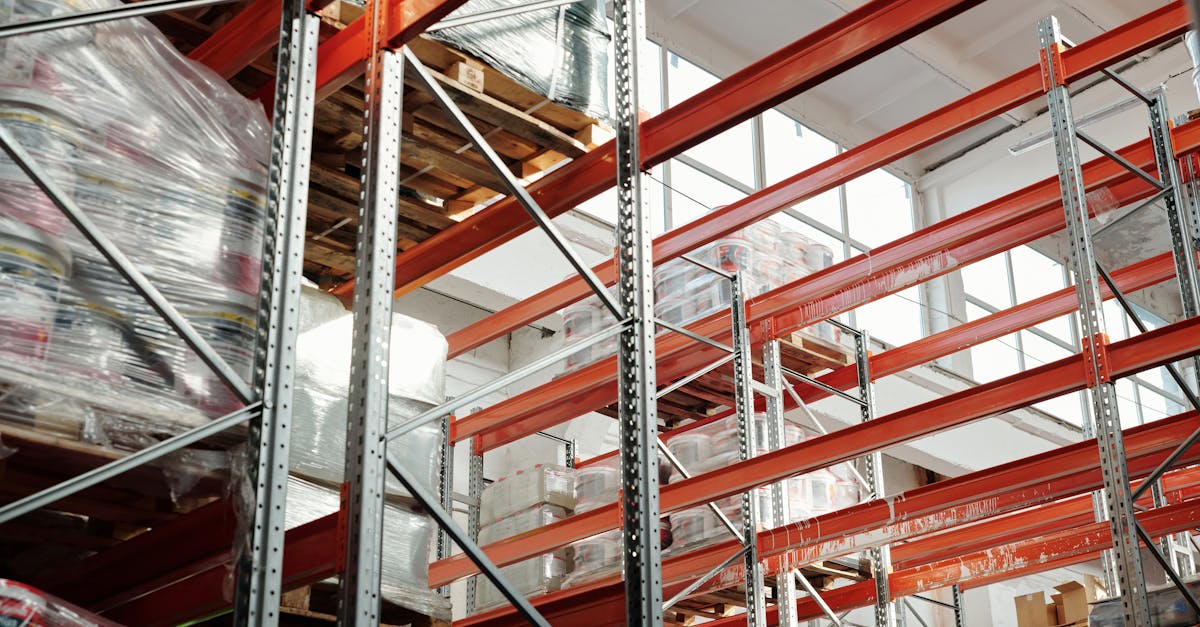
Your Amazon IPI score is a single number that controls how much inventory you can store at FBA warehouses. A high score means unlimited capacity and the freedom to stock aggressively before peak season. A low score means Amazon caps your storage, restricts your inbound shipments, and quietly throttles your ability to grow. In 2026, with tighter capacity allocations and ASIN-level restock limits back in play, understanding this score is more important than it has been in years.
This guide covers exactly how the IPI score works, what the current thresholds mean for your business, and the specific actions that move the needle. No theory. Just the mechanics and the math.
What the IPI Score Actually Measures
The Inventory Performance Index is a score from 0 to 1,000 that Amazon assigns to every professional FBA seller. It reflects how efficiently you manage the inventory sitting in Amazon fulfillment centers. Amazon uses it to decide who gets more warehouse space and who gets less.
The score is built from four components, each weighted differently in the calculation:
| IPI Component | Estimated Weight | What It Measures | Target |
|---|---|---|---|
| Excess inventory percentage | 40-45% | Units expected to take 90+ days to sell based on current velocity | Below 5% |
| Sell-through rate | 30-35% | Units sold and shipped over the past 90 days divided by average units on hand | Above 7 units per day per 1,000 on hand |
| Stranded inventory percentage | 15-20% | FBA units without an active, buyable listing | 0% |
| In-stock rate | 10-15% | How often your top-selling replenishable ASINs are in stock over 30 days | Above 90% |
Amazon does not publish the exact formula or the precise weights. The estimates above come from seller testing and pattern analysis across thousands of accounts. What is clear is that excess inventory and sell-through rate together account for roughly 70-80% of your score. If you only have time to focus on two things, those are the two.
"I had a 420 IPI stuck for months. Sold off all inventory over 180 days old at a loss via lightning deals and coupons. IPI jumped to 490 in two weeks.": FBA seller, r/FulfillmentByAmazon
The score updates weekly, typically on Mondays or Tuesdays, based on a rolling 90-day performance window. Amazon also runs formal quarterly evaluations about six weeks before each quarter ends. These quarterly checks determine whether you will face storage limits in the upcoming quarter.
2026 IPI Thresholds and What They Trigger
The minimum IPI threshold has shifted over the years. Amazon raised it from 400 to 500 in August 2020, then brought it back down to 400 by 2022. In 2026, the threshold sits at 400, though Amazon reserves the right to adjust it quarterly based on network capacity and demand.
Here is what each score range means for your account:
- Below 400: Storage volume limits apply. Amazon caps your total FBA capacity in cubic feet. You may be unable to send new inbound shipments until you clear existing inventory. ASIN-level restock limits can also throttle individual products even if your overall capacity is not maxed out.
- 400 to 500: You avoid restrictions, but you operate with limited headroom. A few bad weeks of sell-through can drop you below 400 before you realize it.
- 500 to 600: Healthy range. You receive standard or above-average capacity allocations. Most sellers who actively manage inventory land here.
- 600 and above: Maximum flexibility. Amazon grants the highest storage allocations and you are unlikely to face capacity constraints outside of extreme peak periods.
A key change in 2026 is that Amazon has reduced storage allowances from six months of forecasted sales to five months. This compression means that even sellers above the 400 threshold are working with less buffer than they had in previous years. Combined with the reactivation of ASIN-level restock limits, capacity planning has become tighter across the board.
"Dropped to 380 IPI and Amazon capped my inventory. Lost top buy box on five ASINs. Monthly revenue down 40%.": Amazon seller, Seller Central forums
The practical impact of falling below 400 goes beyond storage limits. When you cannot restock your best sellers, your organic ranking erodes. Lower ranking means fewer sales, which further depresses your sell-through rate, which pulls your IPI down even more. This negative cycle is why sellers who drop below the threshold often take 6 to 12 weeks to recover. For a full breakdown of the fees that compound during this period, see our Amazon FBA fulfillment fees guide.
How Excess Inventory Destroys Your Score
Excess inventory is the largest single factor in your IPI calculation. Amazon defines excess as any unit that will take longer than 90 days to sell at its current sales velocity. If you have 1,000 units of a product that sells 5 per day, Amazon considers that roughly on track. If that same product sells 2 per day, roughly 820 of those units are classified as excess.
The damage shows up in two ways. First, your excess inventory percentage rises, dragging your IPI down. Second, aged inventory triggers escalating storage costs:
- Units stored for 181 to 270 days incur an aged inventory surcharge on top of standard monthly storage fees.
- Units stored beyond 271 days trigger long-term storage fees that can exceed the original cost of the product for low-value items.
- During Q4 (October through December), standard monthly storage rates increase by roughly 2 to 3 times compared to the rest of the year.
The combination creates a scenario where slow-moving inventory is actively costing you money every month while simultaneously pulling your IPI lower. The longer you wait to address it, the worse both problems get.
"Poured $50k into FBA without sales velocity data. Excess inventory hit 40%, IPI dropped to 300. Lesson: use demand forecasting before shipping to FBA.", Seller Central forums
Cleaning up excess inventory is the fastest way to improve your IPI. Here is a prioritized approach:
- Run the Manage Excess Inventory report in Seller Central. Sort by estimated storage cost to identify the products costing you the most.
- For products with some demand, create a sale or coupon to accelerate sell-through. Even selling at a small loss is often cheaper than paying months of storage fees and watching your IPI sink.
- For products with near-zero demand, create a removal order immediately. Ship them back to your warehouse, liquidate through Amazon's liquidation program, or donate. The storage and IPI cost of keeping them outweighs any future sale potential.
- For seasonal products approaching their off-season, remove them before they cross the 180-day threshold and start incurring surcharges.
Improving Sell-Through Rate: The Second Lever
Sell-through rate is the ratio of units sold and shipped over the past 90 days to the average number of units on hand during that same period. A higher sell-through rate tells Amazon that you are sending the right amount of inventory to match actual demand.
There are two ways to improve sell-through: sell more or stock less. The most effective sellers do both.
Sell More of What You Already Have
- Run targeted promotions on slow-moving SKUs. Lightning deals, coupons, and price reductions all increase unit velocity. Even a 15 to 20% discount can shift a product from excess territory into healthy sell-through.
- Optimize listings for the products sitting in FBA. Improved images, better keyword targeting, and competitive pricing can lift conversion rates without any additional advertising spend.
- Increase PPC spend on products with excess inventory. Directing sponsored product ads toward slow movers can accelerate sell-through enough to move the IPI needle within a single score update cycle.
Send Less Inventory Per Replenishment
Overstocking is the root cause of poor sell-through for most sellers. If you send 90 days of supply based on optimistic demand forecasts, and actual sales come in at 60% of forecast, you have 30+ days of excess from day one.
The fix is to send smaller, more frequent shipments calibrated to actual velocity. Instead of sending 90 days of supply, send 30 to 45 days and replenish more often. Yes, this increases your inbound shipping frequency and handling costs. But the IPI benefit and storage fee savings typically outweigh those costs. For a deeper look at reorder timing and safety stock formulas, see our Amazon inventory management and IPI automation guide.
Fixing Stranded Inventory and In-Stock Rate
Stranded inventory and in-stock rate account for a smaller share of your IPI score, but they are the easiest components to control. Fixing them requires attention and process, not strategic decisions.
Stranded Inventory
Stranded inventory is any unit sitting in an Amazon fulfillment center without an active, buyable listing. This happens when a listing gets suppressed, when you delete an ASIN by mistake, when a product fails to match to a catalog entry, or when a listing goes inactive due to compliance issues.
Check your Stranded Inventory report in Seller Central at least twice per week. Common fixes include:
- Relisting the ASIN if it was accidentally closed or deleted.
- Fixing listing errors flagged by Amazon (missing images, incomplete product details, category-specific requirements).
- Creating a removal order for units that cannot be relisted due to compliance holds or category restrictions.
- Matching stranded units to existing active listings using the "Relist" option in the stranded inventory tool.
Every stranded unit is a direct drag on your IPI with zero upside. Clearing stranded inventory costs nothing but time and delivers an immediate score improvement.
In-Stock Rate
Amazon measures your in-stock rate on what it considers your top-selling, replenishable ASINs. If these products go out of stock, your IPI takes a hit. The challenge is that this metric can hurt you even if you intentionally let a low-margin product run out.
To protect your in-stock rate:
- Set up replenishment alerts for your top 20 ASINs by unit velocity. These are the products Amazon cares about most for this metric.
- Monitor Amazon's recommended restock dates in the Restock Inventory page and plan shipments to arrive before projected stockout dates.
- If you intentionally want to discontinue a product, close the listing before it stocks out. A closed listing does not count against your in-stock rate. A listing that goes to zero units while still active does.
For sellers managing inventory across FBA and their own warehouse or a 3PL, the decision of how to split stock between channels directly impacts IPI. Our FBA vs FBM inventory planning guide covers the allocation framework in detail.
Building a Weekly IPI Management Routine
IPI management is not a one-time cleanup. It is a weekly operational discipline. Here is a routine that keeps your score healthy without consuming hours of your time:
| Day | Action | Time Required |
|---|---|---|
| Monday | Check updated IPI score. Review any threshold warnings. Note score direction (up, down, flat). | 5 minutes |
| Tuesday | Run Stranded Inventory report. Fix or remove all stranded units. | 15 to 30 minutes |
| Wednesday | Review Manage Excess Inventory report. Create removal orders or promotions for top 10 excess SKUs by storage cost. | 20 to 40 minutes |
| Thursday | Check Restock Inventory page. Create shipments for any top ASINs approaching stockout within 14 days. | 15 to 30 minutes |
| Friday | Review sell-through rate trends. Adjust PPC or pricing on products with declining velocity. | 15 to 20 minutes |
This routine takes roughly 70 to 125 minutes per week. Sellers who follow a consistent cadence typically see their IPI stabilize above 500 within two to three score cycles (6 to 9 weeks), assuming they start with a moderate amount of excess inventory.
The sellers who struggle with IPI are almost always the ones who treat it as an emergency to fix rather than a metric to maintain. By the time your score drops below 400 and you face storage restrictions, the recovery takes weeks because the 90-day rolling window means past poor performance continues to weigh on your score long after you start making improvements.
Your IPI score is a trailing indicator. It reflects what you did over the past three months. The only way to control it is to manage inventory proactively, every single week, so the trailing data always tells a healthy story. Start with the excess inventory cleanup, lock in the weekly routine, and the score will follow.
Frequently Asked Questions
A score above 400 keeps you safe from storage restrictions, but 400 is the bare minimum. Scores between 400 and 500 give you standard capacity with limited flexibility. A score between 500 and 600 signals strong inventory management and earns higher storage allocations. Scores above 600 provide maximum flexibility for restocking and storing inventory. For long-term stability, aim for 550 or higher so that a rough sales week does not drop you below the penalty threshold.
Amazon updates your IPI score weekly, typically on Mondays or Tuesdays. The score is based on a rolling 90-day window of your inventory performance. Amazon also runs quarterly evaluations roughly six weeks before each quarter ends to determine whether storage limits will apply for the upcoming quarter. This means a bad month can take up to three months to fully cycle out of your score, so consistent performance matters more than short bursts of cleanup.
Yes, but with restrictions. If your IPI drops below 400, Amazon caps your total FBA storage volume in cubic feet. You can still send shipments, but only up to your reduced limit. In practice, this means you may not be able to restock your best-selling products during peak demand, which creates a cycle where limited inventory leads to fewer sales, which further depresses your sell-through rate and IPI. Some sellers report being capped so tightly that they could only maintain inventory for a fraction of their catalog.
Removing excess and aged inventory directly improves two of the four IPI components: your excess inventory percentage drops and your sell-through rate improves because remaining inventory turns faster. However, removal alone is not a complete strategy. If you remove profitable inventory that was simply slow to sell, you lose potential revenue. The better approach is to pair removals with promotions to sell through aged stock, then adjust future replenishment quantities to prevent excess from accumulating again.
Amazon does not charge a direct fee for having a low IPI score. Instead, a low score triggers storage volume limits that restrict how much inventory you can hold at FBA warehouses. The real cost is indirect: reduced storage capacity means stockouts on key products, lost sales, and lower organic ranking. Separately, aged inventory sitting longer than 271 days incurs long-term storage fees regardless of your IPI score. The combination of storage caps and aged inventory fees is what makes a low IPI financially painful.
Related Articles
View all
Amazon FBA Prep Changes 2026: What Sellers Must Do Now
Amazon discontinued all in-house FBA prep and labeling services on January 1, 2026. Here is what changed, what sellers must handle themselves, and how to adapt your operations without missing a beat.

Amazon AI Enforcement 2026: How to Avoid Automated Suspensions
Amazon's AI enforcement system now triggers instant account suspensions without human review. Sellers report false positives on metrics, inauthenticity flags on legitimate products, and multi-week appeals. Here is how to stay ahead of the algorithms.
Amazon Reimbursement Rules 2026: What Changed and How to Claim
Amazon overhauled its FBA reimbursement policy in late 2025 and early 2026 with shorter claim windows, manufacturing-cost-based payouts, and stricter documentation. This guide covers every reimbursement type, the new filing deadlines, step-by-step claim instructions, and how to audit your account for money Amazon owes you.