Robotic Process Automation (RPA) for Order Management
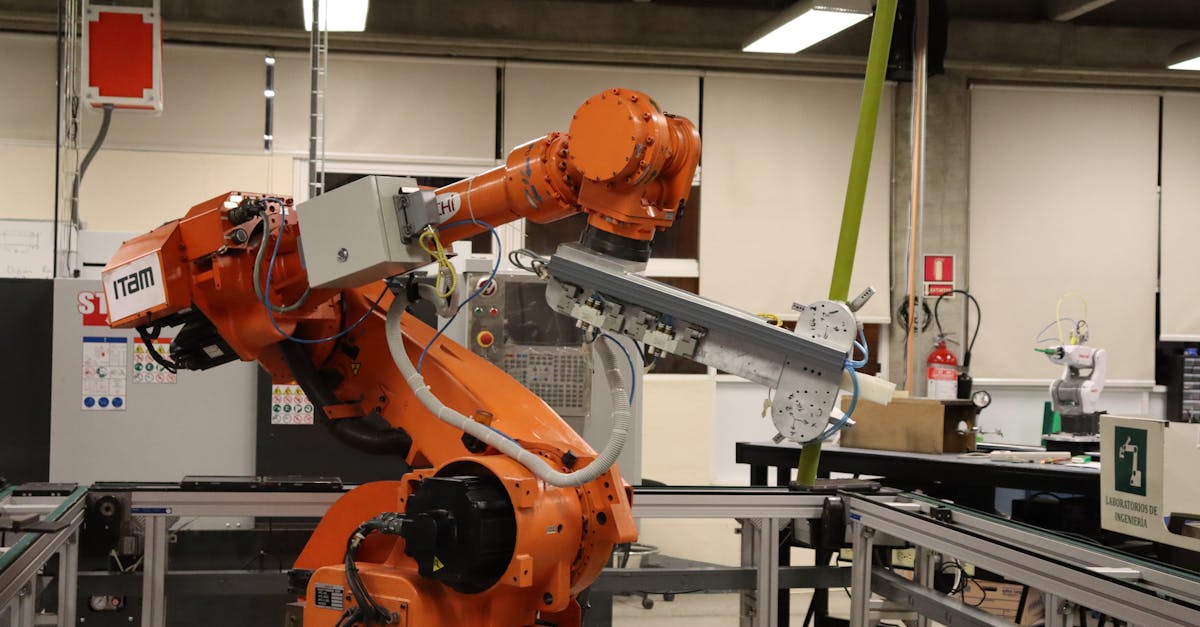
The average ecommerce operations team spends 11 hours per week on tasks that follow the exact same steps every time. Copy an order from one system. Paste it into another. Update a tracking number. Send a confirmation email. Flag an exception. Repeat 200 times per day.
Robotic Process Automation eliminates this manual cycle. RPA bots perform the same clicks, keystrokes, and data transfers a human would, but they do it in seconds, around the clock, without transposing digits or skipping steps. For teams drowning in manual order processing, RPA is the fastest path to reclaiming those 11 hours.
What RPA Actually Does in Order Management
RPA is not artificial intelligence. It does not learn or make judgment calls. It follows rules. You define a sequence of steps, and the bot executes them identically every time. That distinction matters because order management is full of processes that are tedious but predictable.
Here are the order management tasks where RPA delivers the most value:
- Copying order data from marketplace dashboards into your OMS or ERP
- Generating and applying shipping labels across multiple carriers
- Distributing tracking numbers back to each sales channel
- Updating inventory counts after each shipment
- Flagging orders that match exception rules (address issues, fraud signals, oversized items)
- Processing return authorizations and updating refund status
- Reconciling payment deposits against shipped orders
"We had two people spending 6 hours a day just copying orders from Amazon and eBay into our warehouse system. One UiPath bot replaced that entire workflow in 3 weeks." , r/supplychain, u/ops_automation (187 upvotes, 2025)
The Business Case: RPA ROI for Ecommerce
The math on RPA is straightforward because the inputs are measurable. You know how many orders you process per day, how long each manual step takes, and what you pay the person doing it.
| Metric | Before RPA | After RPA |
|---|---|---|
| Orders processed per hour | 25-40 (manual) | 200-500 (bot) |
| Data entry errors per 1,000 orders | 12-18 | 0-2 |
| Hours spent on order routing per week | 8-12 | 0.5 (monitoring only) |
| Time to distribute tracking numbers | 2-4 hours after shipment | Under 5 minutes |
| Monthly cost (at 500 orders/day) | $3,200-$4,800 (labor) | $500-$1,500 (bot license) |
A mid-size seller processing 500 orders per day typically recovers the cost of an RPA implementation within 60 to 90 days. The ongoing savings compound as order volume grows because bot capacity scales linearly while human capacity does not.
How to Identify the Right Processes for RPA
Not every task is a good RPA candidate. The best targets share three characteristics:
The Rule-Based Test
If you can write the process as an if-then flowchart with no ambiguity, it is a candidate. "If order total exceeds $150 and shipping address is in Zone 5, apply carrier X with service level Y" is perfect for RPA. "Decide whether this customer complaint warrants a full refund" is not.
The Volume and Frequency Test
RPA pays off when a task runs at least 20 to 50 times per day. Automating something that happens twice a week is not worth the setup cost. Focus on the processes your team does most often.
- High value: order entry, label generation, tracking updates, inventory sync
- Medium value: return processing, payment reconciliation, exception flagging
- Low value: vendor onboarding, catalog updates (too infrequent for RPA ROI)
"The mistake most people make is trying to automate the hardest process first. Start with the boring stuff. Data entry, copy-paste between systems, status updates. Those bots pay for themselves in a month." , r/ecommerce, u/rpa_convert (134 upvotes, 2025)
Building Your First RPA Workflow (Step by Step)
Here is how to go from manual order processing to your first working bot:
- Document the current process with screenshots and exact click sequences
- Identify every decision point (if-then branch) in the workflow
- Map system logins, URLs, and field locations the bot needs to access
- Build the bot in your chosen platform using the recorded steps
- Run parallel testing: bot processes orders alongside a human for 1 week
- Compare outputs, fix discrepancies, and refine exception handling
- Deploy to production with monitoring alerts for failures
The documentation phase takes the longest. Most teams underestimate how many micro-decisions a human makes unconsciously during a "simple" task. A bot needs every one of those decisions codified as a rule.
For teams that have already automated 90% of order operations, RPA fills the remaining gaps between systems that lack native integrations.
Common RPA Failures and How to Avoid Them
RPA projects fail for predictable reasons. Here are the three most common:
- Building bots on top of broken processes. If the manual process is inconsistent, the bot will be inconsistently wrong. Fix the process first, then automate it.
- Ignoring exception handling. Bots stop when they encounter something unexpected. Every RPA workflow needs a defined path for "what happens when this field is empty" or "what if the page does not load."
- No monitoring after deployment. Bots break silently when a website updates its layout or an API changes its response format. Set up alerts for bot failures and check them daily.
"Our RPA bot ran perfectly for 3 months, then Amazon changed their Seller Central layout and it silently failed for 2 days. 400 orders sat unprocessed. Now we have Slack alerts on every bot run." , r/FulfillmentByAmazon, u/fba_ops_lead (98 upvotes, 2025)
RPA vs API Integration vs Full OMS
RPA is not the only way to connect systems. Here is when each approach makes sense:
API integrations are better when both systems support them. They are faster, more reliable, and do not break when a user interface changes. Use APIs whenever available.
RPA fills the gap when one or both systems lack API access. Legacy ERPs, older marketplace dashboards, and proprietary warehouse systems often have no API. RPA is the bridge.
A full order management system with built-in routing eliminates the need for most RPA because the connections are native. But an OMS migration takes months. RPA delivers value in weeks.
The pragmatic approach: use RPA to automate immediate pain points while evaluating whether a full OMS replacement makes sense for your growth trajectory.
Frequently Asked Questions
What is RPA in order management?
RPA uses software bots to automate repetitive, rule-based tasks in the order lifecycle. These bots mimic human actions like copying data between systems, updating order statuses, and generating shipping labels. They work 24/7 without errors from fatigue.
How much does RPA cost for ecommerce?
Entry-level tools start at $200 to $500 per month. Mid-market platforms run $1,000 to $5,000 per month depending on bot count and integrations. Enterprise solutions can exceed $10,000 per month but handle complex multi-system workflows at scale.
Which tasks should I automate first?
Start with high-volume, low-complexity tasks: order data entry, shipping label generation, tracking number distribution, inventory updates, and return authorizations. These deliver the fastest ROI because they run at predictable, high volumes every day.
How long does implementation take?
A single bot takes 2 to 4 weeks from process mapping to deployment. A full suite covering 5 to 8 processes takes 2 to 3 months. Documentation of current manual processes is the biggest time investment.
Does RPA replace my existing OMS?
No. RPA works on top of your existing systems, connecting tools that lack native integrations. It logs into your OMS, marketplace dashboards, and shipping tools to move data between them automatically.
Frequently Asked Questions
RPA uses software bots to automate repetitive, rule-based tasks in the order lifecycle. These bots mimic human actions like copying data between systems, updating order statuses, generating shipping labels, and sending confirmation emails. They work 24/7 without breaks or errors from fatigue.
Entry-level RPA tools start at $200 to $500 per month for small operations. Mid-market platforms run $1,000 to $5,000 per month depending on the number of bots and integrations. Enterprise solutions from UiPath or Automation Anywhere can exceed $10,000 per month but handle complex multi-system workflows.
Start with high-volume, low-complexity tasks: order data entry across systems, shipping label generation, tracking number distribution, inventory level updates, and return authorization processing. These deliver the fastest ROI because they are repetitive, error-prone when done manually, and run at predictable volumes.
A single bot automating one process typically takes 2 to 4 weeks from mapping to deployment. A full order management automation suite covering 5 to 8 processes takes 2 to 3 months. The biggest time sink is not building bots but documenting the current manual processes accurately enough for automation.
No. RPA works on top of your existing systems. It connects the gaps between tools that do not have native integrations. Think of it as a digital worker that logs into your OMS, marketplace dashboards, shipping tools, and accounting software to move data between them automatically.
Related Articles
View all
AI Demand Sensing vs Traditional Forecasting for Ecommerce
Traditional forecasting relies on historical averages and monthly planning cycles. AI demand sensing ingests real-time signals like POS data, weather, social trends, and competitor pricing to generate short-horizon predictions that reduce forecast error by 20-50%. This guide compares both approaches across accuracy, speed, cost, and implementation complexity for ecommerce sellers managing 100 to 10,000 SKUs.

Automated Purchase Order Generation: Set It and Forget It
Manual purchase orders cost ecommerce teams 10-15 hours per week and introduce errors on roughly 1 in 8 orders. Automated PO generation watches your inventory levels, calculates when to reorder, builds the purchase order, and sends it to your supplier without you touching a spreadsheet. This guide covers how automatic PO systems work, the measurable time and cost savings, how to set reorder triggers, and how to handle edge cases like MOQs and multi-supplier catalogs.

AI-Powered Returns Processing: Route, Grade, and Restock Automatically
AI returns processing cuts handling time by 40-50%, catches fraud 25% faster, and restocks sellable items within hours instead of days. Here is how automated routing, grading, and restocking work in practice.