Amazon Reimbursement Rules 2026: What Changed and How to Claim
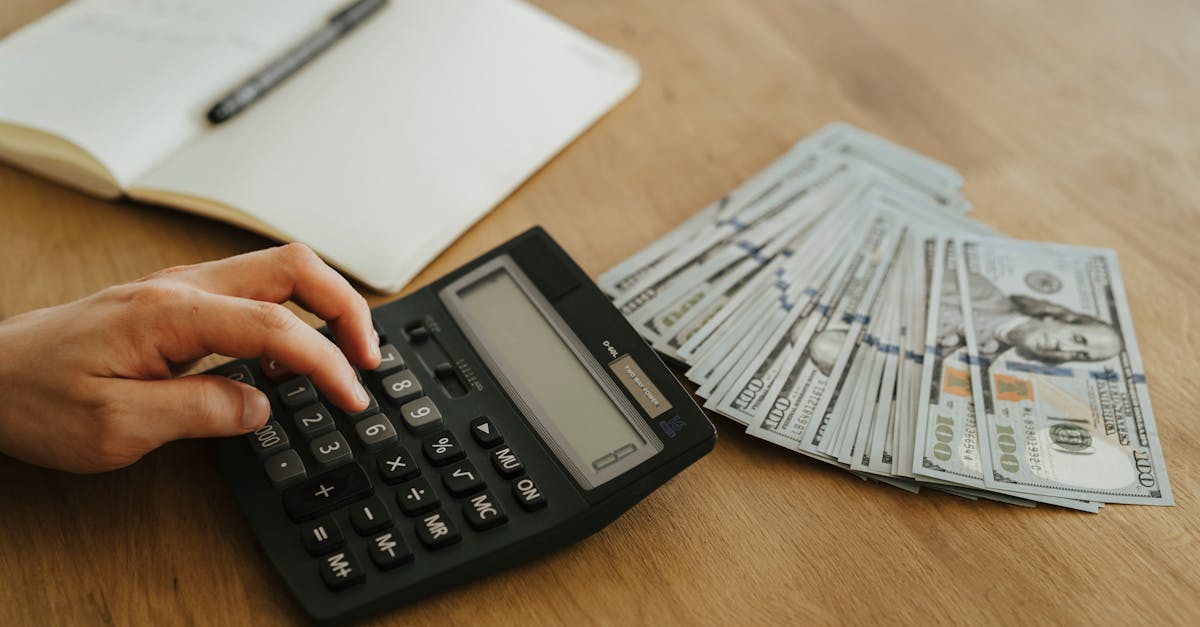
Amazon FBA sellers lose money every month to inventory discrepancies they never claim. Units go missing in fulfillment centers. Items get damaged during warehouse handling. Customers receive refunds but never ship the product back. In each case, Amazon owes the seller money, but the seller has to ask for it.
The reimbursement process has always been confusing, but 2026 made it harder. Amazon shortened the claim window, changed how reimbursement amounts are calculated, and added stricter documentation requirements. Sellers who were already struggling to keep up with audits now have less time and get smaller payouts when they do file.
This guide covers every reimbursement rule change, walks through the claim process step by step, and explains how to audit your account so you stop leaving money on the table.
What Changed in Amazon's Reimbursement Policy
Amazon made three major changes to FBA reimbursement rules between late 2024 and early 2025 that are now fully in effect in 2026. Each one reduces the amount sellers can recover and the time they have to recover it.
Shorter Claim Filing Window
The biggest change hit in November 2024: Amazon reduced the claim filing window from 18 months to 60 days from the date the issue is reported. That is a 90% reduction in the time you have to identify and file a claim.
Under the old policy, sellers could audit their accounts quarterly or even annually and still catch most discrepancies. That approach no longer works. A lost-inventory event that happened 61 days ago is now permanently unrecoverable. Sellers who audit monthly are already missing claims that fall in the gap between audit cycles.
"I used to audit reimbursements once a quarter and still caught everything within the 18-month window. After the policy change, I missed over $4,000 in claims in the first two months because I did not adjust my schedule. Now I audit weekly. There is no other option."
Manufacturing-Cost-Based Payouts
Effective March 31, 2025, Amazon switched from reimbursing sellers based on the selling price to reimbursing based on estimated manufacturing cost. This single change reduced average reimbursement payouts by 40-70% for most product categories.
Under the old formula, if Amazon lost a product you sell for $29.99, your reimbursement would be based on a median of recent selling prices minus fees. You might receive $18-22. Under the new formula, Amazon estimates your manufacturing cost using internal data from similar products and wholesale pricing databases. For that same $29.99 product, your reimbursement might now be $6-10.
Sellers can update their sourcing costs in Seller Central to improve accuracy, but the fundamental shift means reimbursements no longer cover lost profit potential. They cover the cost of replacing the physical product, nothing more.
Stricter Documentation Requirements
Amazon now requires more detailed documentation for every claim type. Invoices, purchase receipts, shipment tracking records, and proof of quantity must clearly show actual manufacturing or sourcing costs. Claims with incomplete or inconsistent documentation get denied at higher rates than in previous years.
The practical effect: filing a reimbursement claim now takes 2-3x longer than it did in 2024 because you need to gather and attach more evidence before submitting.
Types of FBA Reimbursement Claims
Amazon FBA reimbursement claims fall into six categories. Each has different eligibility rules, documentation requirements, and filing procedures. Understanding which category your issue falls into determines whether your claim gets approved or denied.
| Claim Type | What Happened | Filing Window | Key Documentation |
|---|---|---|---|
| Lost inventory | Units went missing in a fulfillment center | 60 days | FNSKU, shipment ID, quantity records |
| Damaged inventory | Amazon warehouse staff damaged units | 60 days | ASIN, fulfillment center logs, photos |
| Inbound shipment shortage | Amazon received fewer units than you shipped | 60 days from reconciliation | Shipment ID, packing slip, carrier tracking |
| Customer return not received | Customer got a refund but never returned the item | 60 days after refund | Order ID, refund date, return tracking |
| Incorrect FBA fees | Amazon charged wrong size tier or weight-based fee | 90 days | Product dimensions/weight, fee breakdown |
| Removal/disposal errors | Removal order completed but units not received | 60 days | Removal order ID, received quantity, tracking |
Lost inventory and customer return discrepancies account for the majority of recoverable dollars. Damaged inventory claims are common but tend to involve fewer units per incident. Incorrect FBA fee claims are less frequent but can recover significant amounts when Amazon has been overcharging on a product's size tier for months.
For context on how FBA fees stack up and where overcharges happen, see the full FBA fee breakdown for 2026.
How to Audit Your Account for Missing Reimbursements
The audit process involves comparing multiple Seller Central reports against each other to find discrepancies Amazon did not automatically resolve. This is where most sellers either find thousands of dollars in recoverable claims or confirm their account is clean.
Reports You Need
- Inventory Adjustments report: shows every unit Amazon added or removed from your inventory, including the reason code. Look for reason codes like "M" (misplaced and found), "D" (damaged), and "E" (expired).
- Received Inventory report: shows units received at each fulfillment center for every inbound shipment. Compare this against your shipment plan quantities.
- Returns report: shows every customer return, including return status and disposition. Cross-reference this with refund data to find returns that were refunded but never received by Amazon.
- Reimbursements report: shows every reimbursement Amazon has already processed, including automatic ones. Use this to avoid filing duplicate claims.
- Fee Preview report: shows the fees Amazon is charging per ASIN. Compare product dimensions and weights against Amazon's measurements to find size-tier misclassifications.
Step-by-Step Audit Process
Start with the Inventory Adjustments report. Download the last 60 days (the maximum claimable window). Filter for adjustment reason codes that indicate Amazon-caused losses: warehouse damage, lost in transit between fulfillment centers, and disposal without authorization. For each adjustment, check the Reimbursements report to see if Amazon already issued a credit. Any adjustment without a matching reimbursement is a potential claim.
Next, pull the Received Inventory report for every inbound shipment in the last 60 days. Compare the "quantity shipped" against "quantity received" for each shipment. Shortages of 1-2 units per shipment are common and add up quickly across dozens of shipments per month. A seller sending 20 shipments per month with an average shortage of 1.5 units per shipment is losing 30 units per month, which at a $15 manufacturing cost per unit is $450 per month or $5,400 per year in unclaimed reimbursements.
"We ship about 15 pallets a month to FBA. When I started comparing our packing slips to the Received Inventory report, I found Amazon was shorting us 1-3 units on almost every shipment. Over 6 months that was nearly 200 units we never claimed. That is real money we just let Amazon keep."
Then review the Returns report. Look for orders where the return status shows "refund issued" but the return tracking either shows no shipment or shows delivered to Amazon with no corresponding inventory adjustment adding the unit back. These are cases where the customer got their money back but Amazon never received the product and never charged the customer or reimbursed you.
How to File a Reimbursement Claim in Seller Central
Filing a claim involves opening a case in Seller Central with the correct category and attaching all required documentation. The process varies slightly by claim type, but the general steps are the same.
- Log in to Seller Central and go to Help > Get Support.
- Select "Selling on Amazon" then navigate to "Fulfillment by Amazon" and choose the relevant issue type (lost inventory, shipment discrepancy, return issue, etc.).
- Provide the specific identifiers: shipment ID for inbound shortages, FNSKU or ASIN for lost/damaged inventory, or order ID for return discrepancies.
- Attach supporting documentation: invoices, packing slips, carrier tracking confirmations, product photos, and quantity records.
- Write a clear, factual description of the discrepancy. State what happened, when it happened, the quantity affected, and the specific report data that supports your claim.
- Submit the case and record the case ID, date, and claim amount in your tracking spreadsheet.
Amazon typically responds within 3-5 business days. If the claim is approved, the reimbursement appears in your next settlement. If denied, you receive a reason code. Common denial reasons include: claim filed outside the 60-day window, insufficient documentation, duplicate claim (already reimbursed), or seller-caused issue (mislabeled products, incorrect shipment quantities).
"My first batch of claims in 2026 had a 40% denial rate. Almost all denials were for insufficient documentation. I started including screenshots of the specific report rows alongside invoices and packing slips, and my approval rate went up to about 85%. The extra 10 minutes per claim saves hours of back-and-forth appeals."
Appealing Denied Claims
If a claim is denied, you can appeal by reopening the case and providing additional evidence. Include the original case ID, the denial reason Amazon gave, and the new documentation that addresses the specific objection. For example, if the denial reason was "insufficient proof of quantity shipped," attach the carrier bill of lading showing the exact piece count, not just the packing slip.
Appeal success rates depend heavily on the quality of additional evidence. Claims denied for "outside filing window" are almost never overturned. Claims denied for "insufficient documentation" are overturned roughly 60-70% of the time when sellers provide the missing evidence.
How Much Are You Leaving on the Table
The amount of unclaimed reimbursement money varies by seller size, product type, and how frequently the seller audits their account. But the patterns are consistent: sellers who do not audit regularly are leaving 1-3% of their FBA revenue unclaimed.
| Monthly FBA Revenue | Estimated Quarterly Recovery | Common Claim Sources |
|---|---|---|
| Under $50,000 | $500 - $2,000 | Inbound shortages, return discrepancies |
| $50,000 - $200,000 | $2,000 - $10,000 | Lost inventory, damaged goods, fee errors |
| $200,000 - $500,000 | $5,000 - $25,000 | All categories, warehouse transfer losses |
| Over $500,000 | $15,000 - $50,000+ | Scale amplifies every discrepancy type |
These numbers assume the seller was not auditing before. Sellers who already audit weekly will recover less because they are already catching most issues. But even regular auditors miss claims, particularly customer return discrepancies where the return window has not yet closed at the time of their audit.
The manufacturing-cost payout change makes each individual claim worth less, but it does not change the volume of discrepancies. If anything, the lower payouts make consistent auditing more important because you need to catch more claims to recover the same dollar amount.
Understanding the full picture of how much Amazon takes from every sale puts these reimbursement numbers in perspective. For many sellers, unclaimed reimbursements are the second-largest hidden cost after fees that nobody talks about.
Building a Weekly Reimbursement Audit Routine
The 60-day claim window means monthly audits create a risk of missing claims that fall between cycles. Weekly audits eliminate that risk and take 30-60 minutes once you have the process down.
Weekly Audit Checklist
- Download the Inventory Adjustments report for the past 7 days. Filter for Amazon-caused adjustments (damage, loss, disposal). Cross-reference against the Reimbursements report.
- Check all inbound shipments that were received in the past 7 days. Compare shipped vs. received quantities. Flag any shortages above zero.
- Pull the Returns report for the past 45 days. Identify any returns where the refund was issued 30+ days ago but the item has not been received back at the fulfillment center.
- Review any open reimbursement cases from previous weeks. Follow up on cases that have been open for more than 5 business days without a response.
- Log all findings in your tracking spreadsheet: date, claim type, ASIN/FNSKU, quantity, estimated value, case ID, and status.
What to Track in Your Spreadsheet
- Claim filing date and the 60-day deadline for each open issue
- Case ID and current status (open, approved, denied, appealed)
- Dollar amount claimed vs. dollar amount received
- Denial reasons for rejected claims, so you can improve documentation over time
- Running total of recovered dollars per month and per quarter
The tracking spreadsheet serves two purposes. It prevents you from missing deadlines on open issues, and it gives you data on your claim approval rate over time. If your approval rate drops below 70%, your documentation process needs improvement. If it stays above 85%, your process is working.
"After three months of weekly audits I had hard numbers: 87% approval rate, $11,400 recovered, average of 22 claims per month. The whole process takes me about 45 minutes every Monday morning. That is the highest-ROI hour of my entire week."
Common Mistakes That Get Claims Denied
Most claim denials are preventable. The same mistakes come up repeatedly across seller forums and support threads. Avoiding these five errors will keep your approval rate high.
- Filing after the 60-day window. This is now the number one reason for denials. There is no appeal path for expired claims. The only fix is auditing more frequently.
- Submitting duplicate claims. If Amazon already issued an automatic reimbursement for an issue, filing a manual claim for the same event triggers a denial and can flag your account for review. Always check the Reimbursements report before filing.
- Providing insufficient documentation. A case description that says "units are missing" without specific shipment IDs, FNSKUs, quantities, and supporting report data will get denied. Treat every claim like a mini legal filing.
- Claiming seller-caused issues. If you mislabeled products, sent the wrong quantity, or shipped to the wrong fulfillment center, Amazon will not reimburse you. Review the adjustment reason codes carefully to confirm the issue was Amazon-caused before filing.
- Filing for amounts above the $5,000 per-unit cap. Amazon caps reimbursements at $5,000 per individual unit. Claims above this threshold require separate handling and additional documentation. Split high-value claims appropriately.
The shift to manufacturing-cost payouts also means your per-unit recovery is lower, which makes claim volume more important than individual claim size. A seller who files 30 small claims per month and gets 85% approved will recover more than a seller who files 5 large claims and gets 60% approved.
Running an FBA operation in 2026 means accepting that reimbursements are a permanent part of your workflow, not an occasional task. Amazon processes billions of units per year. Errors are inevitable at that scale. The sellers who recover the most are the ones who build reimbursement auditing into their weekly routine and treat it with the same discipline as inventory replenishment or advertising optimization.
Frequently Asked Questions
As of late 2024, Amazon reduced the filing window from 18 months to 60 days from the date the issue is reported. This applies to lost inventory, damaged goods, and customer return discrepancies. If you miss the 60-day window, Amazon will reject the claim regardless of evidence quality. The only exception is for shipment-level discrepancies on inbound inventory, which may have slightly different timelines. Set weekly calendar reminders to audit your reports so you never miss a deadline.
Since March 31, 2025, Amazon reimburses based on estimated manufacturing cost rather than the selling price. Manufacturing cost includes only what you paid to source or produce the product. It excludes shipping, customs duties, packaging, and added expenses. Amazon estimates this cost using data from similar products and wholesale sources. You can update your sourcing costs in Seller Central to improve accuracy, but payouts will still be lower than the old method.
Six main categories qualify: lost inventory in fulfillment centers, items damaged by Amazon warehouse staff, inbound shipment quantity discrepancies, customer return discrepancies where the customer got a refund but never returned the item, incorrect FBA fee charges, and removal or disposal order errors. Each category requires different documentation. Lost inventory claims need your shipment ID and quantity records. Return discrepancies need the order ID and return tracking.
Since November 2024, Amazon automatically reimburses for some fulfillment-center-reported losses and damages. You can track these automatic reimbursements in Seller Central under Reports. However, automatic reimbursements do not catch everything. Inbound shipment shortages, return discrepancies, and many warehouse damage cases still require manual claims. Sellers who rely solely on automatic reimbursements typically recover only 30-50% of what they are owed.
Amazon requires specific evidence depending on the claim type. For inbound shipment discrepancies, you need the shipment ID, proof of delivery, and packing slips with exact quantities. For customer return issues, you need the order ID and tracking showing the item was not returned. For damaged inventory, you need the FNSKU or ASIN, photos if available, and fulfillment center logs. Incomplete documentation is the top denial reason. Always include more evidence than you think necessary.
Recovery amounts vary widely based on sales volume and product value. Sellers doing $50,000-$100,000 per month in FBA revenue typically recover $2,000-$10,000 per quarter from unclaimed reimbursements. Higher-volume sellers with $500,000+ monthly revenue can recover $15,000-$50,000+ per quarter. Amazon caps individual item reimbursements at $5,000 per unit. The key variable is how frequently you audit your reports. Weekly audits catch more discrepancies than monthly or quarterly reviews.
Related Articles
View all
Amazon FBA Prep Changes 2026: What Sellers Must Do Now
Amazon discontinued all in-house FBA prep and labeling services on January 1, 2026. Here is what changed, what sellers must handle themselves, and how to adapt your operations without missing a beat.
Amazon AI Enforcement 2026: How to Avoid Automated Suspensions
Amazon's AI enforcement system now triggers instant account suspensions without human review. Sellers report false positives on metrics, inauthenticity flags on legitimate products, and multi-week appeals. Here is how to stay ahead of the algorithms.
Amazon IPI Score Guide 2026: Storage Limits and How to Improve
Learn how Amazon calculates your IPI score in 2026, what thresholds trigger storage limits, and the proven strategies sellers use to raise their score and protect FBA capacity.