Stop Overselling: The Technical Guide to Inventory Buffers & Safety Stock
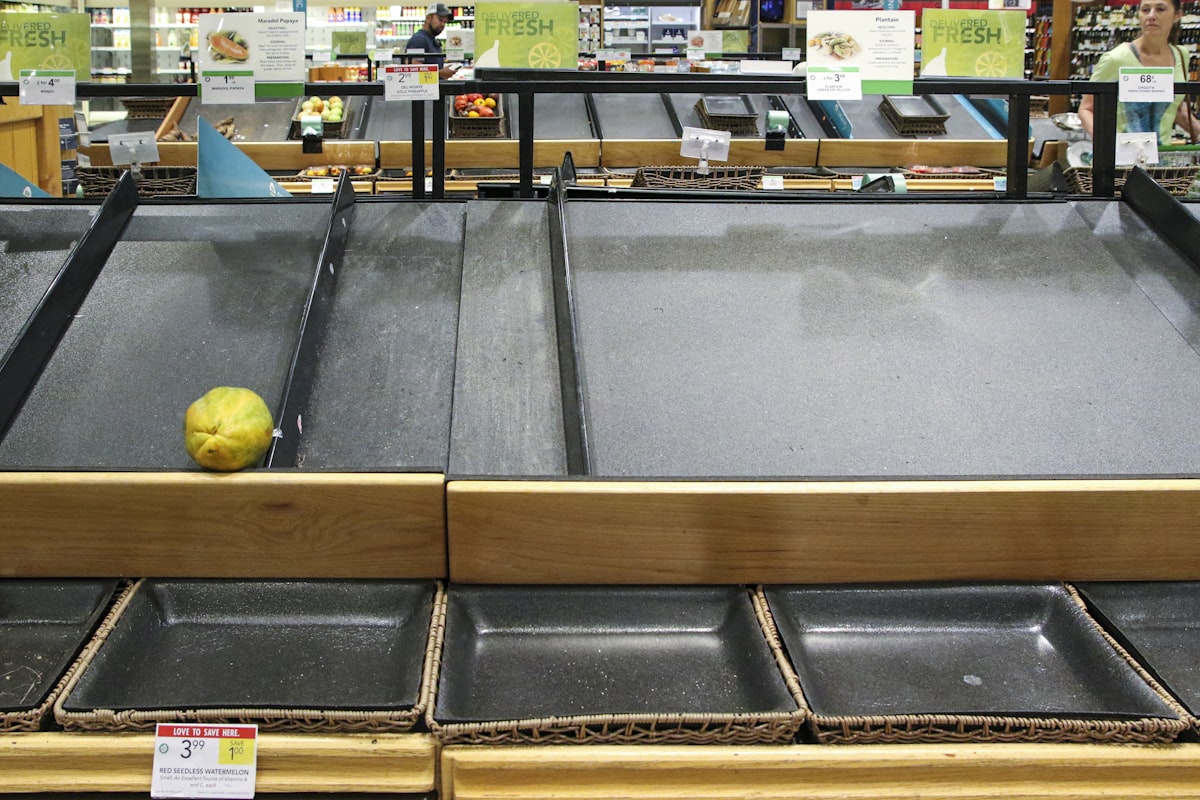
The Operational Nightmare of Overselling
It is 2:00 PM on Cyber Monday. Your marketing team just launched a 30% off FOMO campaign for your best-selling winter jacket. Traffic spikes. Orders pour in. The dashboard looks green. Everyone is high-fiving.
Then, at 2:15 PM, your warehouse manager slacks you: "We only have 500 of these jackets. The system shows we just sold 540."
The room goes silent. You have just oversold 40 units. That represents 40 customers you now have to email with an apology and a refund. 40 negative reviews waiting to happen. And if those orders came from Amazon or Walmart? You are now 40 strikes closer to a suspended seller account.
The True Cost of Every Oversold Unit
Most operators underestimate the financial damage of overselling because they only count the refund. The real cost per oversold unit is $25 to $150, broken down as follows:
- Refund processing fees: Payment gateway fees are typically non-refundable. You paid 2.9% + $0.30 to process the original charge, and you do not get that back.
- Replacement shipping: If you source the item from another location or expedite a replacement, you are paying premium freight. Overnight shipping on a single package can run $15-$40.
- Customer service labor: Each overselling incident generates at least one support ticket. At an average cost of $5-$12 per ticket (including agent time, tooling, and overhead), this adds up fast during a peak event.
- Customer lifetime value (LTV) erosion: This is the hidden killer. A customer who receives a cancellation email instead of a shipping confirmation is unlikely to return. If your average LTV is $300, even a 10% churn increase from overselling events represents a massive long-term revenue hit.
For those 40 oversold jackets on Cyber Monday, the total damage is $1,000 to $6,000 in a single day. And that does not include the brand damage you cannot quantify.
Marketplace Consequences Are Severe
If you sell on marketplaces, overselling carries additional penalties that can threaten your entire business:
- Amazon: Your Order Defect Rate (ODR) must stay below 1%. Cancellations due to overselling count as defects. Exceed that threshold and Amazon suspends your selling privileges. Reinstatement requires a Plan of Action and can take weeks, during which you earn zero revenue on the platform.
- Walmart: Walmart tracks cancellation rates and on-time shipping rates separately. Seller-initiated cancellations from overselling directly damage both metrics. Walmart has been increasingly aggressive about suspending sellers who fail to meet their fulfillment standards.
- TikTok Shop: TikTok auto-cancels orders that are not shipped within the fulfillment window. If you oversell and cannot ship, the cancellation happens automatically and your shop score drops. TikTok's algorithm then suppresses your product visibility, creating a downward spiral.
The solution is not just "faster syncing." You need mathematical defensive strategies that account for demand variability, channel-specific risks, and the physical reality of your supply chain. That means Inventory Buffers and Safety Stock.
In this technical guide, we will move beyond "gut feeling" inventory management and dive into the statistical models, architectural patterns, and monitoring strategies that the world's largest retailers use to guarantee availability without drowning in excess stock.
Part 1: The Mathematics of Reliability
Most SMBs set safety stock based on intuition. "Let's keep 5 units back just in case." This is better than nothing, but it is inefficient. It ties up working capital in slow-moving SKUs while leaving high-velocity SKUs vulnerable. To solve this, we need to use the Standard Deviation of Demand and Service Level targets.
Defining the Service Level
The "Service Level" is the probability that you will NOT run out of stock during a replenishment cycle. You cannot realistically aim for 100% (that would require infinite inventory). Most brands aim for:
- 95% Service Level: Standard for Class A items (Best Sellers).
- 90% Service Level: Acceptable for Class B items.
- 85% Service Level: Acceptable for Class C items (Long tail).
These percentages correspond to a statistical "Z-score":
- 90% = 1.28
- 95% = 1.65
- 99% = 2.33
The Z-score tells you how many standard deviations above the mean you need to stock in order to achieve your desired fill rate. A higher Z-score means more safety stock but also more working capital tied up in inventory.
ABC Analysis: Classifying Your SKUs
Before you assign service levels, you need to classify your SKUs using ABC analysis based on revenue contribution:
- Class A (top 20% of SKUs): These generate roughly 80% of your revenue. Your best sellers, hero products, and staples. These get a 95% service level because a stockout here directly impacts your top line.
- Class B (middle 30% of SKUs): These contribute about 15% of revenue. Important but not critical. A 90% service level balances availability with capital efficiency.
- Class C (bottom 50% of SKUs): The long tail. These make up only about 5% of revenue. An 85% service level is acceptable because the cost of holding extra safety stock outweighs the stockout risk.
Run this analysis quarterly. Products shift between classes as trends change, new items launch, and seasonal demand fluctuates. Your safety stock allocations should shift with them.
The Safety Stock Formula
The gold standard formula for calculating safety stock, accounting for both demand variability and lead time variability, is:
Safety Stock = Z * sqrt((Avg Lead Time * sigma_Demand^2) + (Avg Demand^2 * sigma_Lead_Time^2))
Where:
- Z: Your target service level Z-score (e.g., 1.65 for 95%).
- Avg Lead Time: How long it takes for a purchase order to arrive (in days).
- sigma_Demand (Standard Deviation of Demand): How much your daily sales fluctuate. If you sell 10 units one day and 50 the next, your deviation is high.
- sigma_Lead_Time (Standard Deviation of Lead Time): How reliable your supplier is. Do they sometimes take 20 days instead of 14?
Example 1: The Steady Seller (Sneaker)
You sell a sneaker. Average daily sales are 20 units, but it fluctuates by plus or minus 5 (sigma_Demand = 5). Your supplier takes 10 days to deliver, but sometimes 12 or 8 (sigma_Lead_Time = 2). You want a 95% service level (Z = 1.65).
Safety Stock = 1.65 * sqrt((10 * 5^2) + (20^2 * 2^2))
             = 1.65 * sqrt((10 * 25) + (400 * 4))
             = 1.65 * sqrt(250 + 1600)
             = 1.65 * sqrt(1850)
             = 1.65 * 43.01
             = 70.97
             ~ 71 units
Running the math, you realize you do not need a buffer of 5. You need a buffer of roughly 71 units to statistically guarantee you will not stock out before the next shipment arrives. This data-driven approach removes the guesswork.
Example 2: The Seasonal Product (Holiday Candle)
Now consider a holiday candle with much higher demand variability. Average daily sales are 50 units, but demand swings wildly (sigma_Demand = 20). Your supplier is overseas with a 21-day lead time that varies significantly (sigma_Lead_Time = 5). You still want a 95% service level (Z = 1.65).
Safety Stock = 1.65 * sqrt((21 * 20^2) + (50^2 * 5^2))
             = 1.65 * sqrt((21 * 400) + (2500 * 25))
             = 1.65 * sqrt(8400 + 62500)
             = 1.65 * sqrt(70900)
             = 1.65 * 266.27
             = 439.35
             ~ 440 units
The holiday candle requires 440 units of safety stock compared to the sneaker's 71 units. That is over 6x more buffer, driven entirely by higher demand variability and longer, less reliable lead times. This is why one-size-fits-all buffers fail. A product with high variability needs dramatically more protection.
Use our safety stock calculator to run these numbers for your own catalog without the manual math.
Reorder Point Calculation
Safety stock tells you how much buffer to hold. The Reorder Point (ROP) tells you when to place your next purchase order. The formula is straightforward:
Reorder Point = (Average Daily Demand x Lead Time) + Safety Stock
Using the sneaker example from above:
ROP = (20 units/day x 10 days) + 71 units
    = 200 + 71
    = 271 units
When your sneaker inventory hits 271 units, trigger a purchase order immediately. This ensures that by the time your supplier delivers (10 days later on average), you will have burned through your working stock but your safety stock buffer will still be intact. If you wait until you hit 200 units, you are gambling that demand and lead time will be perfectly average. They will not be.
For the holiday candle: ROP = (50 x 21) + 440 = 1,490 units. You need to reorder when you still have nearly 1,500 units on hand. That feels counterintuitive, but the math accounts for the 21-day ocean freight lead time and the wild demand swings of a seasonal product.
Feed these reorder points into your demand forecaster tool to automate the trigger and avoid manual monitoring.
Dynamic Safety Stock: Adjusting for Seasonality
Static safety stock works for products with stable demand patterns. But most ecommerce brands have significant seasonality: BFCM spikes, back-to-school surges, summer slowdowns, product launches, and viral moments. A fixed safety stock number will either leave you overexposed during peaks or overstocked during troughs.
The solution is to multiply your base safety stock by a seasonal index:
Adjusted Safety Stock = Base Safety Stock x Seasonal Index

Example Seasonal Indices (monthly):
January: 0.8 (post-holiday slowdown)
February: 0.7 (lowest demand month for most categories)
March: 0.9 (spring ramp-up)
April: 1.0 (baseline)
May: 1.0 (baseline)
June: 1.1 (summer categories spike)
July: 1.1 (summer continues)
August: 1.2 (back-to-school)
September: 1.3 (pre-holiday stocking begins)
October: 1.5 (Halloween + early holiday shoppers)
November: 2.5 (BFCM peak)
December: 2.0 (holiday shipping + last-minute gifting)
Build your seasonal indices from historical data. Three years of weekly sales data is ideal. If you have less, use two years and weight the most recent year more heavily. If you are launching a new product with no history, use category-level indices from your existing catalog as a proxy.
Pre-BFCM protocol: Increase your safety stock multiplier 4-6 weeks before your peak season begins. Do not wait until November 1st to adjust. Your purchase orders need lead time to arrive, and your 3PL needs time to receive and stow the additional inventory. For most brands, the BFCM inventory buildup should start in early October at the latest.
Part 2: Dynamic Buffer Logic
Once you have your base safety stock calculated, you need to apply it intelligently across your sales channels. Not all channels are created equal. Each has different latency characteristics, different penalty structures for overselling, and different customer expectations. Your buffer strategy must reflect these differences.
Channel-Specific Buffers
The core concept is simple: you do not show every channel the same available-to-sell (ATS) number. Instead, you apply a buffer that holds back a percentage of your true inventory from each channel. The buffer percentage depends on the channel's risk profile.
Here is a complete buffer strategy across five major channels:
Amazon: Hard Buffer (show 90% of stock)
Amazon's Order Defect Rate (ODR) and cancellation metrics are the most punishing in ecommerce. A seller-initiated cancellation counts as a defect. If your ODR exceeds 1%, you face suspension. For a seller doing 1,000 orders per month, that means you can only have 10 defective orders total, including overselling cancellations, A-to-Z claims, and chargebacks combined. Holding back 10% of your stock provides a cushion against sync latency and demand spikes. If you have 100 units, tell Amazon you have 90.
Walmart: Hard Buffer (show 85% of stock)
Walmart tracks cancellation rates and on-time shipping rates as separate metrics, and they are strict about both. Walmart's fulfillment requirements are arguably tighter than Amazon's in some categories. The 15% buffer accounts for Walmart's slightly longer API sync cycles and their aggressive metric enforcement. If you have 100 units, tell Walmart you have 85.
Shopify DTC: No Buffer or Soft Buffer (show 100% of stock)
On your own storefront, you control the customer relationship. If you oversell, you can email the customer personally, offer a discount on their next order, upgrade their shipping, or provide a substitute product. There is no marketplace algorithm penalizing you. You can afford to be aggressive and show your full inventory count. The only exception is if you frequently oversell on DTC due to sync issues with other channels, in which case a 5% soft buffer is reasonable. For Shopify-specific inventory setup, see our Shopify inventory management guide.
TikTok Shop: Allocated Stock Model (show 50-60% only)
TikTok is the most dangerous channel for overselling because of virality. A single video can generate 1,000 orders in 10 minutes. By the time your OMS processes and syncs the first 200 orders, you may have already sold 800 more. The latency between sale and sync update is measured in seconds on a good day and minutes on a bad day. For TikTok, the safest approach is an allocated stock model: carve out a specific quantity for TikTok and treat it as a separate virtual warehouse. When the allocation is gone, the listing shows out of stock. Replenish the allocation manually or on a schedule based on velocity data.
eBay: Moderate Buffer (show 90-95% of stock)
eBay tracks defect rates but is generally less punishing than Amazon or Walmart. Their seller standards allow for more flexibility, and their customer base tends to be more forgiving of occasional cancellations (particularly in used goods categories). A 5-10% buffer is sufficient for most eBay sellers. High-volume eBay sellers with multiple listing formats (auction + fixed price) should lean toward the 10% buffer.
Each channel has a different penalty severity. Calibrate your buffers accordingly and review them quarterly as marketplace policies evolve.
Velocity-Based Auto-Throttling
Static buffers handle normal operations. But what happens when a product goes viral or a flash sale exceeds projections? You need automated velocity-based throttling that adjusts buffers in real time based on how fast a product is selling.
Monitor sales velocity in real-time, measured as units per minute per channel per SKU:
- Normal velocity (e.g., 5 units/hour): Apply your standard channel buffer. Everything is operating within expected parameters. No intervention needed.
- Spike velocity (e.g., 50 units/hour, 10x normal): Automatically increase the buffer by 20-30%. If your Amazon buffer is normally 10%, bump it to 30-40% during the spike. This gives your sync pipeline time to catch up and prevents selling through your safety stock.
- Extreme velocity / viral event (e.g., 200+ units/hour, 40x normal): Switch to an allocated stock model immediately. Cap the maximum sellable quantity on the affected channel. If you have 500 units left, cap the channel at 200 and reassess every 15 minutes. This is your emergency brake.
This throttling must be automated. No human should be watching dashboards at 2 AM during a TikTok spike. Your OMS should detect the velocity anomaly, adjust the buffers, and send an alert to your ops team for awareness. By the time a human reviews the situation, the system should have already protected you.
Promotion-Aware Buffers
Planned promotions (flash sales, influencer posts, email blasts, product launches) create predictable demand spikes. Unlike viral events, you know these are coming. Use that information:
- Before the promotion (24 hours in advance): Increase buffers across all channels by 15-25%. This pre-loads your defensive position before the demand surge hits.
- During the promotion: Velocity throttling kicks in automatically if actual sales exceed your forecast by 50% or more. If you forecasted 200 units sold during a 4-hour flash sale and you hit 200 in the first hour, the system tightens buffers immediately.
- After the promotion (2-4 hours post-end): Normalize buffers back to standard levels. Do not leave elevated buffers in place longer than necessary because they reduce your sell-through rate and hide available inventory from customers.
Critical coordination requirement: Your ops team must know about promotions BEFORE they launch. This sounds obvious, but it is one of the most common failure points in multichannel operations. Marketing schedules an influencer post for Tuesday at noon. Ops does not find out until the orders start flooding in. Build a mandatory promotion calendar that both teams maintain, with a 48-hour minimum notice requirement for any promotion expected to increase order volume by more than 25%.
Part 3: The "Ghost Stock" Phenomenon
Even with perfect math and intelligent buffers, you can still oversell if your data is dirty. "Ghost Stock" refers to inventory that your system thinks exists but physically does not. Your OMS says you have 50 units. Your warehouse has 43. Those 7 phantom units will cause overselling the moment your real stock drops below 7.
Common Causes
- The "Cart Hold" Problem: A customer adds an item to their cart on Shopify. Some systems "reserve" this inventory for 10-15 minutes. But if your inventory sync to Amazon does not account for these soft reservations, Amazon still shows the full count. Another customer buys that same unit on Amazon. Now you have two claims on one unit. Multiply this by 50 concurrent cart sessions during a busy period and you have a serious ghost stock problem.
- Damaged/Quarantine Inventory: A return arrives at your warehouse. It is scanned as "Received" and your WMS increments the inventory count. But the item is actually torn, stained, or missing parts. If it goes back into your "Sellable" pool before a quality inspection, you just listed a broken product as available. The customer who buys it will return it again, creating a cycle of phantom inventory.
- The "Midnight Sync" Gap: Relying on a daily CSV file from your 3PL? You are flying blind for 23 hours a day. Between syncs, any physical adjustment at the warehouse (damage, shrinkage, miscounts, inbound receiving) is invisible to your OMS. Those 23 hours of stale data create a growing gap between system inventory and physical reality.
- Delayed 3PL Updates: Even with API-based integrations, some 3PLs batch their inventory updates on 15-minute or 30-minute intervals. During high-velocity periods, a 15-minute delay means your OMS is making allocation decisions based on data that is 200-300 units out of date.
Cycle Count Frequency by ABC Class
The primary defense against ghost stock is regular cycle counting. But counting every SKU every day is impractical. Instead, prioritize based on your ABC classification:
- Class A items (top 20% by revenue): Weekly cycle counts. These are your bestsellers. Ghost stock on a Class A item causes the most damage because it oversells your highest-revenue products. Count them every week without exception.
- Class B items (middle 30% by revenue): Monthly cycle counts. Important enough to monitor regularly but not critical enough for weekly counting. Schedule these on a rolling basis so you cover all Class B SKUs within each calendar month.
- Class C items (bottom 50% by revenue): Quarterly cycle counts. The long tail. Ghost stock on a Class C item is less damaging because the sales velocity is low. A quarterly count is sufficient to catch discrepancies before they accumulate.
Prioritize counting your bestsellers. That is where ghost stock hurts the most.
Detecting Ghost Stock Programmatically
Manual cycle counts catch ghost stock after it exists. Programmatic detection catches it in real time, before it causes an oversell. Implement these automated checks:
- Daily reconciliation query: Compare your OMS inventory count for every SKU against the last known WMS/3PL inventory count. Any discrepancy greater than zero should be logged. Run this reconciliation at least once per day, ideally during low-traffic hours.
- Threshold alerts: If the discrepancy between OMS and WMS exceeds 3% for any single SKU, flag it for immediate investigation. A 3% discrepancy on a SKU with 1,000 units means 30 potentially phantom units. On a fast-moving SKU, that discrepancy can cause overselling within hours.
- Negative inventory detection: If any SKU's inventory count goes below zero in your system, something is fundamentally broken. Negative inventory should trigger an immediate alert. It means you sold units you did not have, and the root cause (missed sync, race condition, manual error) needs to be identified before it affects more orders.
- "Sellable vs. Total" audit: Your warehouse holds inventory in multiple states: sellable, damaged, quarantine, pending inspection, reserved for returns. Ensure that returned items are not going back into the sellable pool without passing through an inspection workflow. Run a daily audit comparing total units received as returns versus total units moved to sellable status. If those numbers match, your inspection step is being skipped.
- WMS-to-OMS sync health check: Measure the time lag and data freshness of your inventory sync pipeline. If your target is sub-5-minute sync latency and your actual latency is 22 minutes, you have a stale data problem that buffers alone cannot solve. Track sync latency as a metric and alert when it exceeds your threshold.
Part 4: Technical Implementation Strategies
For the CTOs and architects reading this, avoiding overselling at scale requires solving fundamental distributed systems problems. The most critical is the race condition.
The Race Condition Problem
Imagine two requests hit your server at the exact same millisecond:
Request A: "Buy 1 unit of SKU-123" (reads Current Stock: 1)
Request B: "Buy 1 unit of SKU-123" (reads Current Stock: 1)
If you read the database naively, both requests see "1 unit available." Both subtract 1. Both save "0." You just sold 2 units but only had 1. Your database now shows 0 (or -1 if you are unlucky and neither request checked for negative values).
This is not a theoretical edge case. During BFCM, a popular SKU can receive hundreds of concurrent purchase attempts per second. Without proper concurrency control, race conditions happen constantly. They are the technical root cause behind a significant percentage of overselling events.
Database Locking Strategies
There are three primary strategies for preventing race conditions on inventory writes. Each has different performance characteristics and trade-offs:
1. Pessimistic Locking (SELECT FOR UPDATE)
SELECT * FROM inventory WHERE sku = 'SKU-123' FOR UPDATE;
-- Row is now locked. No other transaction can read or write it.
UPDATE inventory SET quantity = quantity - 1 WHERE sku = 'SKU-123';
COMMIT;
Pessimistic locking acquires an exclusive lock on the inventory row before reading it. Request B must wait until Request A's transaction completes (commit or rollback) before it can proceed. This guarantees correctness: you will never oversell.
The trade-off is performance. Each lock adds 10-50ms of latency per transaction, and under high concurrency, requests queue up waiting for locks. For a SKU receiving 500 concurrent requests, you create a serial bottleneck. This approach works well for low-to-medium traffic stores (under 100 orders per minute) but creates unacceptable latency at scale.
2. Optimistic Locking (Version Number)
-- Read: get current quantity and version
SELECT quantity, version FROM inventory WHERE sku = 'SKU-123';
-- returns: quantity=1, version=5

-- Write: update only if version has not changed
UPDATE inventory
  SET quantity = quantity - 1, version = version + 1
  WHERE sku = 'SKU-123' AND version = 5;

-- If 0 rows affected: another transaction changed the row first.
-- Retry or return "out of stock."
Optimistic locking does not acquire a lock on read. Instead, it reads the current state (including a version number) and attempts the write only if the version has not changed. If another transaction modified the row between your read and write, your update affects 0 rows, and you know a conflict occurred.
This is faster for reads (no lock contention) and works well for medium traffic. The downside is that under extreme concurrency, you get a high rate of write failures (conflicts), and each failed write must be retried. You need reliable retry logic with exponential backoff. For most ecommerce workloads (up to 500 orders per minute), optimistic locking is the sweet spot.
3. Redis Atomic Decrement (DECR)
-- Atomic decrement in Redis
result = DECR inventory:SKU-123

-- If result >= 0: sale is valid, proceed with order
-- If result < 0: oversold, increment back and reject
if result < 0:
    INCR inventory:SKU-123
    return "Out of stock"
Redis DECR is an atomic operation. It decrements the value and returns the new value in a single, indivisible step. No other operation can interleave. This is the fastest option: sub-millisecond latency, no lock contention, no retry logic needed.
Use Redis as the single authority for Available-to-Sell (ATS) counts on the hot path (add-to-cart, checkout). Sync the authoritative counts from Redis to your relational database (Postgres, MySQL) asynchronously for reporting, auditing, and analytics. Redis handles the real-time correctness. Postgres handles the historical record.
Recommendation: Use Redis DECR for the hot path (add-to-cart validation, checkout inventory reservation). Use Postgres with optimistic locking for the cold path (inventory adjustments, purchase order receipts, returns processing, reporting). This hybrid approach gives you sub-millisecond latency where speed matters and transactional integrity where accuracy matters.
Distributed Inventory and the CAP Theorem
When your inventory data lives across multiple databases, services, or geographic regions, you face the CAP theorem. The CAP theorem states that a distributed system can guarantee at most two of three properties: Consistency, Availability, and Partition Tolerance.
For inventory systems, the choice is clear:
- Consistency is NON-NEGOTIABLE. You cannot accept eventual consistency for stock counts. If your East Coast database shows 5 units and your West Coast database shows 3 units, you do not know how many you actually have. Eventual consistency means you might accept two orders for the last unit before the databases converge. That is overselling by design.
- Partition Tolerance is required. Network partitions between services happen. Your inventory microservice will occasionally be unable to reach your order service, your channel adapters, or your warehouse system. You must handle these partitions gracefully.
- Availability is what you sacrifice. When faced with a partition or an inconsistency, the correct behavior is to fail CLOSED (reject the order) rather than fail OPEN (accept the order and hope the inventory exists). It is better to show a customer "temporarily unavailable" than to accept their money for a product you cannot ship.
Practical implication: if your inventory service is unreachable, your checkout flow should reject orders for that SKU. Do not fall back to cached inventory counts, stale data, or optimistic acceptance. Every "accept and hope" order during a partition is a potential oversell. The short-term revenue loss from rejecting a few orders is trivial compared to the cost of widespread overselling.
Message Queue Architecture for Inventory Events
In a well-architected multichannel system, every inventory change is an event: sale, return, adjustment, purchase order receipt, transfer, damage write-off. These events flow through a message queue (Kafka, RabbitMQ, Amazon SQS) and are consumed by channel adapters that update each channel's available-to-sell count independently.
Key architectural decisions:
- Event publishing: Every inventory mutation publishes an event to the queue. A sale on Amazon publishes a "stock_decremented" event. A return on Shopify publishes a "stock_incremented" event. A warehouse adjustment publishes a "stock_adjusted" event. No inventory change should bypass the event pipeline.
- Independent consumers: Each channel adapter (Amazon, Walmart, Shopify, TikTok, eBay) has its own consumer that reads events and updates that channel's ATS count. If the Amazon consumer falls behind, only Amazon's stock data becomes stale. Other channels continue to update in real time.
- Stale data protection: If a consumer falls behind the event stream, the channel's stock count becomes stale (too high relative to reality). This is exactly the scenario that buffers protect against. Your buffer percentage should account for worst-case consumer lag. If your Amazon consumer can fall 5 minutes behind during peak load, and you sell 10 units per minute on Amazon, you need a buffer of at least 50 units on that channel to cover the lag.
- Event ordering: Process events in sequence per SKU. If you use Kafka, partition by SKU ID so that all events for a given SKU land on the same partition and are processed in order. Out-of-order processing (e.g., processing a return before the corresponding sale) corrupts your inventory count.
- Dead letter queue (DLQ): If an event fails to process after 3 retries, send it to a dead letter queue for manual review. Do not silently drop inventory events. A dropped event means your system count diverges from physical reality, creating ghost stock or phantom shortages.
Part 5: Monitoring and Alerting
You cannot manage what you do not measure. Even the best buffer logic and locking strategies will fail eventually. Hardware breaks, APIs change, suppliers miss deliveries, and warehouse staff make mistakes. Your monitoring and alerting infrastructure is the last line of defense.
The Overselling Dashboard
Build a real-time dashboard tracking these four key metrics:
- Overselling rate: The percentage of orders where you sold unavailable stock. Calculate this as (oversold orders / total orders) x 100. Your target should be below 0.1% (1 in 1,000 orders). If you are above 0.5%, you have a systemic problem that buffers alone will not solve.
- Buffer utilization: How often your buffers are being consumed. If your Amazon buffer is set to 10% and you are routinely selling into that buffer (i.e., your real stock drops below your listed stock), your buffer is doing its job but is too small. If your buffer is never consumed, it might be too large and you are leaving sales on the table. Target 10-20% buffer utilization during normal periods and 60-80% during peak events.
- Ghost stock percentage: The discrepancy between your system count and your physical count, measured during cycle counts. Calculate as ((system count - physical count) / system count) x 100. Target below 2%. Above 5% indicates a fundamental data integrity issue.
- Sync latency: The time between a sale event occurring and all channels being updated with the new inventory count. Measure this end-to-end: from the moment an order is placed on Channel A to the moment Channel B, C, D, and E all reflect the updated count. Target sub-60-second latency. Above 5 minutes during peak periods is a red flag.
Alert Thresholds
Set up three levels of alerts with clear escalation paths:
- Level 1 (Info): A single SKU has been oversold by 1-2 units. This is likely a sync timing issue or a buffer that was slightly too small. Auto-hold the pending orders for manual review, notify the ops team via Slack or email, and investigate during business hours. No immediate action required beyond the hold.
- Level 2 (Warning): Multiple SKUs have been oversold in the same time window, OR a single SKU has been oversold by 5 or more units. This suggests a systemic issue: a sync pipeline failure, a buffer misconfiguration, or a demand spike that exceeded your velocity throttling. Escalate to the ops manager immediately. Review sync logs, buffer settings, and recent system changes.
- Level 3 (Critical): Widespread overselling across multiple categories or channels simultaneously. This is a system-level failure: a database outage, a message queue backup, or a complete sync pipeline failure. Halt sales on the affected channels immediately. Convene a war room with engineering and operations. Do not resume sales until the root cause is identified and resolved.
Post-Mortem Checklist for Overselling Events
After every overselling event (regardless of severity), run a structured post-mortem. This is not optional. Without a post-mortem, you will repeat the same failure.
- Timeline: When did the first oversell occur? When was it detected (by your system or by a human)? When was it resolved? What was the gap between occurrence and detection? That gap is your exposure window and you need to shrink it.
- Root cause: Was it a sync failure? A buffer that was too small? Ghost stock? A race condition? A manual inventory adjustment error? A 3PL delay? Identify the single primary cause and any contributing factors.
- Impact: How many orders were affected? What is the total dollar impact (refunds + shipping + support + LTV loss)? Were any marketplace health metrics impacted? Did any customer leave a negative review as a result?
- Corrective actions: What specific buffer, sync, monitoring, or architecture changes will prevent this exact failure from recurring? Assign owners and deadlines for each corrective action. Follow up to confirm implementation.
- Blameless culture: Focus on systems, not individuals. If a warehouse associate manually adjusted inventory and caused an oversell, the failure is not the associate. The failure is that your system allowed a manual adjustment without validation, reconciliation, or a confirmation step. Fix the system.
How Nventory Prevents Overselling
Building all of this from scratch requires significant engineering investment. Nventory provides these capabilities out of the box:
- Per-channel inventory buffers with customizable rules: Set different buffer percentages for Amazon, Walmart, Shopify, TikTok, and eBay. Configure buffers at the SKU level, category level, or channel level. Adjust buffers in real time without redeploying code.
- Real-time inventory sync across 30+ channels: Sub-second sync latency ensures every channel reflects your true available-to-sell count within moments of a sale, return, or adjustment.
- Atomic inventory operations: All inventory mutations are processed atomically, preventing race conditions that cause overselling. No matter how many concurrent orders hit the system, every unit is sold exactly once.
- Multi-location inventory with intelligent allocation: Manage inventory across multiple warehouses, 3PLs, and fulfillment centers. Allocate stock to channels based on proximity, cost, and velocity data.
- Automated alerts for overselling, ghost stock, and sync failures: Real-time monitoring with configurable alert thresholds. Get notified the moment something goes wrong, not when a customer complains.
- Built-in safety stock tools: Use our safety stock calculator to compute optimal buffer levels for every SKU in your catalog based on your actual demand and lead time data.
Conclusion: Defense Wins Championships
In ecommerce, offensive growth gets the glory. Marketing campaigns, influencer partnerships, new channel launches, product line expansions -- these are the moves that make headlines and drive top-line revenue. Everyone celebrates the record-breaking sales day.
But defensive operations keep the profits. Inventory buffers, safety stock formulas, atomic locking, ghost stock detection, velocity throttling, and post-mortem discipline -- these are the systems that ensure your record-breaking sales day does not become a record-breaking refund day.
Implementing reliable buffer logic is your insurance policy against the beautiful chaos of multichannel commerce. A viral TikTok video, a surprise influencer mention, an email blast that overperforms -- these are the moments you want to celebrate, not scramble to contain.
Do not let your "best day ever" become your support team's worst nightmare. Do the math. Set the buffers. Monitor the dashboard. And when something goes wrong -- because it will -- run the post-mortem, fix the system, and make sure it never happens the same way twice.
For more on building a resilient inventory infrastructure, read our inventory sync guide and learn why multichannel inventory sync fails.
Frequently Asked Questions
Safety stock equals the Z-score for your target service level multiplied by the square root of average lead time times demand variance squared plus average demand squared times lead time variance squared. For a 95 percent service level, use a Z-score of 1.65. Use our safety stock calculator for quick results.
Inventory buffers are units held back from your available-to-sell count on each sales channel. For example, if you have 100 units, you might show Amazon 90 and TikTok Shop 80. This absorbs sync latency spikes so even if a channel sells faster than your system can update, you have a cushion before hitting zero.
Ghost stock is inventory your system thinks exists but physically does not. Common causes include items scanned as received but actually damaged, cart holds not synced across channels, and delayed 3PL updates. Fix it with regular cycle counts, automated reconciliation between your OMS and warehouse, and inspection workflows for returns.
Each overselling incident costs 25 to 150 dollars including refund processing, replacement shipping, customer service time, and customer lifetime value loss. For a brand overselling 40 units during a peak sale, that is 1,000 to 6,000 dollars in a single day. Marketplace sellers face additional risk of account suspension.
Related Articles
View all
How to Sync Shopify and Amazon Inventory in Real Time (Without Overselling)
Step-by-step guide to syncing Shopify and Amazon inventory in real time. Prevent overselling, fix sync failures, and automate multichannel stock updates.

Why Your Multichannel Inventory Sync Is Failing (And How to Actually Fix It)
Diagnose the 7 most common inventory sync failures causing overselling. Fix batch delays, API limits, bundle errors, and ghost stock with this technical guide.

The Ultimate Guide to Real-Time Inventory Sync
Overselling is the silent killer of customer retention. Learn how real-time sync works under the hood and why 5-minute updates are no longer enough.