Magento (Adobe Commerce) Inventory Management for Multi-Warehouse

If you run an ecommerce operation on Magento (now Adobe Commerce) and ship from more than one location, you have already discovered that inventory management gets complicated fast. One warehouse is simple: product comes in, product goes out, you track the number. Two warehouses means deciding which location ships each order. Three or more means dealing with split shipments, regional fulfillment logic, and the constant risk of showing "in stock" on your storefront when the nearest warehouse actually has zero units.
Magento introduced Multi-Source Inventory (MSI) in version 2.3 to address this exact problem. It was a significant architectural change from the older single-source CatalogInventory module. But as thousands of merchants have discovered since then, the gap between what MSI promises and what it delivers in production can be wide.
This guide covers what MSI actually does, where it falls short, and how to build a multi-warehouse inventory system on Magento that holds up under real operational pressure.
How Magento MSI Works: Sources, Stocks, and Reservations
Before diving into configuration, you need to understand the three core concepts that MSI introduced. Every decision you make about multi-warehouse inventory on Magento flows from these building blocks.
Sources represent physical locations where you hold inventory. A source could be your own warehouse, a retail store, a 3PL facility, or a drop-ship vendor. Each source has an address, contact information, and a toggle for whether it is enabled. When you assign inventory to a product, you assign it at the source level: "Warehouse East has 200 units of SKU-1234, Warehouse West has 85 units."
Stocks are logical groupings of sources. You create a stock, assign one or more sources to it, and then assign the stock to a Magento website (sales channel). The stock determines which pool of inventory your storefront displays. If your US website is assigned a stock containing Warehouse East and Warehouse West, the storefront shows a combined salable quantity of 285 units for SKU-1234.
Reservations are the mechanism MSI uses to prevent overselling during checkout. When a customer places an order, MSI does not immediately decrement the source quantity. Instead, it creates a reservation record that reduces the salable quantity calculation. The actual source-level quantity only changes when you create a shipment. This decoupling means that high-traffic checkout flows do not create database locking conflicts on the inventory tables.
"MSI reservations sound great in theory. In practice, the reservation table grows endlessly and causes significant performance degradation on stores with high order volume. We had to build a custom cleanup cron to keep it manageable."
- Magento developer, community.magento.com (2024)
The Source Selection Algorithm
When an order comes in, MSI needs to decide which source (warehouse) fulfills it. This decision is handled by the Source Selection Algorithm (SSA). Out of the box, Magento provides two options:
- Priority: Sources are ranked in a fixed order. The highest-priority source with available stock wins. Simple but inflexible.
- Distance Priority: The source closest to the shipping address wins. This uses Google Maps API to calculate distances. Better for shipping cost optimization, but adds API dependency and latency.
Neither option handles more nuanced scenarios like cost-based routing (ship from the warehouse with lowest fulfillment cost), capacity-based routing (avoid overloading a single warehouse), or split-shipment optimization (ship different line items from different warehouses to minimize total shipping cost). For those, you need custom SSA implementations or an external order routing rules engine.
Setting Up Multi-Warehouse Inventory in Magento: A Practical Walkthrough
Here is the step-by-step process for configuring MSI in a production environment. This assumes you are on Magento 2.4.x or Adobe Commerce with MSI modules enabled (they are enabled by default on fresh installations).
Step 1: Create Your Sources
Navigate to Stores > Inventory > Sources in the admin panel. For each physical location, create a source with:
- A descriptive source code (e.g.,
warehouse_east,warehouse_west,dropship_vendor_a). This code cannot be changed after creation. - The full address (used by Distance Priority SSA).
- Contact name, email, and phone for operational reference.
- Latitude and longitude if you plan to use distance-based routing.
Step 2: Create Stocks and Assign Sources
Navigate to Stores > Inventory > Stocks. Create a stock for each sales channel (website). Assign the relevant sources to each stock and set their priority order. If your US website should prefer East Coast fulfillment, put warehouse_east at priority 1 and warehouse_west at priority 2.
Step 3: Assign Inventory Per Source
For each product, go to the product edit page and find the "Sources" tab (added by MSI). Assign quantity to each source. You can also do this via CSV import or the REST API (POST /V1/inventory/source-items) for bulk operations.
Step 4: Configure Low-Stock Thresholds
Set minimum quantity thresholds at the global, source, or product level. When a source drops below its threshold, it stops being eligible for fulfillment. This prevents you from shipping the last few units from a location and then having zero buffer for walk-in customers or B2B orders.
Step 5: Test the Salable Quantity Calculation
Before going live, verify that the salable quantity displayed on the storefront matches your expectations. The formula is:
Salable Qty = (Sum of all source quantities in the stock) - (Sum of reservations) - (Out-of-stock threshold)
Place test orders, create shipments, process returns, and confirm the numbers adjust correctly at each stage.
Where Magento MSI Breaks Down in Production
MSI works reasonably well for straightforward setups: a few sources, moderate SKU counts, and standard fulfillment flows. But as complexity increases, several pain points emerge consistently across merchant reports and developer forums.
Performance at Scale
The inventory reservation system creates a new database row for every order-related event (order placed, order canceled, shipment created). On a store processing 500+ orders per day, the inventory_reservation table can accumulate hundreds of thousands of rows within months. Queries against this table slow down, and the salable quantity calculation (which aggregates reservations) becomes a bottleneck.
Magento provides a CLI command (bin/magento inventory:reservation:list-inconsistencies) to audit reservation data, and a cleanup command to remove resolved reservations. But these are manual processes. Without a scheduled cleanup cron, performance degrades steadily.
"After upgrading to 2.4.5, MSI brought our product save time from 2 seconds to over 30 seconds. Admin became almost unusable for the catalog team. We spent three weeks optimizing queries and adding indexes before it was tolerable again."
- r/Magento, store migration thread (2024)
Partial Shipments and Split Orders
If an order contains items from multiple sources, MSI does not automatically create split shipments. The merchant or warehouse team must manually create separate shipments for each source. For high-volume operations, this manual step is a bottleneck. Third-party extensions exist to automate split shipments, but they add cost and maintenance overhead.
No Native Multichannel Support
MSI manages inventory within Magento. If you also sell on Amazon, eBay, Walmart, or your own Shopify storefront, MSI has no awareness of those channels. A sale on Amazon does not decrement your Magento inventory. A sale on Magento does not update your Amazon listing. You need an external system to bridge that gap and prevent overselling across channels.
Limited Reporting
MSI does not include warehouse-level inventory reports, stock movement history, or aging analysis. You can see current quantities per source, but you cannot answer questions like "How fast is SKU-1234 moving at Warehouse East vs. Warehouse West?" or "What is our average days-on-hand by location?" without custom development or a separate reporting tool.
MSI Capabilities vs. Common Multi-Warehouse Needs
| Capability | MSI Native Support | What Most Merchants Need |
|---|---|---|
| Multiple warehouse tracking | Yes, via Sources | Covered for basic use cases |
| Order routing by priority | Yes, fixed priority or distance | Cost-based, capacity-based, and hybrid routing |
| Automatic split shipments | No | Auto-split across sources with packing optimization |
| Multichannel inventory sync | No | Real-time sync across Amazon, Shopify, eBay, Walmart |
| Reservation cleanup | Manual CLI command | Automated scheduled cleanup |
| Low-stock alerts per source | Basic threshold only | Velocity-based alerts with reorder point suggestions |
| Inventory movement history | No | Full audit trail with reason codes |
| Bundle/kit inventory | Limited | Component-level tracking with auto-deduction |
Extending MSI: Third-Party Modules and API Integrations
The Magento ecosystem has over 3,800 extensions on the marketplace, and a significant number address MSI limitations. Before building custom solutions, evaluate what is available.
Common Extension Categories
- Advanced order routing: Extensions that add cost-based or zone-based source selection algorithms, letting you route orders by shipping zone, fulfillment cost, or warehouse capacity rather than simple priority ranking.
- Automated split shipments: Modules that automatically create separate shipments per source when an order spans multiple warehouses, including carrier selection per source.
- Warehouse management: Extensions adding barcode scanning, pick/pack/ship workflows, bin location tracking, and receiving workflows that MSI does not provide natively.
- Inventory transfer: Tools for managing stock transfers between sources with tracking, approval workflows, and transit inventory visibility.
Using the MSI REST API
For integration with external systems (WMS, ERP, 3PL), the MSI API is the primary interface. Key endpoints include:
GET /V1/inventory/sourcesto list all sources and their configurations.POST /V1/inventory/source-itemsto update quantities at specific sources. This is the endpoint your WMS calls after receiving inventory or shipping orders.GET /V1/inventory/stocksto retrieve stock configurations and salable quantity data.GET /V1/inventory/get-product-salable-qty/{sku}/{stockId}to check the real-time salable quantity for a specific SKU in a specific stock.
The API supports bulk operations, but rate limiting and authentication token management need careful handling. For high-frequency integrations, use integration tokens (permanent) rather than admin/customer tokens (session-based).
Building a Multi-Warehouse Strategy That Scales
Whether you stay on native MSI, extend it with modules, or layer an external OMS on top, the operational decisions matter more than the software. Here is what separates merchants who scale multi-warehouse from those who drown in complexity.
Define Your Fulfillment Regions
Before configuring sources and stocks, map your customer geography. Where do your orders ship? If 60% of orders go to the eastern US and you have one warehouse in Los Angeles, you are paying for cross-country shipping on most orders. A clear multi-warehouse fulfillment strategy starts with matching warehouse locations to customer density.
Set Inventory Buffers Per Channel and Source
Never show 100% of your actual stock as available. Hold back a buffer (typically 5-15%) to absorb sync delays, miscounts, and damaged goods. If a source has 100 units, show 90 as salable. This small buffer prevents the majority of overselling incidents and gives you breathing room during high-traffic events.
"We keep a 10% buffer on every warehouse source. It saved us during a surprise TikTok viral moment when orders spiked 8x in two hours. Without the buffer, we would have oversold at least 40 units across three warehouses."
- Adobe Commerce merchant, Magento Community Forum (2025)
Automate Reservation Cleanup
Do not wait for MSI reservation tables to become a performance problem. Schedule a cron job to run bin/magento inventory:reservation:create-compensations and clean up resolved reservations weekly at minimum. For high-volume stores, run it daily during off-peak hours.
Monitor Inventory Accuracy
Schedule regular cycle counts at each warehouse and compare physical counts to what Magento reports. Track your inventory accuracy rate (number of SKUs where physical count matches system count, divided by total SKUs). If accuracy drops below 95%, you have a process problem that no software can fix.
When Native MSI Is Not Enough: Connecting an External OMS
For merchants selling on multiple channels, managing complex fulfillment logic, or processing thousands of orders daily, MSI often serves as just the Magento-side inventory layer while an external Order Management System handles the broader orchestration.
An external OMS sits between your sales channels (Magento, Amazon, Shopify, wholesale portals) and your fulfillment locations. It maintains the single source of truth for inventory across all channels and pushes real-time quantity updates to each platform. When a sale happens on Amazon, the OMS decrements the available quantity and pushes the updated number to Magento, Shopify, and any other connected channel within seconds.
This architecture addresses MSI's biggest limitation: its isolation within the Magento ecosystem. MSI is excellent at telling Magento which warehouse to ship from. But it cannot tell Amazon that you just sold the last 10 units on your Magento flash sale.
What to Look for in an OMS for Magento Multi-Warehouse
- Real-time sync via API or webhooks, not batch polling. Any system relying on 15-minute sync cycles will cause overselling during peak traffic.
- Source-level inventory visibility, not just aggregate quantities. The OMS should know that Warehouse East has 50 units and Warehouse West has 30, not just that you have 80 total.
- Order routing logic that accounts for cost, speed, and capacity. The OMS should decide which warehouse fulfills each order based on configurable rules, not just Magento's limited SSA options.
- Bundle and kit support with component-level inventory tracking. Selling a bundle should decrement each component's quantity across every connected channel.
- Return and restock workflows that update inventory at the correct source when a returned item is inspected and placed back on the shelf.
The integration pattern is straightforward: the OMS writes inventory quantities to Magento via the MSI API, and Magento sends order data to the OMS via webhooks or API polling. Magento still handles the storefront experience and checkout. The OMS handles everything that happens after the order is placed and everything that keeps inventory accurate before the next order arrives.
Migration Path
If you are currently running on native MSI and considering an external OMS, the transition does not have to be all-at-once. A common approach:
- Phase 1: Connect the OMS as the inventory source of truth. MSI quantities are updated by the OMS rather than managed directly in Magento. Order fulfillment still happens through existing processes.
- Phase 2: Move order routing to the OMS. Disable Magento's SSA and let the OMS decide which warehouse ships each order based on richer logic.
- Phase 3: Connect additional sales channels (Amazon, Shopify, wholesale) to the OMS. Magento becomes one of several storefronts, all drawing from the same centralized inventory pool.
Each phase delivers incremental value and reduces risk compared to a full migration in a single deployment.
Multi-warehouse inventory on Magento is solvable, but it requires understanding where MSI helps and where it stops helping. Start with native capabilities, configure them properly, and add layers of external tooling as your operation grows beyond what a single-platform module was designed to handle. The merchants who get this right are the ones who treat inventory accuracy as an operational discipline, not a software feature to install and forget.
Frequently Asked Questions
Yes. Since version 2.3, Magento includes Multi-Source Inventory (MSI) as a core module. MSI lets you create multiple inventory sources (warehouses, stores, drop-ship vendors) and group them into stocks assigned to sales channels. You can track quantities per source, set priority for order fulfillment, and manage reservations to prevent overselling during checkout.
MSI stands for Multi-Source Inventory. It replaced the older CatalogInventory module. MSI uses three core concepts: Sources (physical locations holding stock), Stocks (logical groupings of sources assigned to websites), and Reservations (temporary holds on inventory during checkout). When an order is placed, MSI creates a reservation rather than immediately decrementing stock, which prevents race conditions during high traffic.
Start by creating each warehouse as a Source in the Magento admin under Stores, then group sources into Stocks and assign them to your sales channels. Use the Source Selection Algorithm to prioritize which warehouse fulfills each order. For real-time sync with external warehouse systems, connect via the REST API endpoints under /V1/inventory/sources. Cron-based reconciliation should run alongside event-driven updates.
The most reported issues include slow admin performance when managing catalogs above 10,000 SKUs across multiple sources, reservation table bloat causing database slowdowns, inaccurate salable quantity calculations after partial shipments, and limited order-splitting logic when fulfilling from multiple warehouses. Many merchants disable MSI entirely and rely on third-party extensions or external inventory systems.
Magento MSI manages inventory within the Magento ecosystem but does not natively sync with Amazon, Shopify, or other external sales channels. To sell across multiple channels while keeping warehouse-level stock accurate, you need a multichannel OMS that connects to each platform's API and pushes real-time inventory updates. This prevents overselling when the same warehouse supplies orders for multiple storefronts.
Related Articles
View all
Tips on How to Sell on eBay: Operational Practices at Scale
Tips on how to sell on eBay alongside multiple channels. The operational practices that protect seller standing and produce sustainable margin.
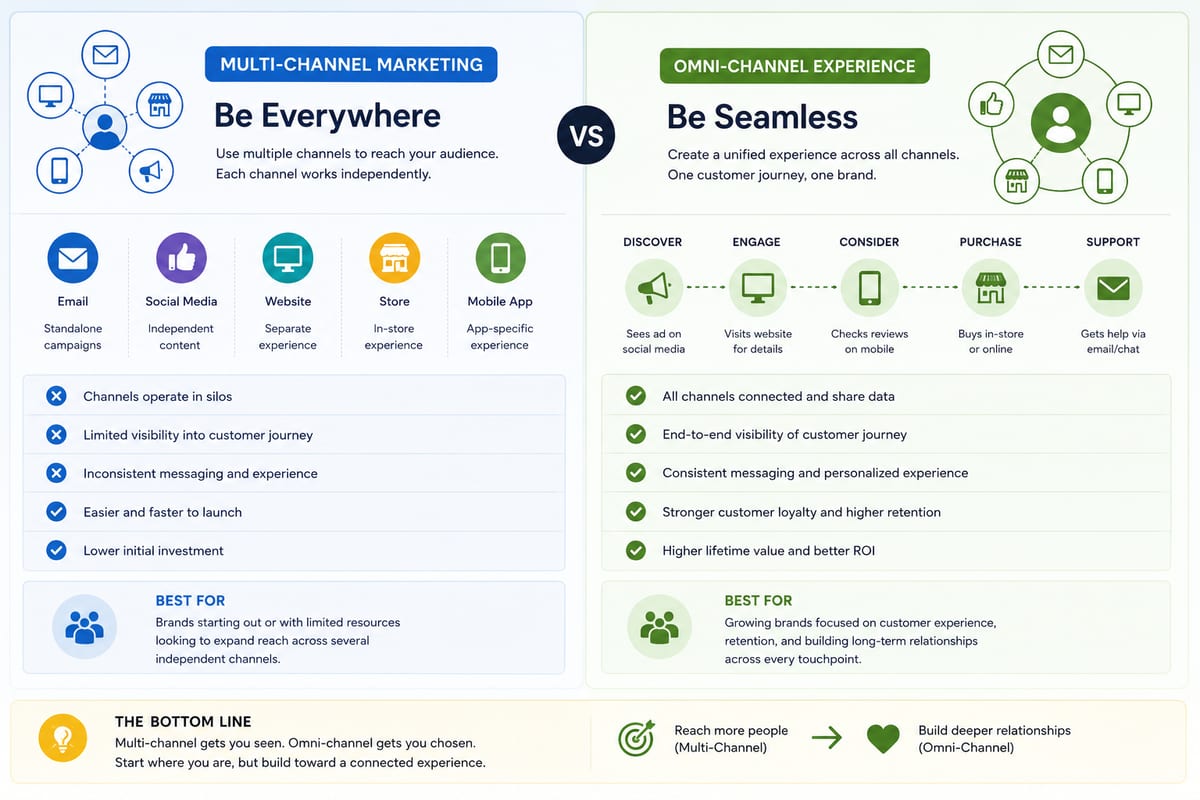
Multi Channel Marketing vs Omni Channel: Honest Comparison
Multi channel marketing vs omni channel breakdown for ecommerce operations. The operational differences that determine which approach fits your business.

ERP Software vs Multi-Channel Platforms: Honest Choice
ERP software comparison for growing ecommerce brands. When ERP fits and when multi-channel platforms produce better outcomes at lower cost.