Flipkart Seller Inventory Sync with Shopify and Amazon India: The Complete Guide

India has 1.4 million active sellers on Flipkart. Most of them also sell on Amazon India. A growing number run their own Shopify stores for direct-to-consumer sales. And nearly all of them manage inventory across these channels using some combination of spreadsheets, manual updates, and hope.
The result is predictable. Stock goes out of sync. Orders get cancelled. Marketplace penalties pile up. During Flipkart's Big Billion Days in 2025, sellers reported cancellation rates as high as 8 to 12 percent on cross-listed products, with inventory mismatches as the leading cause.
This guide covers how Flipkart seller inventory sync actually works, where it breaks down, and how to connect Flipkart with Shopify and Amazon India without overselling.
Why Flipkart Inventory Sync Is Harder Than Amazon or Shopify
Sellers who have already connected Shopify and Amazon expect a similar experience when they add Flipkart. It is not similar. Flipkart's seller ecosystem was built for the Indian market with different technical assumptions, different API patterns, and different operational constraints.
No Native Integration with Shopify
Shopify does not offer a built-in Flipkart integration. There is no official app in the Shopify App Store that connects to Flipkart's Seller API. Every connection between the two platforms requires a third-party tool or custom development. This is the first and most fundamental gap that sellers face.
Amazon, by contrast, has Shopify Marketplace Connect and dozens of third-party apps. The integration ecosystem for Flipkart is years behind.
Flipkart's API Acknowledgment Delays
Flipkart provides a Seller API (v3) with endpoints for inventory updates through its Listing Management API. But inventory changes pushed through this API are not reflected instantly. Sellers consistently report a delay of 2 to 5 minutes between pushing an inventory update and seeing it reflected on the Flipkart product page.
"I pushed an inventory update to Flipkart at 2:14 PM. The seller dashboard still showed the old quantity at 2:18 PM. By the time it updated, two more orders had come in on stock I had already allocated to Amazon."
- Flipkart seller, Indian e-commerce forum (2025)
Compare this to Amazon's Selling Partner API, where inventory updates typically reflect within 15 to 60 seconds, and Shopify's Admin API, where changes are near-instant. That 2 to 5 minute Flipkart delay is long enough to cause overselling on every high-velocity SKU during a sale event.
GST and Compliance Layer
Every inventory sync with Flipkart must account for India's Goods and Services Tax (GST) structure. Product listings on Flipkart require a valid HSN code and GST slab. When you sync product data from Shopify (which has no concept of HSN codes) to Flipkart, the compliance metadata must be injected during the sync process. This adds a data transformation layer that does not exist in Amazon-Shopify sync.
The Three-Channel Inventory Problem for India Sellers
Selling on Flipkart, Amazon India, and Shopify simultaneously creates a specific set of challenges that differ from Western multichannel selling.
Different Fulfillment Models Per Channel
| Channel | Fulfillment Model | Inventory Control | Sync Complexity |
|---|---|---|---|
| Flipkart (Non-Smart) | Seller ships | Seller manages | Medium |
| Flipkart (Smart Fulfillment) | Flipkart ships from Flipkart warehouse | Flipkart manages | High |
| Amazon India (FBA) | Amazon ships from FC | Amazon manages | High |
| Amazon India (Easy Ship) | Amazon picks up from seller | Seller manages | Medium |
| Shopify (Self-fulfilled) | Seller ships | Seller manages | Low |
The challenge is that each fulfillment model reports inventory differently. Flipkart Smart Fulfillment holds stock in Flipkart's warehouses, similar to Amazon FBA. When you send 200 units to both Flipkart's warehouse and Amazon's fulfillment center, those 400 units are physically split across two external locations. Your Shopify store's inventory count must reflect the combined available stock minus what is committed to each marketplace.
SKU Mapping Across Indian Marketplaces
Flipkart uses its own product identifier system called the Flipkart Serial Number (FSN). Amazon India uses ASINs. Shopify uses variant IDs. A single product in your catalog has three different identifiers across three platforms, and none of them are interchangeable.
The mapping challenge gets worse with variants. A "Blue Cotton T-Shirt, Size L" might be:
- FSN: TSHFGHY7BAZXENM4 on Flipkart
- ASIN: B09XYZABC1 on Amazon India
- Variant ID: 42301987654321 on Shopify
If your sync tool maps the wrong FSN to the wrong ASIN, inventory updates go to the wrong product. You end up with phantom stock on one listing and a stockout on another.
Sale Event Overlap
India's e-commerce calendar creates unique pressure on inventory sync. Flipkart's Big Billion Days and Amazon India's Great Indian Festival often run during the same week in October. Both platforms see 5x to 10x normal order velocity during these events. Add Diwali traffic to your Shopify store, and you have three channels all draining the same inventory pool at peak speed simultaneously.
"During Big Billion Days, we were getting 40 orders per hour on Flipkart and 25 per hour on Amazon. Our sync was running every 10 minutes. By the time a batch processed, we had already oversold 6 units across channels."
- Multichannel seller, r/IndianStreetBets (2025)
How Flipkart's Seller API Handles Inventory
Understanding the technical details of Flipkart's API is essential for building or evaluating a sync solution. Here is what the Listing Management API actually supports.
API Capabilities
- Read current inventory levels per FSN
- Update inventory quantities for seller-fulfilled listings
- Retrieve order data including fulfillment status
- Access returns and cancellation events
- Bulk listing creation and updates (up to 2,000 SKUs per batch call)
API Limitations
- No webhook support for inventory change events (you must poll)
- Rate limits that restrict aggressive polling frequencies
- No real-time push notification when an order is placed (order data must be pulled)
- Inventory updates for Smart Fulfillment listings are controlled by Flipkart, not the seller
- Token refresh requirements that cause auth failures if not handled properly
The absence of webhooks is the single biggest technical gap. Amazon's Selling Partner API supports push notifications for order events. Shopify fires webhooks on every order, fulfillment, and inventory change. Flipkart requires you to ask for updates rather than sending them to you. This polling model adds latency to every sync cycle.
Practical Sync Latency by Channel
| Channel | Sync Trigger | Typical Latency | Overselling Risk |
|---|---|---|---|
| Shopify | Webhook (push) | Under 5 seconds | Low |
| Amazon India | SQS notification + API poll | 15 to 60 seconds | Medium |
| Flipkart | API poll only | 2 to 5 minutes | High |
The gap between Shopify's sub-5-second sync and Flipkart's 2-to-5-minute sync means you are always working with stale data on the Flipkart side. Any sync architecture must account for this asymmetry. For a deeper look at how event-driven sync compares to polling, see our guide on syncing Shopify and Amazon inventory in real time.
Setting Up Flipkart-Shopify-Amazon Inventory Sync
Whether you use an existing multichannel tool or build a custom integration, the setup follows the same sequence.
Step 1: Normalize Your SKU Map
Create a single source of truth that maps every product across all three platforms. Your master SKU map should include:
- Internal SKU (your canonical identifier)
- Flipkart FSN
- Amazon ASIN and Seller SKU (MSKU)
- Shopify Variant ID
- HSN code (required for Flipkart GST compliance)
- Fulfillment type per channel (self-fulfilled, Smart Fulfillment, FBA, Easy Ship)
Do not skip this step. SKU mapping errors are the number one cause of sync failures across Indian marketplaces. If your Flipkart FSN maps to the wrong internal SKU, every inventory update for that product goes to the wrong place.
Step 2: Choose Your Sync Architecture
You have two realistic options for Flipkart sync:
- Polling-based sync: Query Flipkart's API at a fixed interval (every 2 to 5 minutes) to check for new orders and inventory changes. Simple to build. Always has latency equal to your polling interval.
- Hybrid sync: Use Shopify webhooks and Amazon notifications for near-instant updates on those channels, and poll Flipkart on a fast interval. The hybrid approach minimizes overall sync latency by using the fastest method available per channel.
Pure webhook-based sync is not possible with Flipkart today because the API does not support it. The hybrid model is the practical choice.
Step 3: Configure Per-Channel Safety Buffers
Because Flipkart sync is inherently slower than Shopify or Amazon sync, you need larger safety buffers on Flipkart listings.
- Flipkart: Hold back 10 to 15 percent of available stock. The 2-to-5-minute sync delay justifies a larger buffer.
- Amazon India: Hold back 5 to 10 percent. Faster sync means less overselling risk.
- Shopify: Show near-full inventory. You control the storefront, so you can handle edge cases directly.
During Big Billion Days or Great Indian Festival, increase all buffers by an additional 5 to 10 percent. The velocity increase during these events makes existing buffers insufficient.
"We started holding back 15 percent on Flipkart during sale events after getting burned twice. Our cancellation rate dropped from 9 percent to under 2 percent. The lost potential sales from the buffer were far less costly than the penalties and customer complaints from overselling."
- Electronics seller, Flipkart Seller Community (2025)
Step 4: Handle Flipkart Smart Fulfillment Separately
If you use Flipkart's Smart Fulfillment (their FBA equivalent), inventory at Flipkart's warehouses is managed by Flipkart. You cannot directly update the available quantity for these listings through the API. Instead, you must:
- Track inbound shipments to Flipkart warehouses
- Read the available quantity from Flipkart's API (not write to it)
- Subtract Smart Fulfillment stock from your allocatable pool before syncing to Amazon and Shopify
This mirrors the challenge of syncing Amazon FBA inventory, where the marketplace controls the stock and you can only read what is available. Our guide on marketplace inventory sync across Amazon, eBay, and Walmart covers this pattern in detail.
Step 5: Test During Low Traffic Before Going Live
Run your sync in shadow mode for 7 to 14 days. Log every intended inventory change alongside what actually happened. Look for:
- FSN-to-SKU mapping mismatches
- Inventory quantities that would have gone negative
- Sync delays exceeding your acceptable threshold
- GST metadata that fails Flipkart's validation
Common Flipkart Sync Failures and Fixes
These are the problems sellers report most frequently when syncing Flipkart with other channels.
Token Expiration and Auth Failures
Flipkart's API uses OAuth tokens that expire periodically. If your sync tool does not handle token refresh automatically, the connection drops silently. Inventory stops updating, but no error appears in your dashboard because the tool is still running, just failing every API call.
The fix: Build automatic token refresh into your sync pipeline. Log every auth failure. Alert immediately when a refresh fails, because a dead sync connection during a sale event is how overselling happens at scale.
Bulk Update Failures
Flipkart's bulk inventory update endpoint accepts up to 2,000 SKUs per call. But if any single SKU in the batch has invalid data (wrong FSN format, negative quantity, missing HSN code), the entire batch can fail. One bad record blocks updates for 1,999 good records.
The fix: Validate every record before including it in a batch. If a record fails validation, exclude it from the batch and process it separately. Never let one bad SKU block your entire inventory update.
Sale Event Throttling
During Big Billion Days, Flipkart's API response times increase and rate limits tighten. Sellers report that API calls that normally complete in 200 milliseconds can take 2 to 5 seconds during peak events. If your sync tool is not built to handle degraded API performance, it can queue up failed requests and create a backlog that takes hours to clear.
The fix: Implement exponential backoff with jitter. Prioritize high-velocity SKUs in the update queue. Accept that during extreme peak periods, Flipkart sync latency will be higher than normal, and compensate with larger safety buffers.
How Nventory Connects Flipkart, Shopify, and Amazon India
Nventory is built for multichannel sellers who operate across platforms with different API capabilities and different sync speeds. Here is how it addresses the Flipkart-specific challenges covered in this guide.
Adaptive Sync Per Channel
Nventory uses the fastest available sync method for each connected channel. For Shopify, it uses webhooks for sub-second updates. For Amazon India, it combines push notifications with API polling. For Flipkart, it runs high-frequency polling with automatic buffer adjustments based on current sync latency.
When Flipkart's API slows down during a sale event, Nventory detects the increased latency and automatically widens safety buffers on Flipkart listings. When latency returns to normal, buffers tighten back to standard levels. This adaptive approach means you do not need to manually adjust settings every time Flipkart runs a promotion.
Unified SKU Mapping with FSN Support
Nventory's sync engine maps FSNs, ASINs, and Shopify Variant IDs to a single internal SKU. The mapping process flags ambiguous matches for manual review rather than guessing. When a new variant is added on any channel, Nventory alerts you to create the cross-channel mapping before the product goes live.
India-Specific Compliance Handling
GST metadata, HSN codes, and MRP (Maximum Retail Price) requirements are handled natively in the sync pipeline. When syncing product data from Shopify to Flipkart, Nventory injects the required compliance fields based on your product category configuration. This eliminates the manual step of adding India-specific metadata to every listing.
If you are considering adding Flipkart to your existing Shopify store, our guide on Shopify to Flipkart integration covers the business requirements, including GST registration, Indian entity setup, and fee structures.
Sale Event Mode
Before Big Billion Days or Great Indian Festival, you can activate Sale Event Mode in Nventory. This increases polling frequency for Flipkart, widens safety buffers across all channels, and enables priority queuing for high-velocity SKUs. After the event ends, the system returns to normal operation automatically.
Inventory sync across Flipkart, Amazon India, and Shopify is not a solved problem. The API gaps, the latency asymmetry, and the India-specific compliance requirements make it harder than Western multichannel selling. But sellers who build their sync architecture around these constraints, rather than ignoring them, avoid the cancellation penalties and customer complaints that plague their competitors. Start with a clean SKU map, use the fastest sync method each channel supports, buffer aggressively on the slowest channel, and monitor continuously. The sellers who do this are the ones scaling across India's $100 billion e-commerce market without losing orders to inventory mismatches.
Frequently Asked Questions
No native integration exists between Flipkart and Shopify. You need a multichannel inventory platform that connects to both via their APIs. The Flipkart Seller API v3 supports inventory reads and writes, but you must build or buy the middleware that bridges it to Shopify.
API rate limits and delayed stock acknowledgment from Flipkart are the two most common problems. Flipkart's Listing Management API can take 2 to 5 minutes to reflect inventory changes, which creates overselling windows during high-velocity sales periods like Big Billion Days.
Yes. Flipkart provides a Seller API (v3) with endpoints for listing management, inventory updates, order retrieval, and returns processing. Access requires a registered Flipkart seller account with API credentials.
Use event-driven sync with safety buffers. Hold back 10 to 15 percent of stock per channel, prioritize webhook-based updates where available, and run a reconciliation poll every 5 minutes to catch any missed events.
Multichannel platforms like EasyEcom, Unicommerce, and WebBee support Flipkart alongside Amazon India and Shopify. The key factor is whether the tool supports real-time event-driven sync or relies on slower batch polling.
Related Articles
View all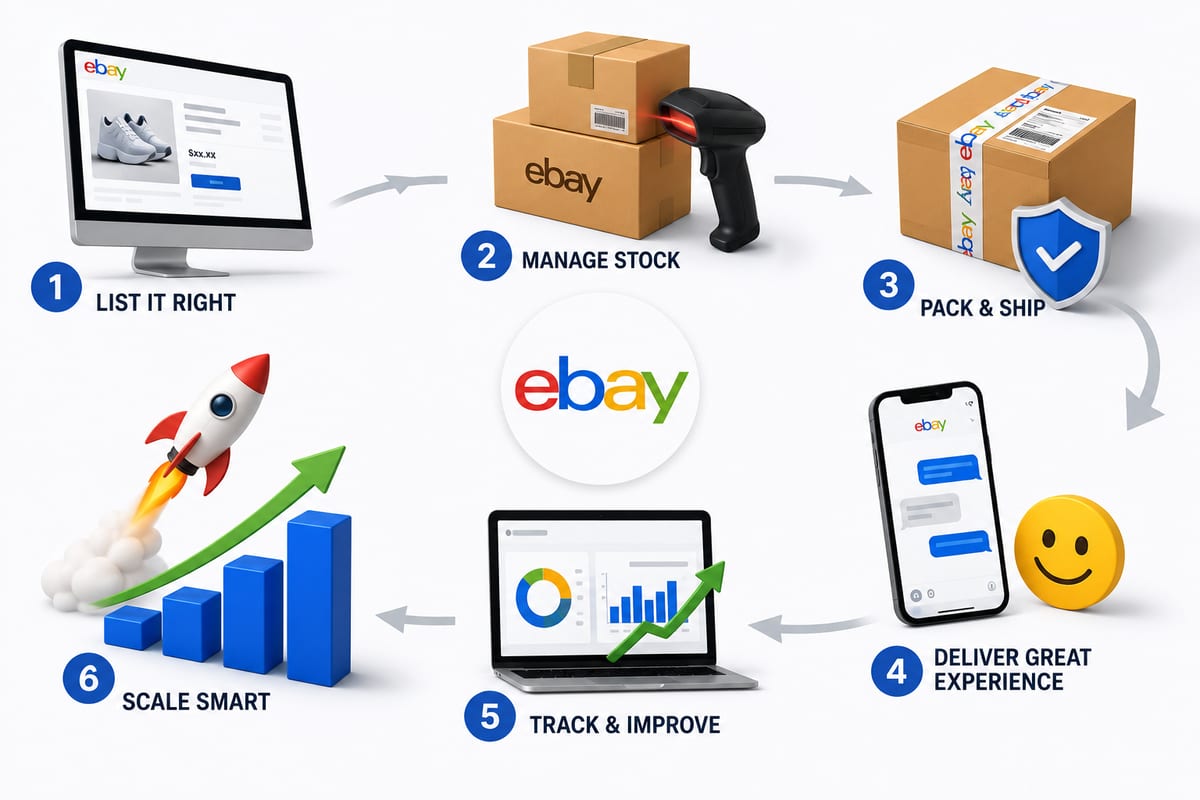
Tips on How to Sell on eBay: Operational Practices at Scale
Tips on how to sell on eBay alongside multiple channels. The operational practices that protect seller standing and produce sustainable margin.
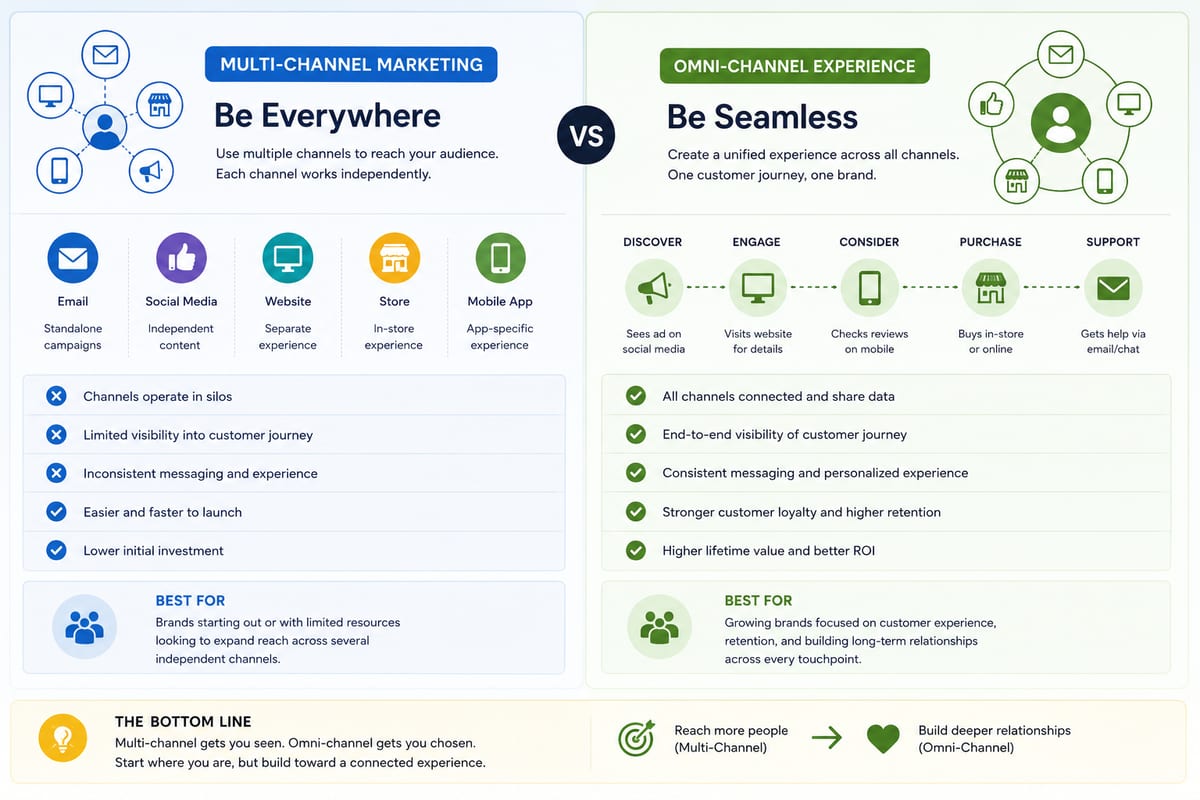
Multi Channel Marketing vs Omni Channel: Honest Comparison
Multi channel marketing vs omni channel breakdown for ecommerce operations. The operational differences that determine which approach fits your business.

ERP Software vs Multi-Channel Platforms: Honest Choice
ERP software comparison for growing ecommerce brands. When ERP fits and when multi-channel platforms produce better outcomes at lower cost.