Inventory Plugin WordPress Operations Actually Need
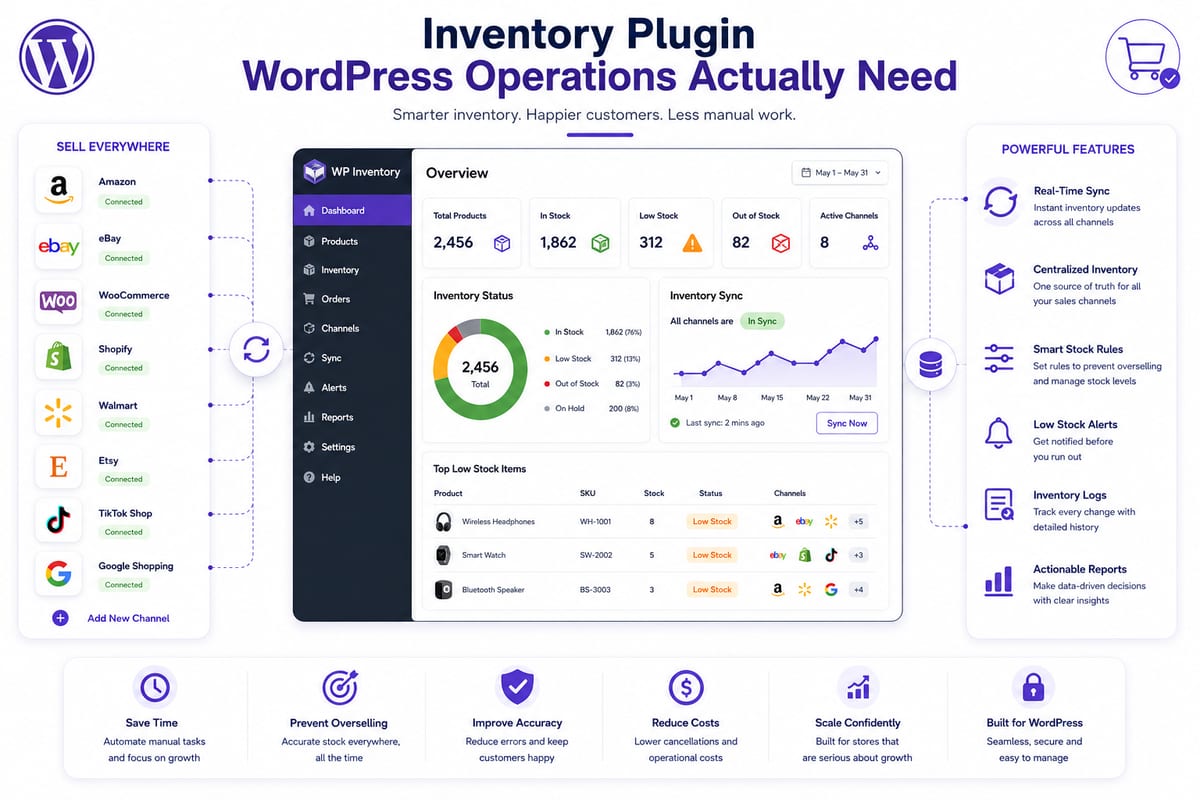
The WordPress plugin ecosystem contains hundreds of options targeting inventory management. Most of them were built when WooCommerce stores were small, single-channel, and operationally simple. Today's WordPress ecommerce reality includes 5,000+ SKU catalogs, multiple connected marketplaces, variation depth measured in dozens per parent, and order volumes that strain plugins designed for simpler times. The inventory plugin WordPress operations actually need at scale differs significantly from what most plugin galleries showcase.
This article walks through what serious WooCommerce stores actually require from an inventory plugin WordPress installation, the architectural properties that separate scaling-ready plugins from stack-ceiling plugins, and how to evaluate options based on production behavior at the scale your operation actually runs.
What WordPress Operations Actually Need in 2026
Modern WordPress ecommerce operations face specific challenges that shape inventory plugin requirements.
WooCommerce as multichannel hub. Most serious WooCommerce stores sell across multiple channels. The inventory plugin needs to coordinate stock between WooCommerce and Amazon, eBay, Walmart, TikTok Shop, Shopify, and other connected channels.
Variation depth at WordPress scale. Variable products with multiple variations per parent multiply effective SKU count. WordPress operations selling apparel, footwear, or configurable products often manage 10,000+ effective SKUs.
Performance preservation under load. Inventory operations affect WooCommerce performance. Plugins running heavy operations inside WordPress slow admin and front-end performance as catalog grows.
Real-time sync without WordPress strain. Sub-5-second sync requires external infrastructure rather than WordPress-based polling. WordPress was not designed for high-velocity real-time operations at scale.
Open data architecture. Inventory data flows to accounting, marketing, reporting, and analytics tools. Plugins locking data inside their systems create downstream integration chaos.
Hosting-aware operation. WordPress runs on shared hosting, managed WordPress, VPS, and dedicated server configurations with vastly different performance characteristics. Inventory plugins need to work across the range without requiring specific hosting upgrades.
For broader operational context on this layer, see our woocommerce inventory plugin framework on multi-channel store requirements.
Why Most Inventory Plugin WordPress Choices Fail at Scale
WordPress inventory plugins typically fail at scale through predictable patterns.
Local-compute architecture. Plugins running all operations inside WordPress consume hosting database performance. Operations approaching 1,000+ SKUs experience admin slowdowns and front-end performance degradation.
Polling-based sync architecture. Plugins using cron-based polling to sync with channels create gaps where channels can disagree. The gap window allows overselling.
WordPress-blind variation handling. WooCommerce has specific variation architecture that some plugins handle poorly. Aggregate stock tracking at the parent product level breaks for variation-heavy catalogs.
Hosting-naive resource consumption. Plugins designed for VPS environments often crash on shared hosting that hosts most growing WordPress stores. The reverse also happens, plugins assuming shared hosting limitations underperform on capable infrastructure.
Closed data architectures. Plugins storing inventory data in proprietary formats prevent integration with accounting tools (QuickBooks, Xero), marketing tools (email platforms, CDPs), and reporting tools (BI platforms).
Stack conflicts. WordPress operations typically run 15+ plugins simultaneously. Inventory plugins that conflict with other plugins create silent reliability issues.
Understanding these failure patterns helps select plugins that avoid them rather than perpetuating them.
The Architectural Properties That Predict Plugin Success
WordPress inventory plugins that scale across multi-channel operations share specific architectural properties.
Property 1: External Infrastructure for Heavy Operations
Heavy operations like sync, reporting, and bulk processing run on dedicated platform infrastructure rather than inside WordPress. The plugin stays lightweight on WordPress; the heavy lifting happens externally where it does not consume hosting resources.
Property 2: Webhook-Driven Real-Time Sync
Stock changes propagate via webhooks the moment they happen rather than through cron-based polling. According to Cloudflare's documentation on webhooks, event-driven architectures handle high-velocity inventory changes far more reliably than polling alternatives.
Property 3: Native Channel Integrations
Direct API connections to each connected channel rather than middleware-routed integrations. Native integrations have lower latency, better error handling, and faster recovery from platform changes.
Property 4: WooCommerce-Native Variation Handling
Each WooCommerce variation tracked as its own SKU with independent stock counts and sync rules. The plugin understands WooCommerce's variation model rather than retrofitting generic variation handling.
Property 5: Hosting-Aware Resource Management
Plugin operations respect hosting constraints. The plugin works on shared hosting through dedicated infrastructure while scaling to enterprise hosting when available.
Property 6: Open Data Architecture
Standard format exports, public API access, no administrative gatekeeping. Operations retain control of their inventory data regardless of plugin relationship status.
For broader context on the architectural properties, see our inventory software framework on the choices that matter.
How WordPress Hosting Affects Inventory Plugin Choice
WordPress hosting characteristics affect which inventory plugins fit which operations.
Shared hosting operations (Bluehost, SiteGround, HostGator). Limited resources require plugins that minimize WordPress-side compute. Plugins running heavy operations locally cause hosting performance problems.
Managed WordPress hosting (WP Engine, Kinsta, Pressable). Better resources but specific performance characteristics. Plugins need to work within managed hosting constraints around caching, file system access, and cron scheduling.
VPS hosting (DigitalOcean, Linode, AWS Lightsail). More resources available but operators manage configuration. Plugins should leverage available resources without requiring specific configuration.
Dedicated/enterprise hosting (WordPress VIP, Pantheon). Significant resources with specific architectural requirements. Plugins need to integrate with enterprise hosting patterns.
The inventory plugin choice should match the hosting reality. Plugins designed for shared hosting often underperform on dedicated hosting; plugins designed for dedicated hosting often crash on shared hosting.
How Nventory Implements Inventory Plugin WordPress Architecture
The Nventory plugin on WordPress.org is built specifically around the six architectural properties for serious WordPress operations. The plugin stays lightweight on WordPress; heavy operations run on Nventory.io dedicated cloud infrastructure.
This architectural choice works across the WordPress hosting spectrum. Shared hosting operations get scaling capability without consuming hosting resources. Managed WordPress operations integrate cleanly within hosting constraints. VPS and dedicated hosting operations benefit from external compute without losing local control.
The plugin connects WooCommerce to Amazon, eBay, Walmart, TikTok Shop, Etsy, Shopify, BigCommerce, and 30+ other channels through native API integrations. Sync is webhook-driven with sub-5-second propagation. Variations track at the SKU level using WooCommerce's native variation architecture. Buffer stock is configurable per SKU. Comprehensive audit trails are accessible to operators.
For operations also running Shopify stores, the same platform is available through the Nventory Shopify App. Operations running both WordPress and Shopify can unify them under one multi-channel platform.
The free tier includes the core multi-channel functionality without subscription cost. Setup takes about 10 minutes for the first channel. According to Wikipedia's overview of inventory management, centralized data ownership across distributed channels is foundational to operational accuracy, and the Nventory plugin embodies this principle by providing WordPress operations with the architectural foundation that scaling requires.
How to Evaluate Inventory Plugins for Your WordPress Operation
Before committing setup time to any inventory plugin WordPress installation, run these verification checks.
Check 1: Test on a staging site. WooCommerce staging is straightforward. Install candidate plugins on staging with realistic catalog data before committing to production.
Check 2: Verify external infrastructure usage. Ask vendors specifically: do heavy operations run on my WordPress server or on external infrastructure? External infrastructure preserves WooCommerce performance.
Check 3: Test sync architecture. Configure the candidate plugin with multiple channels on staging. Trigger stock changes and measure propagation latency. Sub-5-second sync indicates webhook-driven architecture.
Check 4: Test variation handling at your catalog's actual depth. Create a variable product with the variation depth your real catalog uses. Plugins handling 3 variations well sometimes break for 12+ variations.
Check 5: Verify hosting compatibility. Ask vendors about hosting requirements. Plugins demanding specific hosting configurations may not fit your hosting reality.
Check 6: Test integration with your other plugins. Run the inventory plugin alongside your full plugin stack on staging. Plugins that conflict with other plugins create silent reliability issues.
Plugins passing all six checks have sound architecture for serious WordPress operations. Plugins failing two or more should be eliminated regardless of download counts or ratings.
Common Inventory Plugin WordPress Selection Mistakes
A few patterns that produce expensive plugin migrations.
Picking based on WordPress.org download counts alone. Download counts measure popularity, not architectural fit for serious operations.
Trusting WordPress.org ratings without operational context. Ratings reflect satisfaction with intended use cases, often small-store operations rather than multi-channel scale.
Stacking multiple inventory plugins. Multiple plugins writing to WooCommerce stock data create silent conflicts. Consolidate to a single plugin.
Ignoring WordPress hosting implications. Plugins running heavy operations inside WordPress affect site performance. Choose plugins that delegate heavy operations externally.
Skipping the staging tests. WordPress.org plugin pages do not reveal production behavior. Staging testing surfaces real issues.
Final Thoughts
The inventory plugin WordPress operations actually need at scale differs significantly from typical WordPress plugin choices. Six architectural properties, external infrastructure, webhook-driven sync, native channel integrations, WooCommerce-native variation handling, hosting-aware resource management, and open data architecture, determine whether plugins support scaling operations or hit ceilings at predictable inflection points. Operations evaluating plugins through this architectural lens select tools that scale with growth. Operations evaluating by WordPress.org ratings and download counts often migrate within 18 months when stack ceiling problems become acute.
If you want to test an inventory plugin WordPress operations need for serious multi-channel scale, download the free Nventory plugin from WordPress.org. For operations also running Shopify stores, install Nventory from the Shopify App Store. Visit nventory.io to review platform architecture documentation.
Frequently Asked Questions
Plugins with external infrastructure, webhook-driven sync, native channel integrations, WooCommerce-native variation handling, hosting-aware resource management, and open data architecture. The free Nventory plugin on WordPress.org is built around these properties.
Architecturally sound plugins should not affect WordPress performance noticeably. Plugins running heavy operations inside WordPress can slow performance significantly. Choose plugins that delegate heavy operations to external infrastructure.
One. Multiple plugins writing to WooCommerce stock data create silent conflicts. Consolidate to a single plugin that handles your full inventory workflow.
Yes, with the right architecture. Plugins designed for multi-channel use treat marketplaces as connected channels and synchronize inventory between WooCommerce and them automatically. For operations running both WordPress and Shopify, the same architecture is available as the Nventory Shopify App.
Less than with most plugins. Inventory plugins with external infrastructure architecture keep most update risk on the platform side rather than the WordPress plugin side, reducing site-impact risk.
Significantly. Plugins designed for specific hosting types often underperform on different hosting. Choose plugins that work across hosting types through external infrastructure rather than depending on local compute.
Related Articles
View all
Inventory Automation That Actually Saves Operations Time
Inventory automation for ecommerce operations past manual reconciliation. The categories that produce compounding labor savings at scale.
Cross Channel Inventory Management Without the Chaos
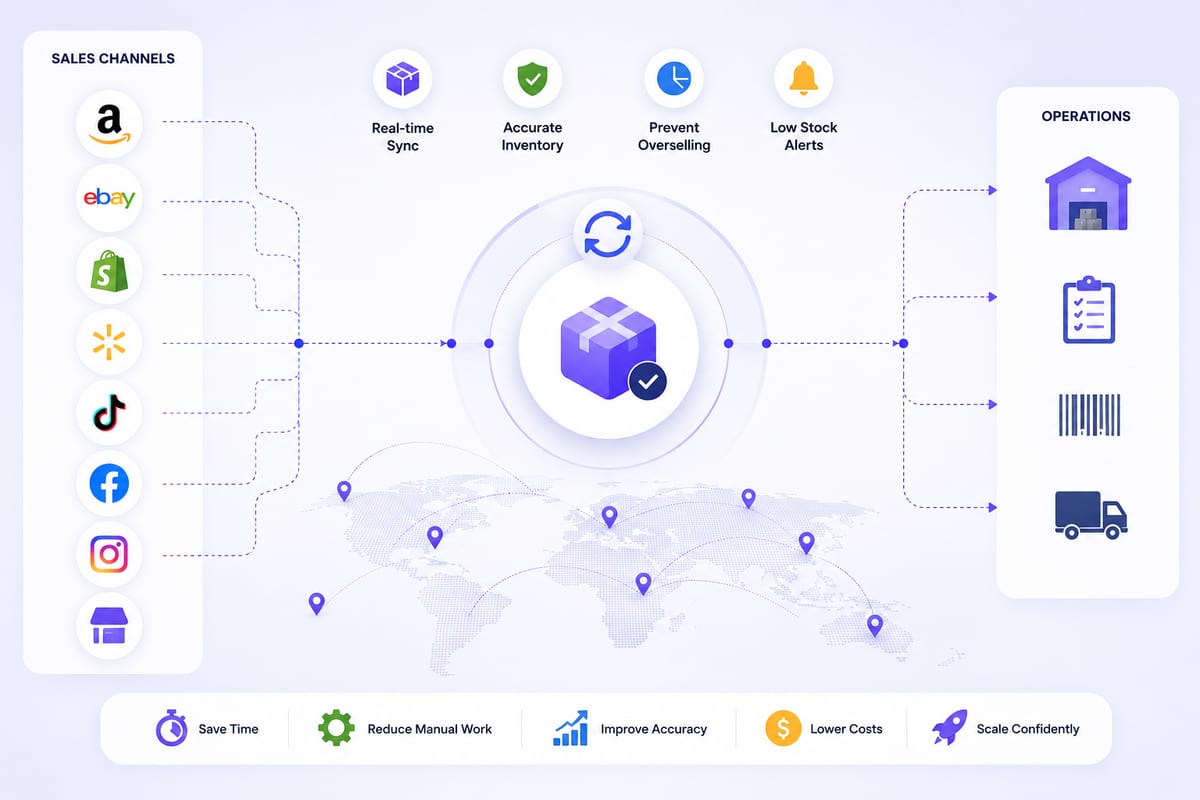
Cross channel inventory management for operations running on multiple platforms. The architectural patterns that prevent coordination breakdowns.
Real Time Inventory Management at Multi-Channel Scale
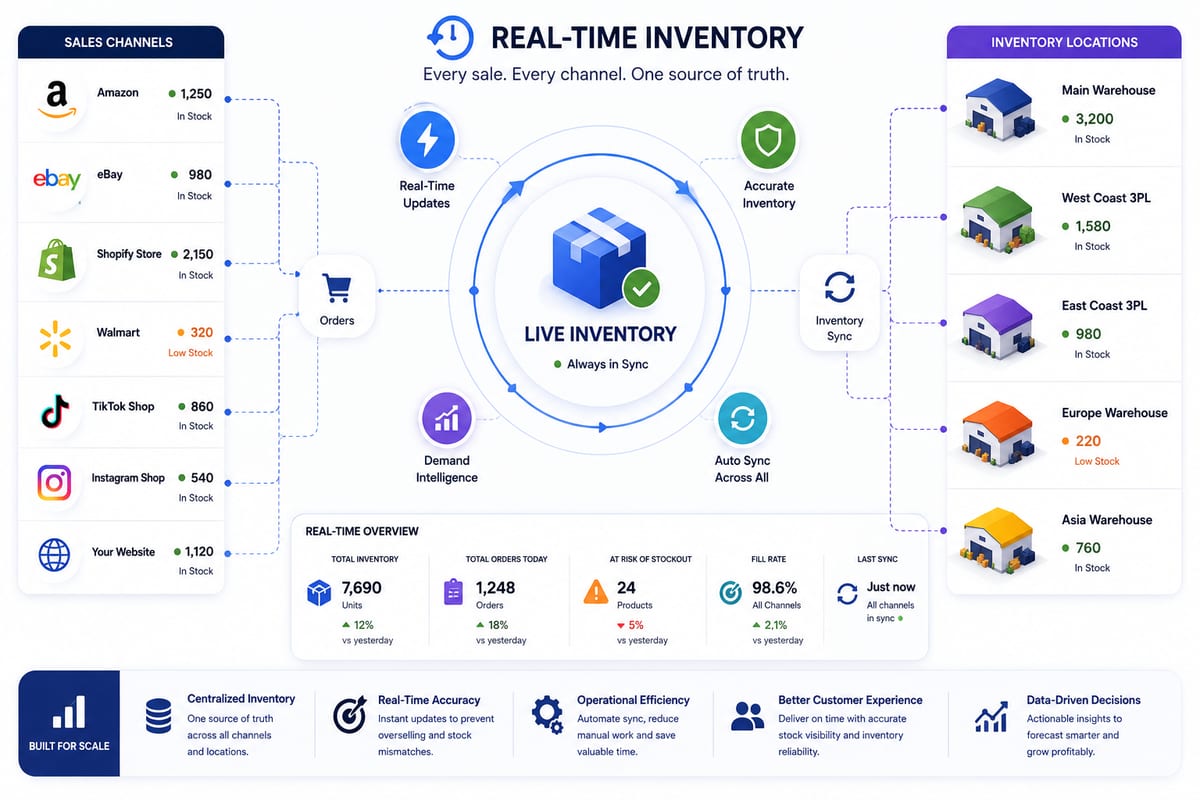
Real time inventory management requirements for multi-channel ecommerce. The architecture that delivers sub-5-second propagation under load.