Shopify App Marketplace: Choosing Apps That Actually Scale
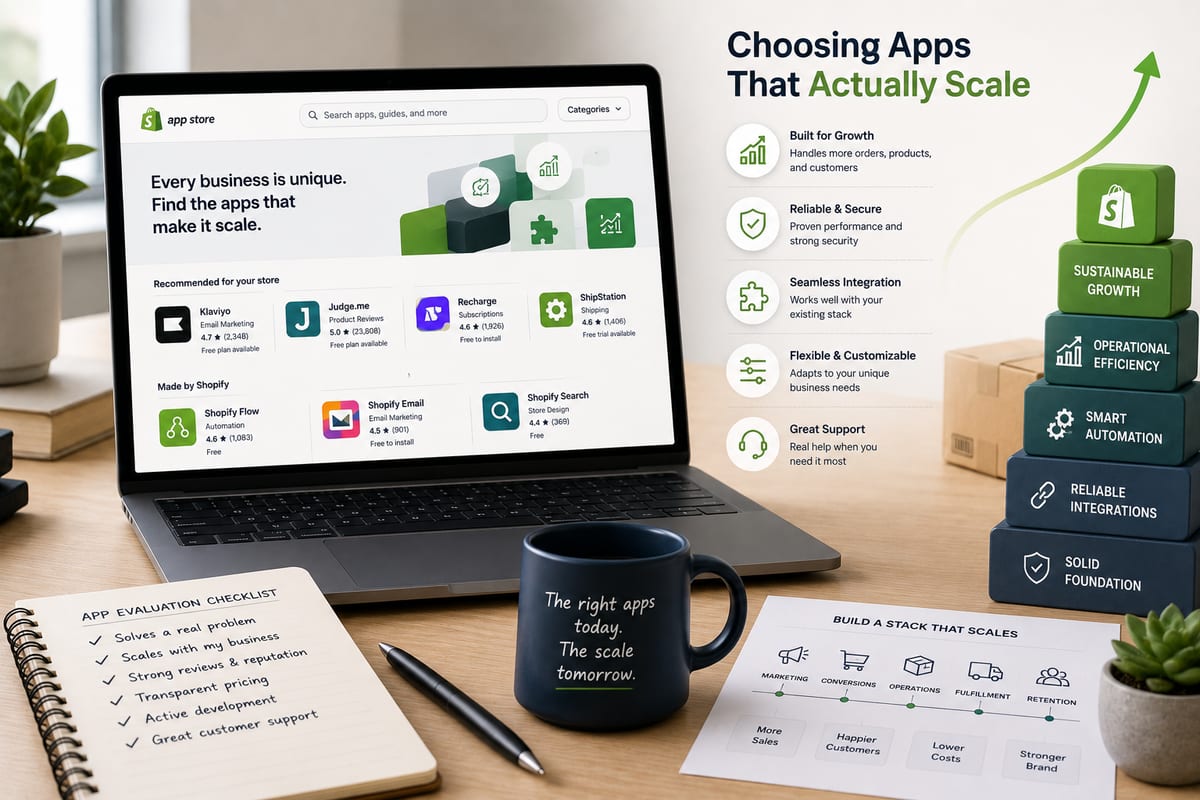
The Shopify App Marketplace contains thousands of apps spread across dozens of categories. The volume creates a navigation problem, operators cannot realistically evaluate more than a handful of options in any given category before having to make a decision. Most operators end up choosing apps based on Shopify App Marketplace ratings and install counts, which does not reliably predict whether the app will actually fit their operation. The result is significant wasted setup time across the ecommerce ecosystem.
This article walks through how to navigate the Shopify App Marketplace effectively, the categories worth serious investment, and the practical decisions that separate apps producing real operational leverage from apps producing setup time without value.
What the Shopify App Marketplace Actually Contains
The marketplace organizes apps across categories that cover most operational needs.
Sales channel apps. Connectors to Amazon, eBay, Walmart, TikTok Shop, Facebook, and other external channels. The category most relevant for multichannel ecommerce operations.
Inventory and fulfillment apps. Stock management, warehouse coordination, shipping integrations, and fulfillment automation.
Marketing apps. Email marketing, SMS marketing, advertising automation, loyalty programs, and review collection.
Analytics and reporting apps. Business intelligence, dashboard creation, performance tracking, and revenue attribution.
Customer service apps. Help desk integration, chat tools, return management, and customer communication.
Product and merchandising apps. Product information management, bulk editing, pricing tools, and catalog management.
Conversion optimization apps. Upsell tools, abandoned cart recovery, social proof, and checkout optimization.
Operations and productivity apps. Workflow automation, task management, internal tooling, and team collaboration.
Each category contains 50 to 500+ apps. The aggregate count exceeds 10,000 apps across the marketplace. Operators evaluating apps in this scale of selection face a real navigation problem.
Why Most Shopify App Marketplace Choices Disappoint
Operators reporting disappointment with Shopify App Marketplace apps share predictable patterns. Understanding the patterns helps avoid them.
Picking based on install count alone. High install counts correlate with longevity and basic functionality but do not predict architectural quality. Older apps often run on outdated architectures that struggle at modern scale.
Trusting ratings without context. Five-star ratings reflect satisfaction with intended use cases but do not reveal whether the app fits unusual operations. Ratings filtered by similar operations produce more useful signal than raw averages.
Underestimating integration depth. Apps claiming integration with various systems often have shallow integrations that break under load. Verify integration depth before committing.
Ignoring data ownership implications. Apps that lock data inside their systems create expensive future migrations. Always verify export capability before committing setup time.
Stacking too many apps. Each Shopify app adds load, complexity, and potential conflict surface. Operations running 30+ apps typically have performance and reliability issues compared to operations running 8 to 12 well-chosen apps.
According to Wikipedia's overview of inventory management, centralized data ownership and clean integration architectures are foundational to operational accuracy at scale. The Shopify App Marketplace contains apps that embody these principles and apps that violate them, the difference matters for whether the apps produce leverage or chaos.
The Categories Where Investment Compounds
A few app categories produce compounding leverage when chosen well. Operations investing setup time here see returns that grow over operational scale.
Category 1: Multi-Channel Inventory and Sync
Apps connecting Shopify to marketplaces and other storefronts. The highest-leverage category for any operation selling on multiple channels. The labor savings compound dramatically as channel count grows.
For deeper context on the architectural properties that matter here, see shopify inventory management.
Category 2: Inventory Management and Stock Coordination
Apps providing inventory tracking, sync, and operational coordination beyond Shopify's native capabilities. Critical for operations past 500 SKUs or multi-warehouse operations.
For broader framework, see inventory management system.
Category 3: Order Management Automation
Apps coordinating order processing, fulfillment routing, and status propagation. Significant labor savings at scale, especially for multi-warehouse or 3PL operations.
Category 4: Returns and Refund Management
Apps handling returns workflows, refund processing, and inventory restoration. Returns at scale require dedicated tooling; manual processing breaks past meaningful volume.
Category 5: Customer Communication Automation
Apps automating transactional emails, shipping notifications, and post-purchase sequences. Customer expectations demand this baseline; manual processing does not scale.
These five categories produce the bulk of compounding operational leverage available through the Shopify App Marketplace. Other categories have value but lower compounding potential.
The Categories Where Investment Often Disappoints
A few app categories appear constantly in operator app stacks but produce limited compounding value.
Pop-up and lead capture apps. Generate emails but the value depends on email marketing execution. Often produces volume without quality.
Aggressive review collection apps. Send aggressive review requests that produce review counts but can hurt customer satisfaction if poorly tuned.
Generic upsell and cross-sell apps. Show product recommendations that rarely produce meaningful conversion lift without sophisticated personalization.
Generic analytics dashboards. Aggregate data into dashboards but rarely take action on the data automatically.
Generic social proof apps. Show "X people bought this" notifications that produce minor conversion lifts but can feel manipulative.
These categories are not worthless, but the leverage they produce does not compound the way Category 1-5 apps do. Operations focusing limited setup time and operational attention on these categories often see less return than operations investing in higher-compound categories.
How to Evaluate Shopify App Marketplace Apps
Before committing setup time to any Shopify app, run these verification checks.
Check 1: Verify architectural quality. For inventory and sync apps specifically, ask about webhook-driven vs polling-based architecture. According to Cloudflare's documentation on webhooks, event-driven architectures handle high-velocity changes far more reliably than polling alternatives.
Check 2: Test on a development store. Shopify offers free development stores for testing. Install candidate apps on a development store with realistic data before committing to production.
Check 3: Verify data portability. Test the export workflow. Apps that gate exports through support tickets are building lock-in regardless of other strengths.
Check 4: Check support quality during trial. Submit a test question through the app's support channels. Response quality during trial predicts production support quality.
Check 5: Review recent ratings, not average ratings. Recent reviews reflect current app quality. Average ratings over multi-year histories can mask declining quality.
Check 6: Verify integration depth with your other apps. Apps that conflict with your existing app stack produce silent reliability issues. Test specifically for compatibility.
How Nventory Fits the Shopify App Marketplace
Nventory.io is available in the Shopify App Marketplace as Nventory on the Shopify App Store for multi-channel inventory and order coordination. The app handles the highest-leverage Shopify App Marketplace category, multi-channel inventory and sync, through webhook-driven architecture with sub-5-second propagation.
The platform connects Shopify to Amazon, eBay, Walmart, TikTok Shop, Etsy, BigCommerce, WooCommerce, and 20+ other channels through native API integrations. For operations also running on WooCommerce, download Nventory free from WordPress.org to connect WooCommerce stores to the same multi-channel platform.
The free tier includes core multi-channel sync functionality without subscription cost. Setup takes about 10 minutes for the first channel. The architectural properties, webhook-driven sync, native integrations, variation-level tracking, operator-accessible audit trails, represent what serious Shopify App Marketplace evaluation should select for.
The app maps to the verification framework above: webhook-driven architecture, complete data portability, responsive support, recent positive reviews, and clean integration with the broader Shopify app ecosystem.
Common Shopify App Marketplace Mistakes
A few patterns that produce wasted setup time and disappointing outcomes.
Trying to evaluate too many apps in one category. Comparing 15 candidates in spreadsheets is not useful. Testing 3 candidates on development stores is. The trial reveals more in a week than feature comparisons reveal in a month.
Installing apps directly on production. Apps that produce unexpected behavior on production create immediate customer-facing problems. Development stores exist specifically for testing.
Stacking apps that do similar things. Three different inventory apps writing to Shopify product data create silent conflicts. Pick one tool per operational function.
Underestimating switching costs. Apps that lock data create expensive future migrations. Verify portability before commitment.
Ignoring app permissions and data access. Each Shopify app requests specific permissions and accesses specific data. Apps requesting excessive permissions create security and compliance risk.
Final Thoughts
The Shopify App Marketplace contains genuine operational leverage and significant time-wasters in roughly equal measure. Operators who navigate it effectively focus on the five high-compounding categories, multi-channel inventory, inventory management, order management, returns, and customer communication, and choose apps within those categories based on architectural quality rather than install counts or ratings alone. The Shopify operations that scale share patterns of fewer, better-chosen apps rather than maximum app coverage.
If you want to test a Shopify App Marketplace app built around the architectural properties that produce compounding leverage, install Nventory from the Shopify App Store. For operations also running on WooCommerce, download Nventory free from WordPress.org. Visit nventory.io to review platform capabilities and architectural properties.
Frequently Asked Questions
Focus on the five high-compounding categories, multi-channel inventory, inventory management, order management, returns, customer communication. Skip generic conversion and analytics apps until the core operational categories are handled.
Multi-channel inventory and sync, for operations selling on 2+ channels. The labor savings compound dramatically. Nventory is available in this category, install from the Shopify App Store.
Most successful operations run 8 to 15 apps total. Operations running 30+ apps typically have performance and reliability issues from app interaction complexity.
Partially. Ratings reflect general user satisfaction but do not predict architectural quality or fit for your specific operation. Use ratings as one signal among several.
Yes, when the architecture supports it. Real free tiers from architecturally serious vendors handle scaling operations. The free Nventory tier on Shopify is one example, and for WordPress and WooCommerce stores Nventory is also available free on WordPress.org.
Stacking too many apps in similar categories. Each app adds load, complexity, and potential conflicts. Consolidating to fewer, better-chosen apps produces better operational outcomes than maximizing app count.
Related Articles
View all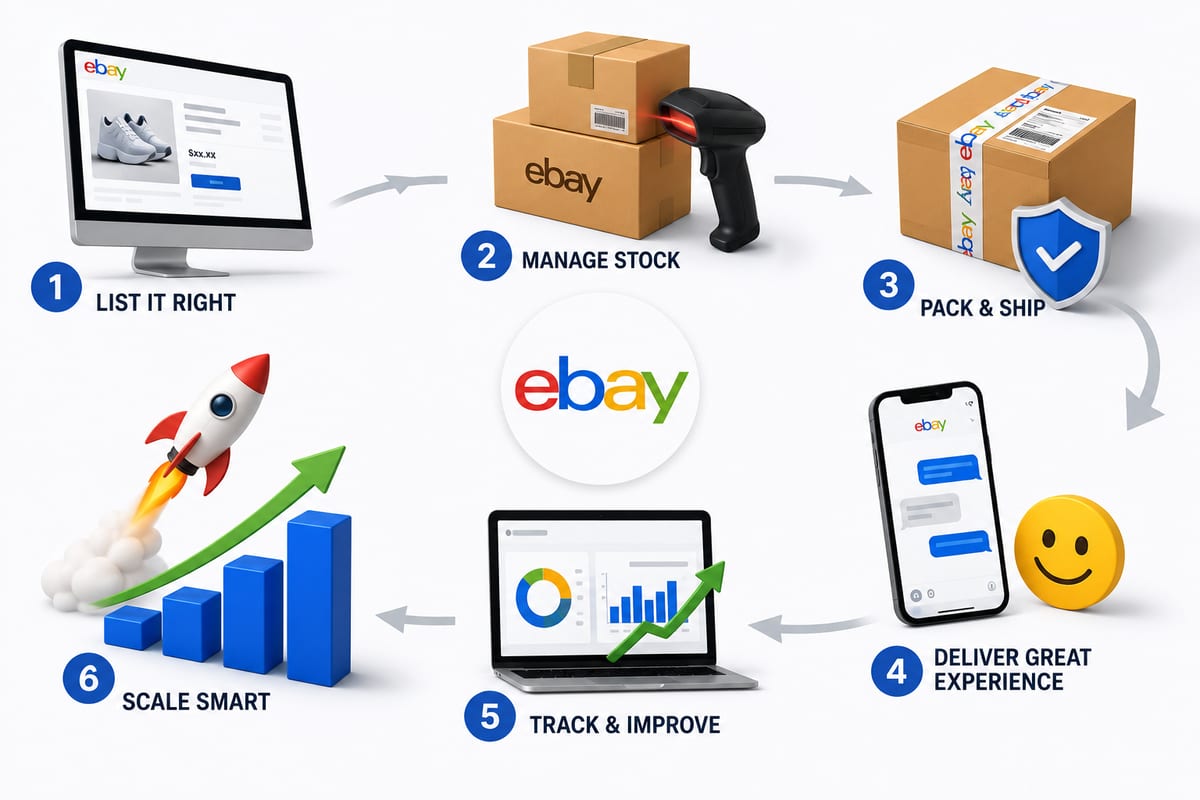
Tips on How to Sell on eBay: Operational Practices at Scale
Tips on how to sell on eBay alongside multiple channels. The operational practices that protect seller standing and produce sustainable margin.
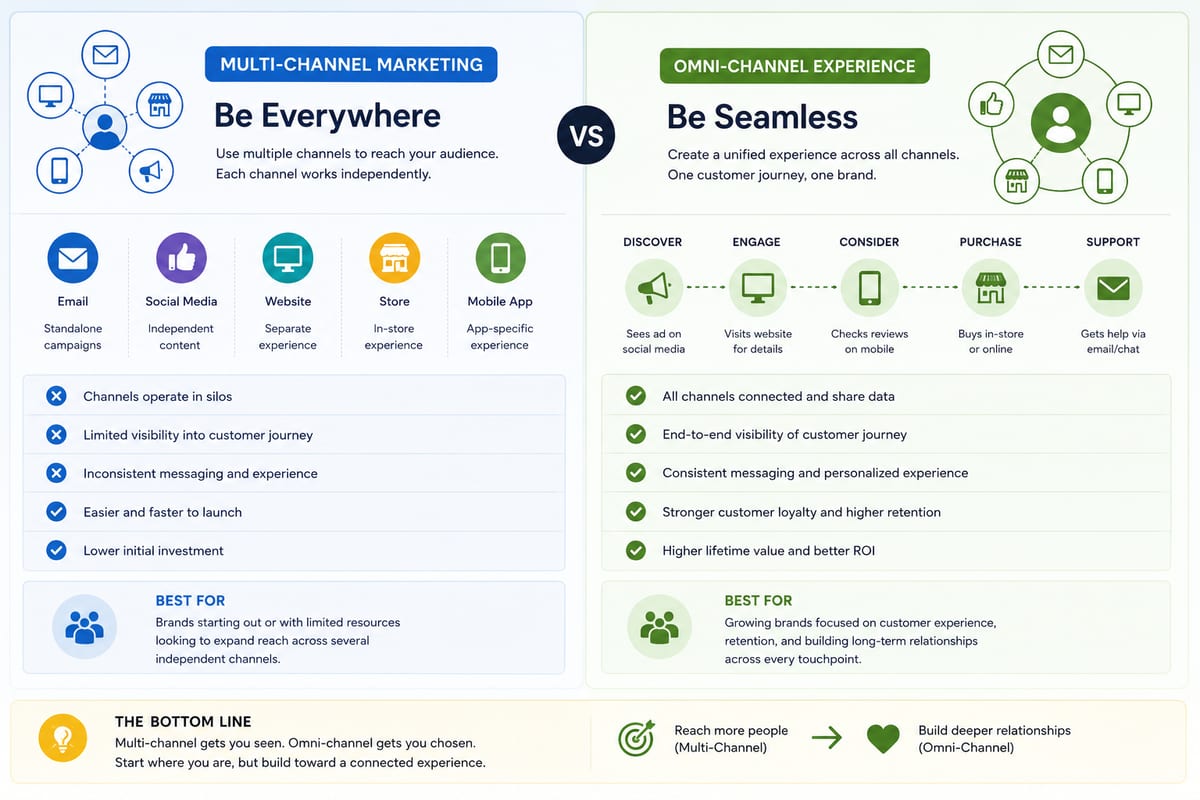
Multi Channel Marketing vs Omni Channel: Honest Comparison
Multi channel marketing vs omni channel breakdown for ecommerce operations. The operational differences that determine which approach fits your business.

ERP Software vs Multi-Channel Platforms: Honest Choice
ERP software comparison for growing ecommerce brands. When ERP fits and when multi-channel platforms produce better outcomes at lower cost.